---
updatedAt: 2025-09-09T21:41:38.000Z
agentTools:
projectIndex: https://help.zluri.com/llms.txt
---
# Connect
Connect Spot to Zluri
## Prerequisites
* **Organization Admin** privileges in Spot
## Integration steps
### Generate a Spot API token
1. [Log in](https://console.spotinst.com/spt/auth/signIn) to your Spot account.
2. Click the user icon to go to your profile, then navigate to **Settings** → **API**.
3. Click **Permanent Tokens** → **Generate Token**.
4. Select **Programmatic** token and choose **Refresh Token** as the token type.
5. Give your token a name and click **Generate**.
6. Copy and securely store this token.
### Connect the Spot instance in Zluri
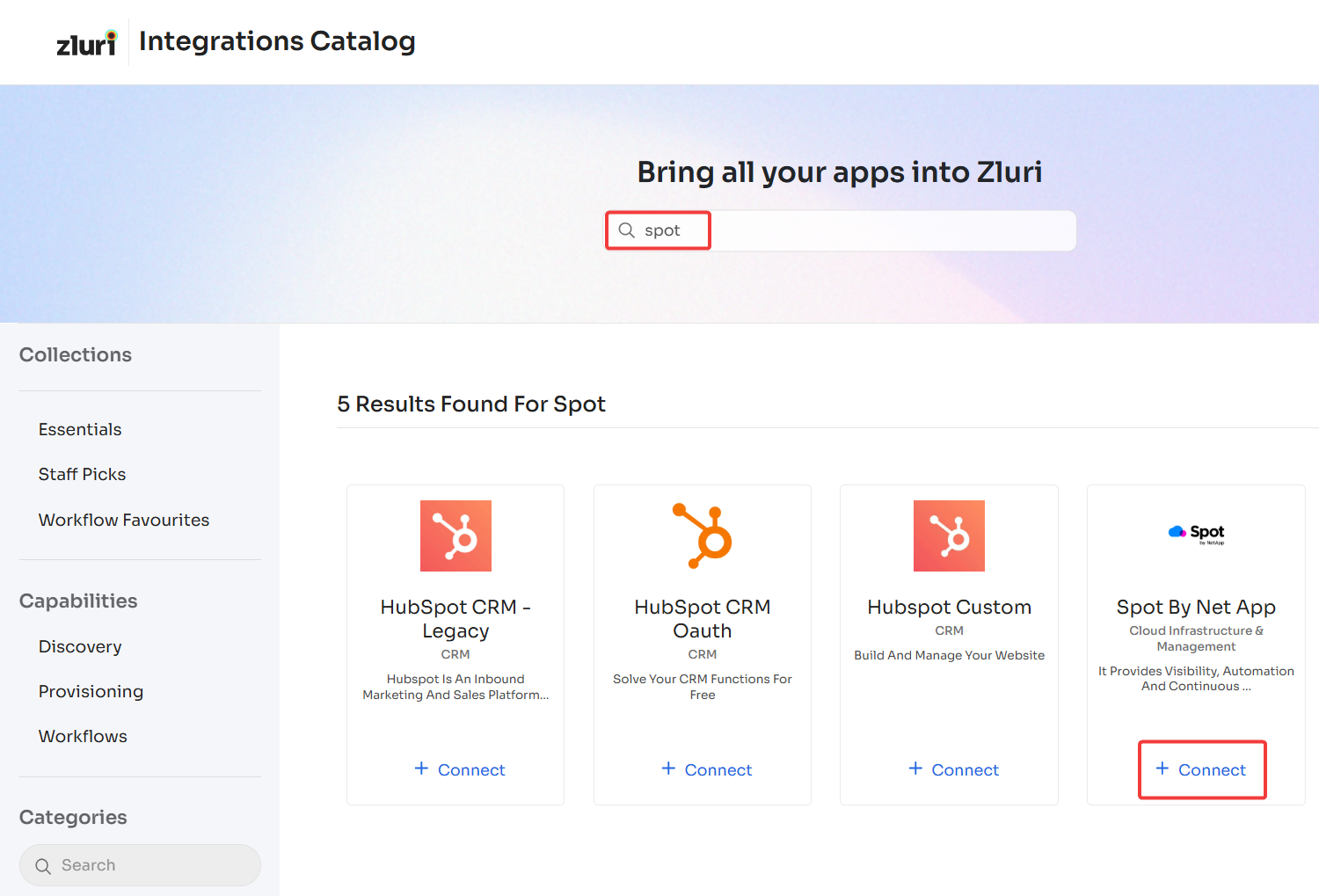
1. Open the [Integrations Catalog](https://app.zluri.com/integrations/catalog)**,** search for “spot”, and click ➕ **Connect** under the **Spot by NetApp** entry.
2. Click **Connect it myself** here. You can click the down-arrow button towards the right of a scope to find out what it does.
3. Enter the previously generated API token and click **Connect**.
4. Give the connection a name and description, and you’re ready to go!
Got questions? Feel free to [submit a ticket](https://support.zluri.com/support/tickets/new) or contact us directly at .