---
updatedAt: 2025-09-09T21:41:51.000Z
agentTools:
projectIndex: https://help.zluri.com/llms.txt
---
# Connect
Connect Workato to Zluri
## Prerequisites
* **Admin** privileges in Workato
## Integration steps
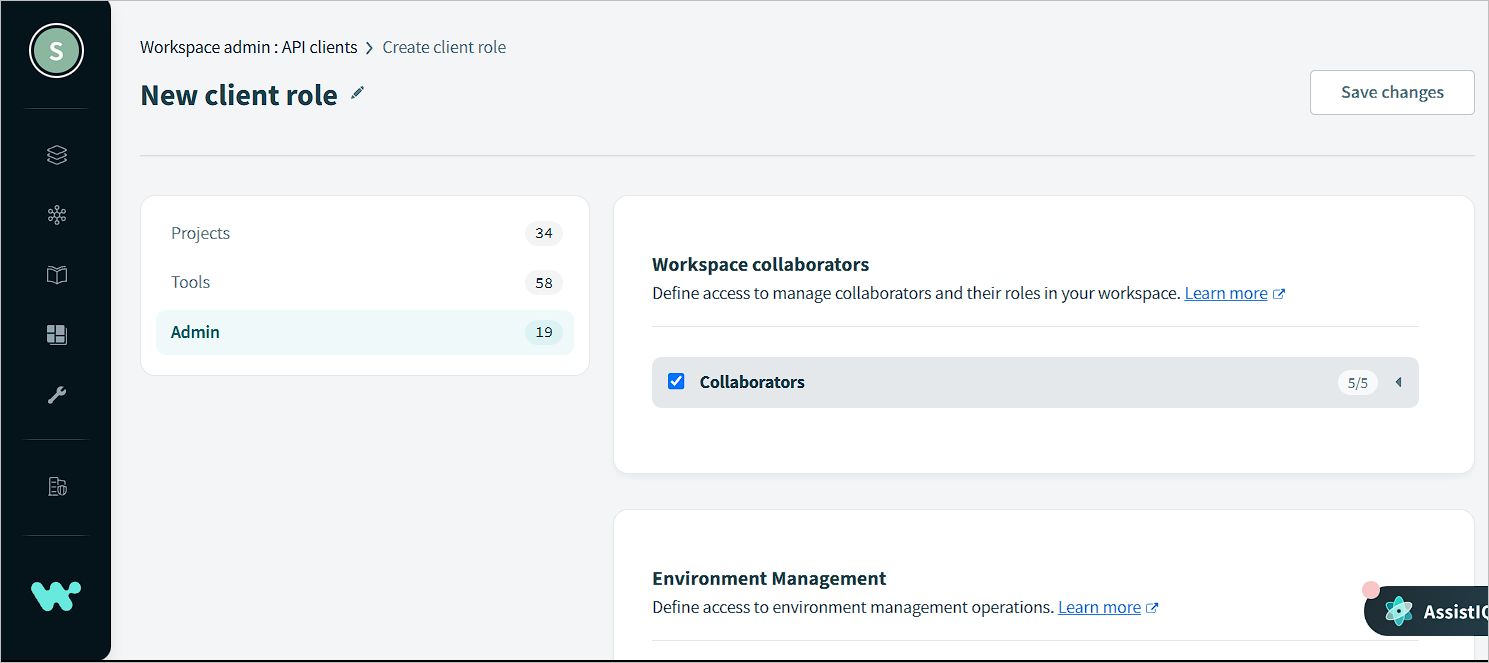
### Create a client role
1. [Log in](https://app.workato.com/users/sign_in) to your Workato account.
2. Go to **Workspace admin**.
3. Select **API clients** → **Client roles** → **Add client role**.
4. Enter a name for the new client role.
5. Select all the endpoints under the **Workspace collaborators** section and save.
### Create an API client
1. Go to **Workspace admin**.
2. Select **API clients** → **Create API client**. Fill out the fields as follows:
1. **Name**: Enter a descriptive name for the client.
2. **Client role**: The custom client role created in the [previous step](#create-a-client-role).
3. **Project access**: The projects that the API client is allowed to access.
4. **Allowed IPs**: *Leave blank*
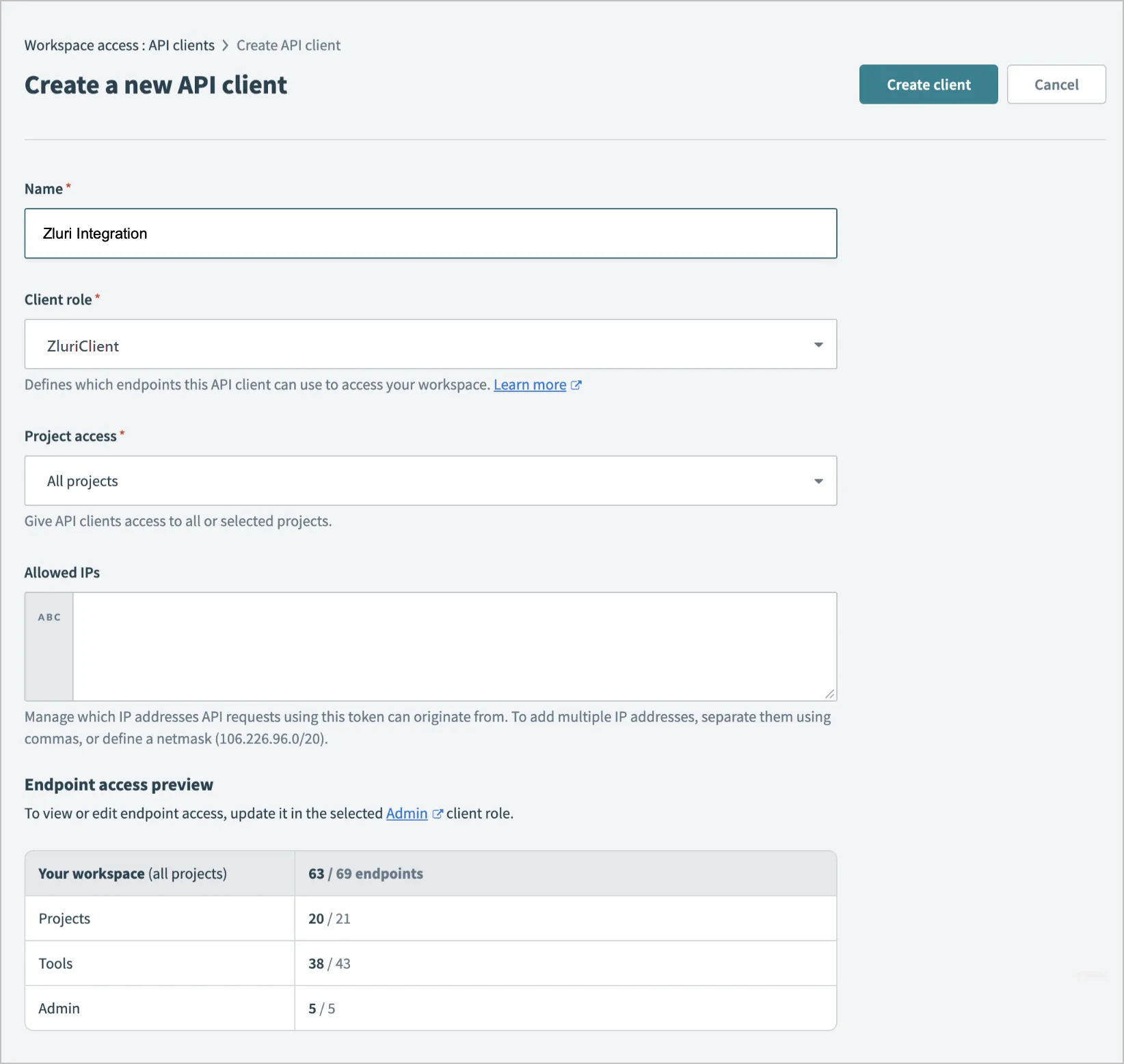
3. Click **Create client**.
4. This will show you an API token. Copy and securely store it.
### Connect the Workato instance in Zluri
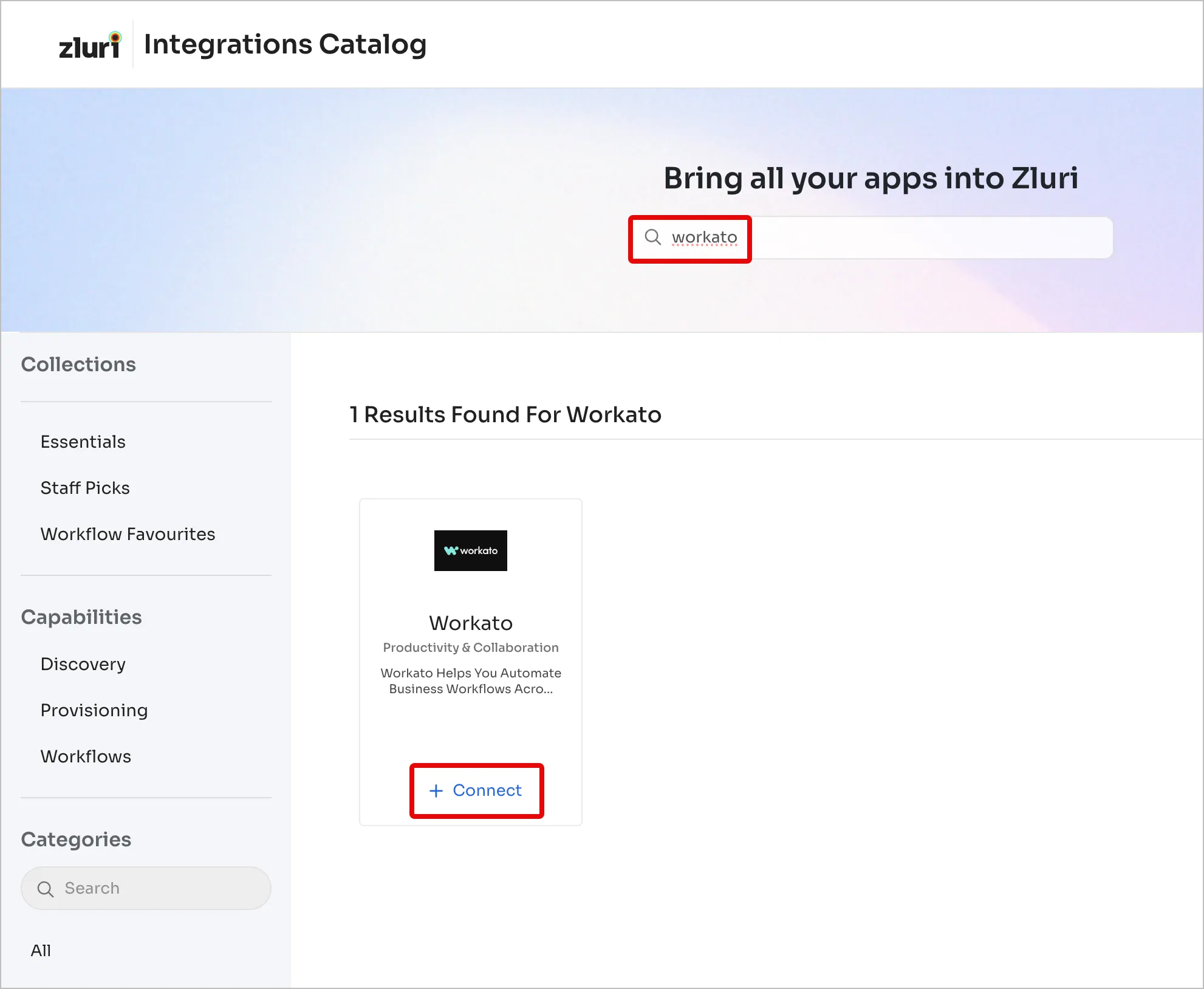
1. Open the [Integrations Catalog](https://app.zluri.com/integrations/catalog), search for “workato”, and click **➕ Connect**.
2. Click **Connect it myself**. You can click the down-arrow button towards the right of a scope to learn what it does.
3. Enter the API token and select your [Workato cloud region](https://docs.workato.com/datacenter/datacenter-overview.html).
4. Click **Connect**, give the connection a name and description, and you’re ready to go!
Got questions? Feel free to [submit a ticket](https://support.zluri.com/support/tickets/new) or contact us directly at .