
Custom Actions for Integrated and Non-Integrated Apps
Custom Actions
Custom Actions automate workflows through HTTP-based API calls to perform operations on Managed applications, including Integrated and Non-Integrated apps.
Navigation from the IGA interface
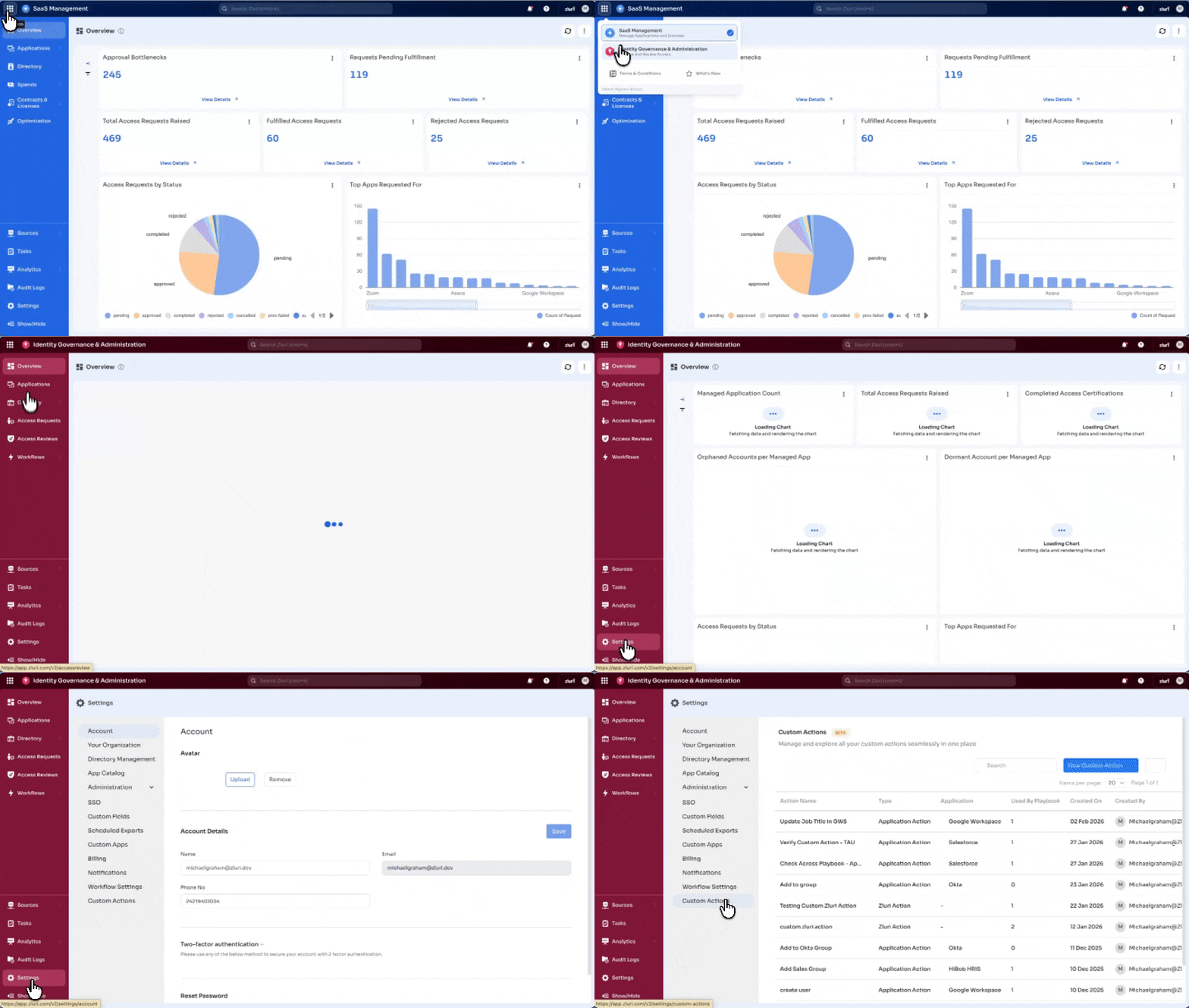
- Switch to the Zluri IGA interface from the SaaS Management interface
- Select Settings in the left navigation pane
- Select Custom Actions
Custom Actions Page
The page displays all Custom Actions created in the platform instance.
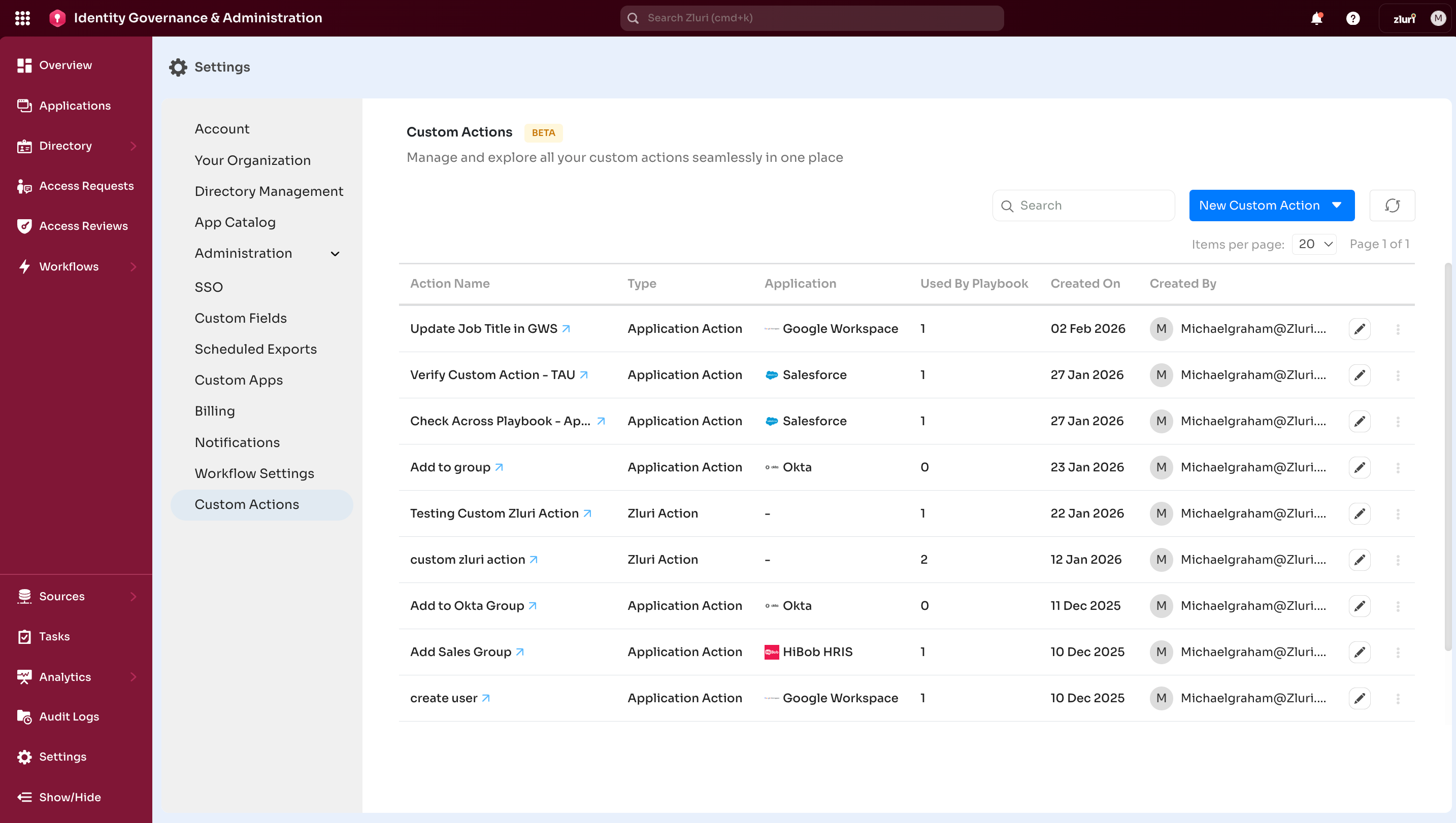
Features and Fields
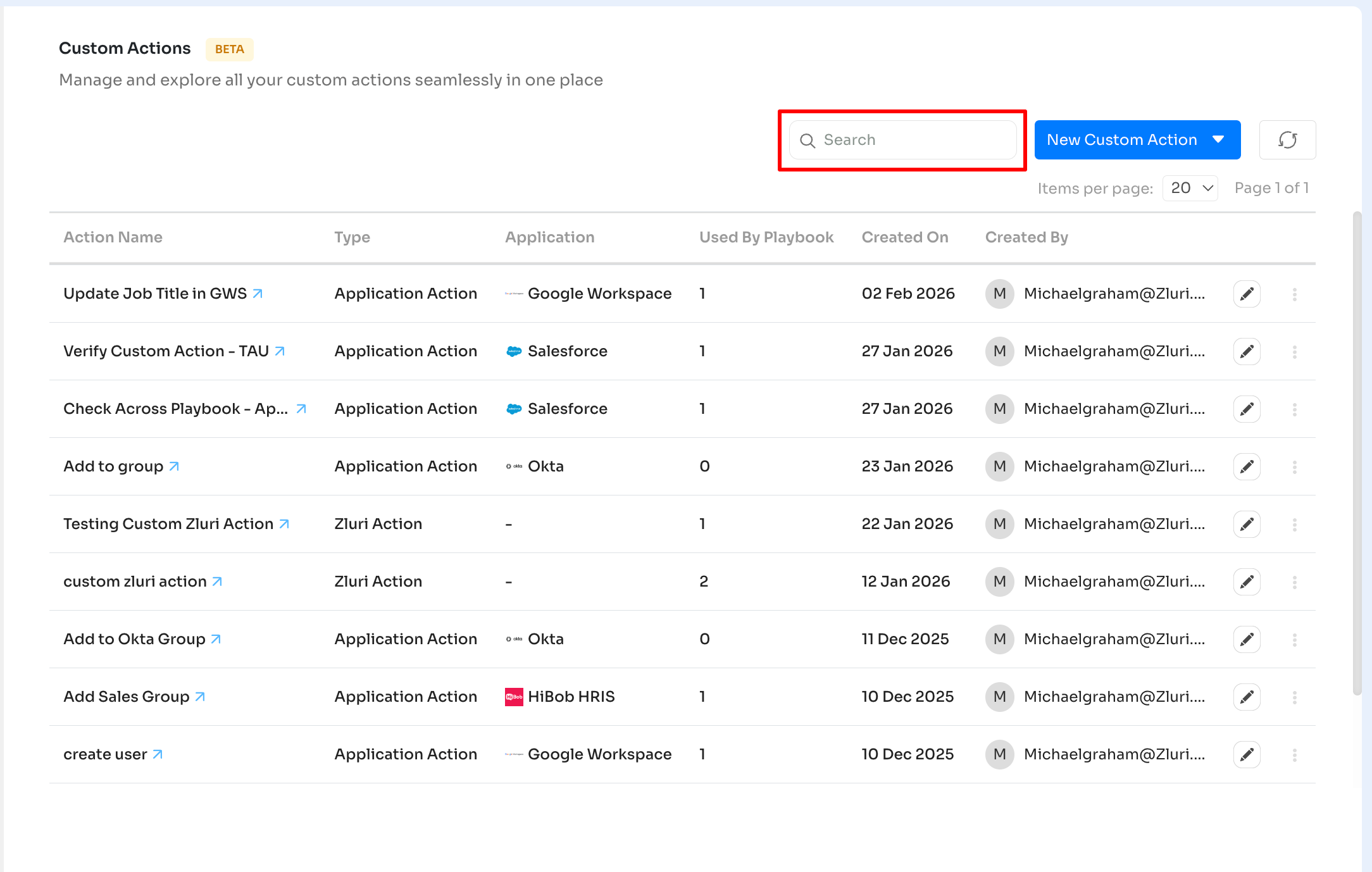
Search Box
-
Use the search box to locate actions by name. The list updates in real time during input.
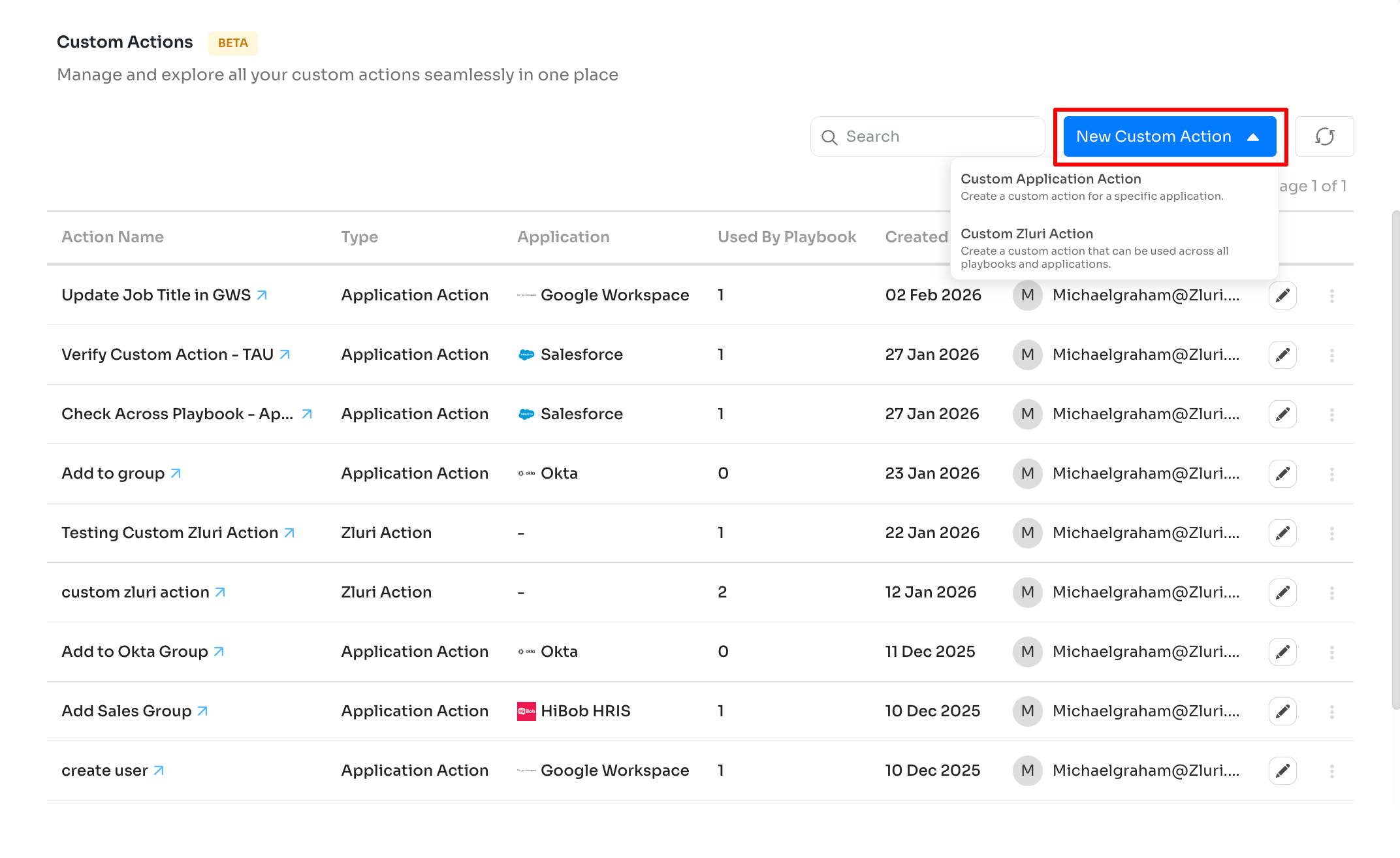
New Custom Action button
Create two types of Custom Actions:
-
Custom Application Action
Creates an action for a specific application -
Custom Zluri Action
Creates an action available across all applications and playbooks
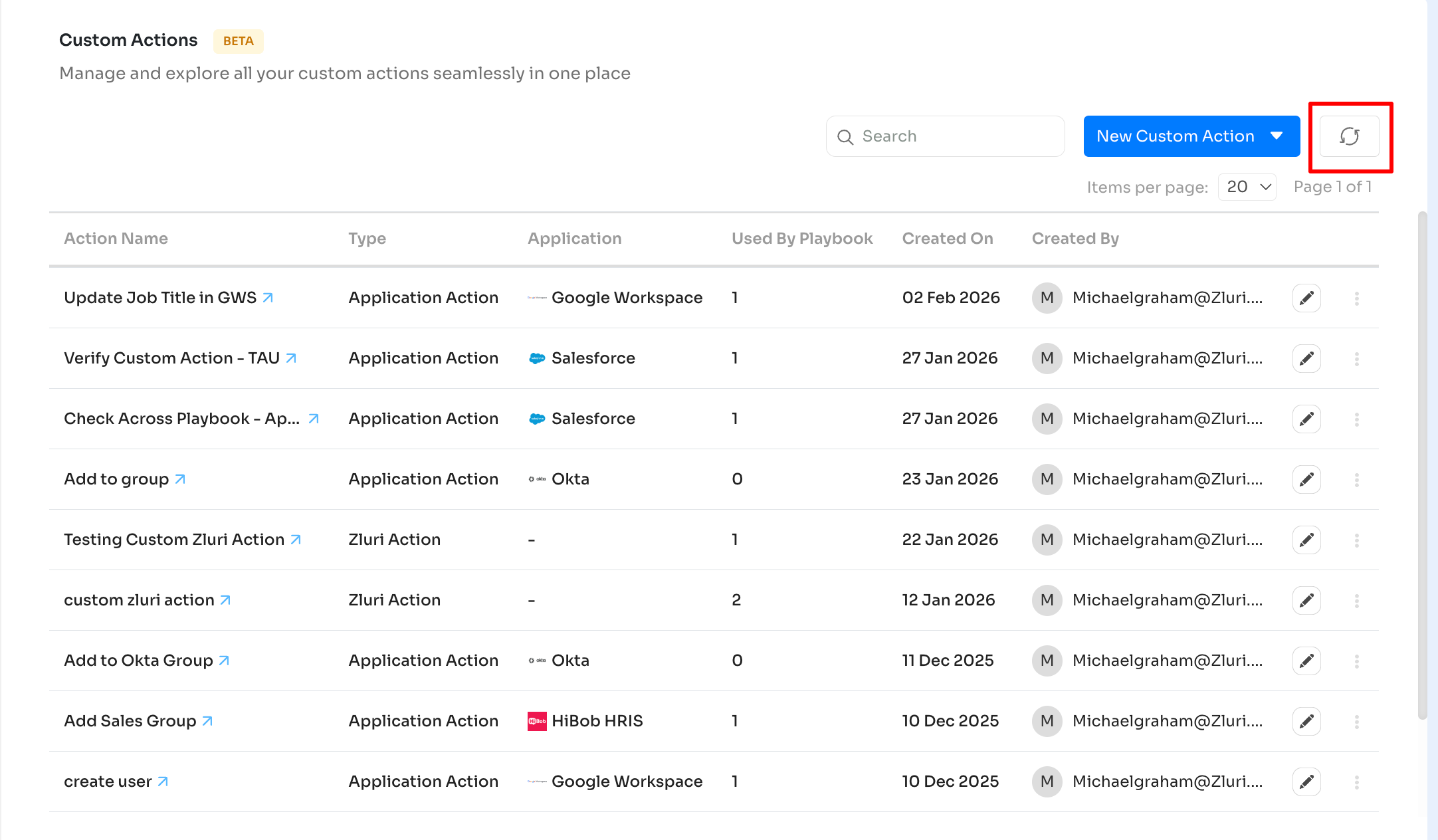
Page refresh
Reloads the page view. Useful after action creation to reflect recent changes.
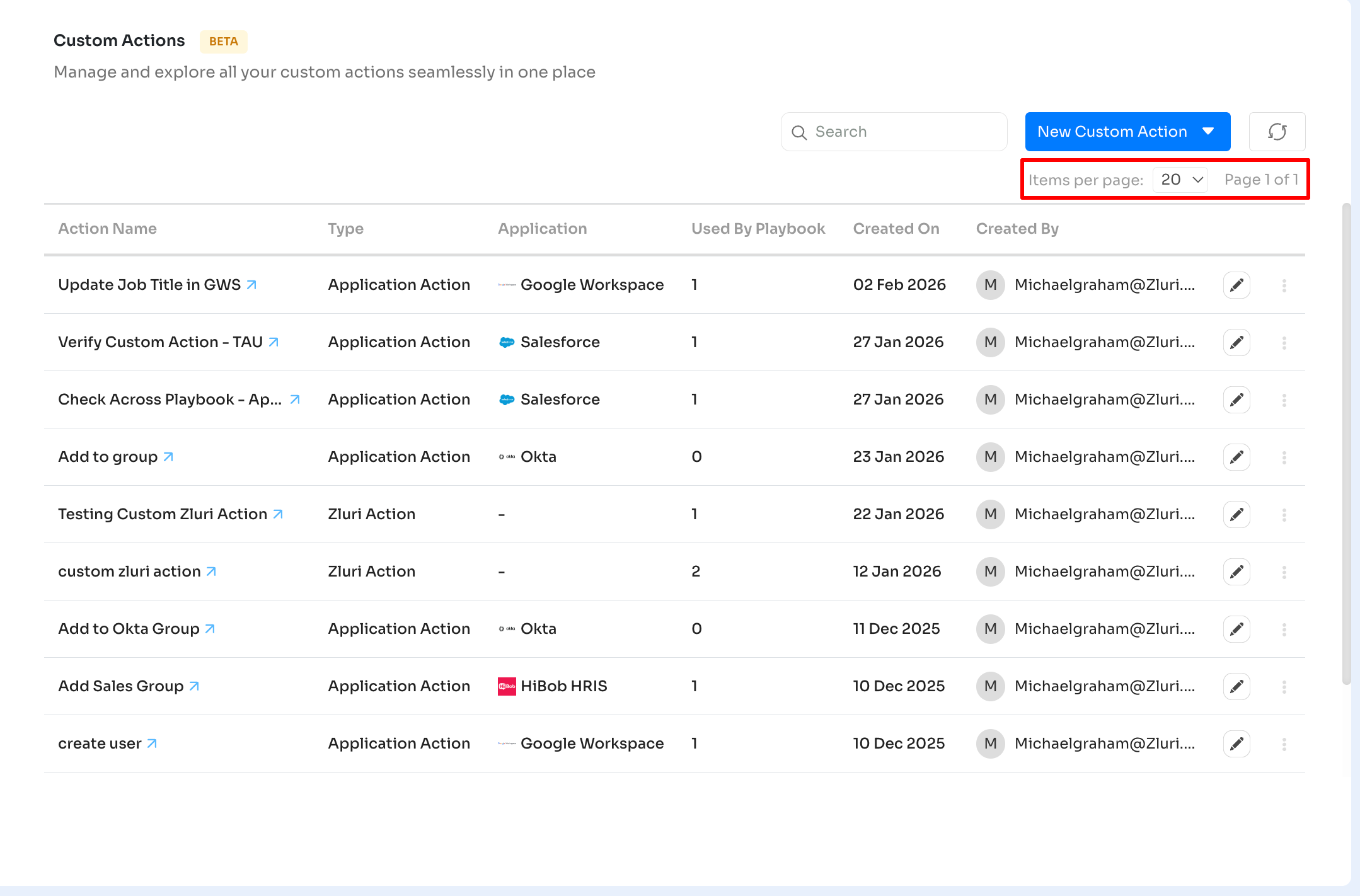
Items per page
- Located at the top-right of the page
- Controls number of actions displayed per page (5, 10, 20, 50, 100)
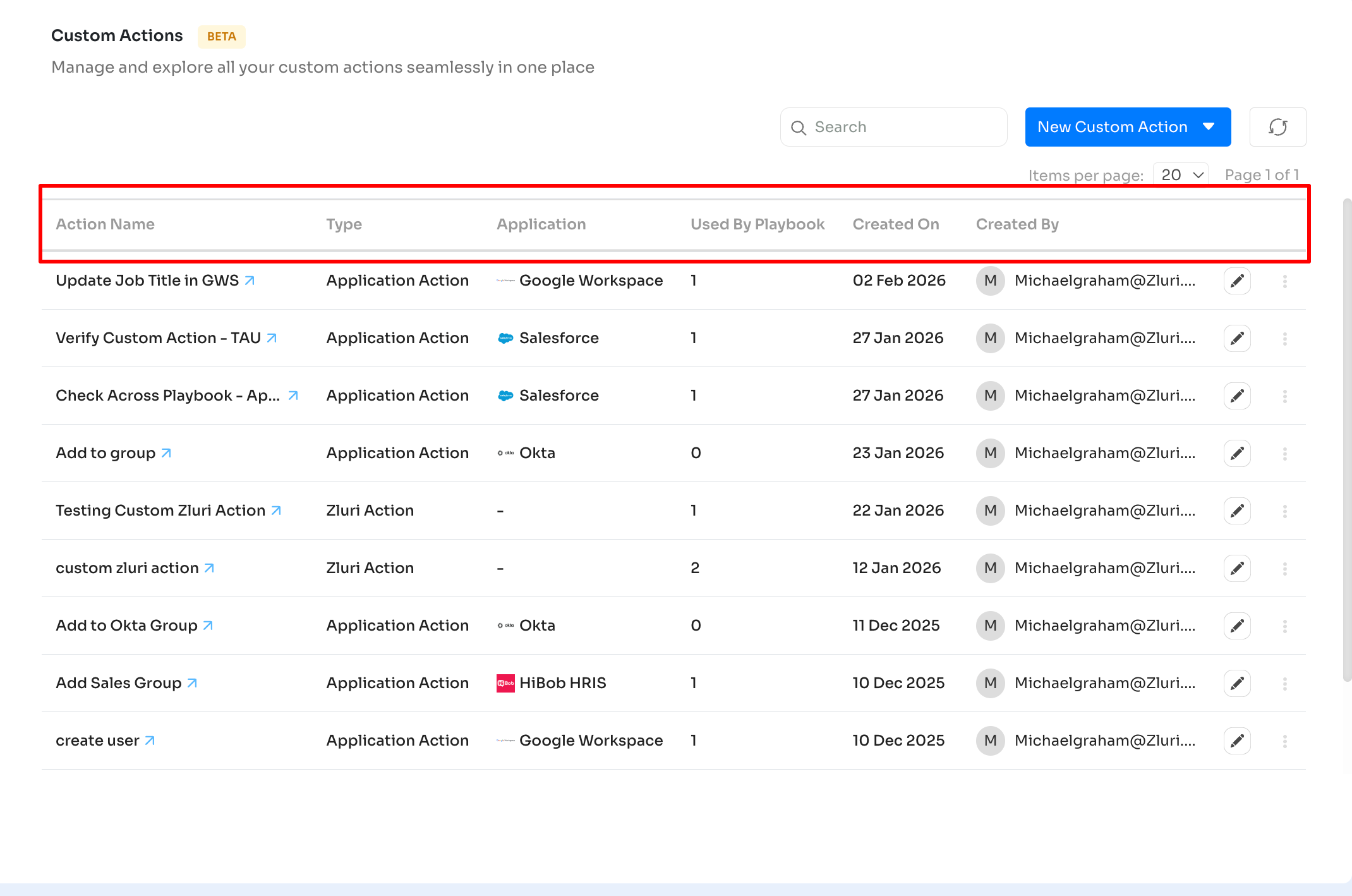
- Table
- Columns
-
Action Name: Name assigned to the Custom Action
-
Type: App-specific or Zluri Action
-
Application: Associated app. Displayed only for app-specific actions
-
Used by Playbook: Count of playbooks using the action
-
Created On: Action creation date
-
Created By: Action creator
-
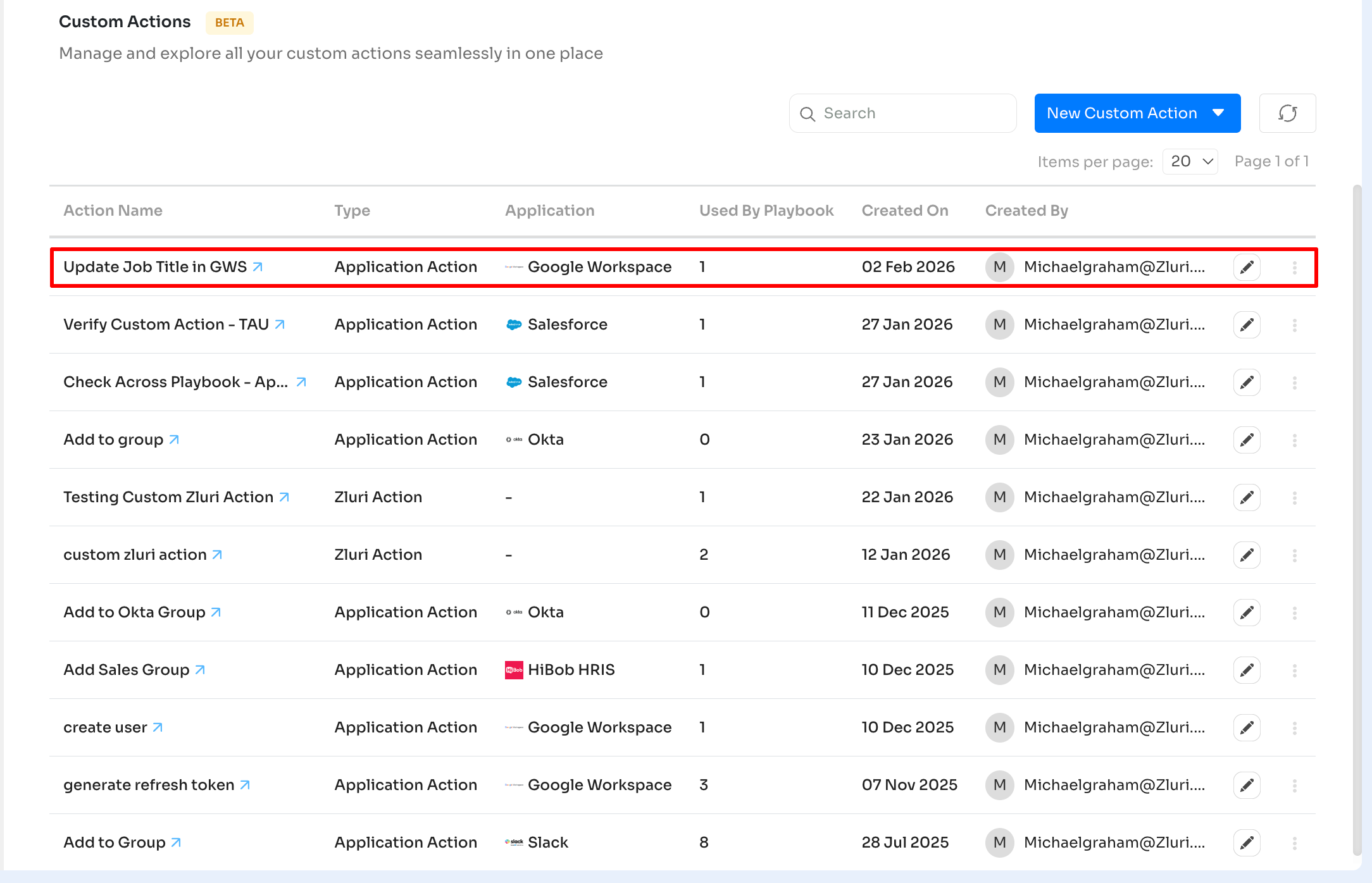
- Rows
-
Each row represents a Custom Action.
-
Clickable fields include:
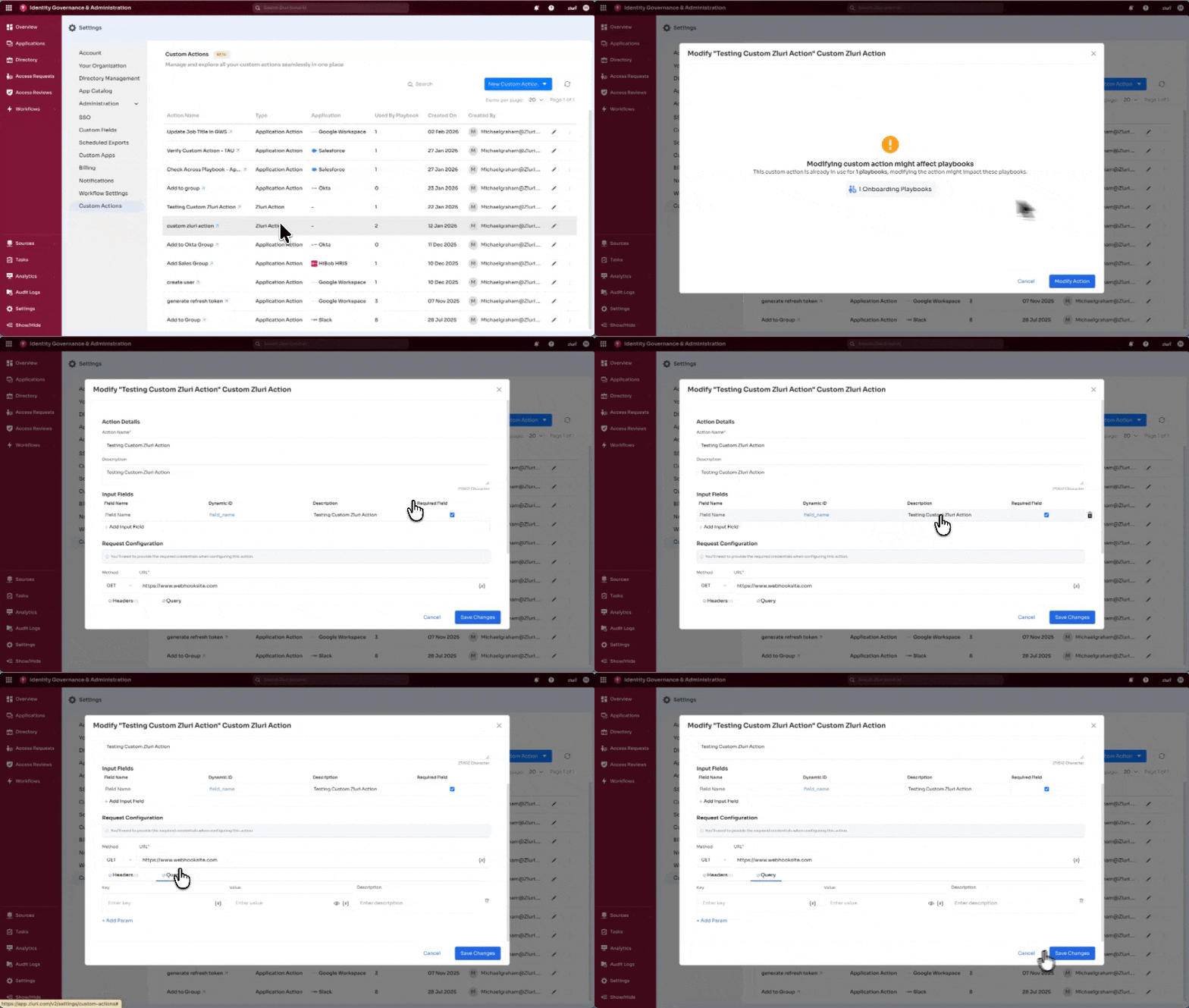
- Action Name: Opens the Action page. Select Modify Action to update details.
- Created By: Opens the creator’s profile in the Directory.
- Edit Icon: Pencil icon. Opens the Action page.
- Three-dot icon: Provides the delete option.
-
- Columns
Creating a New Custom Action
Creation occurs from:
- Playbook builder
- Custom Actions page
Both paths use the same form and behavior.
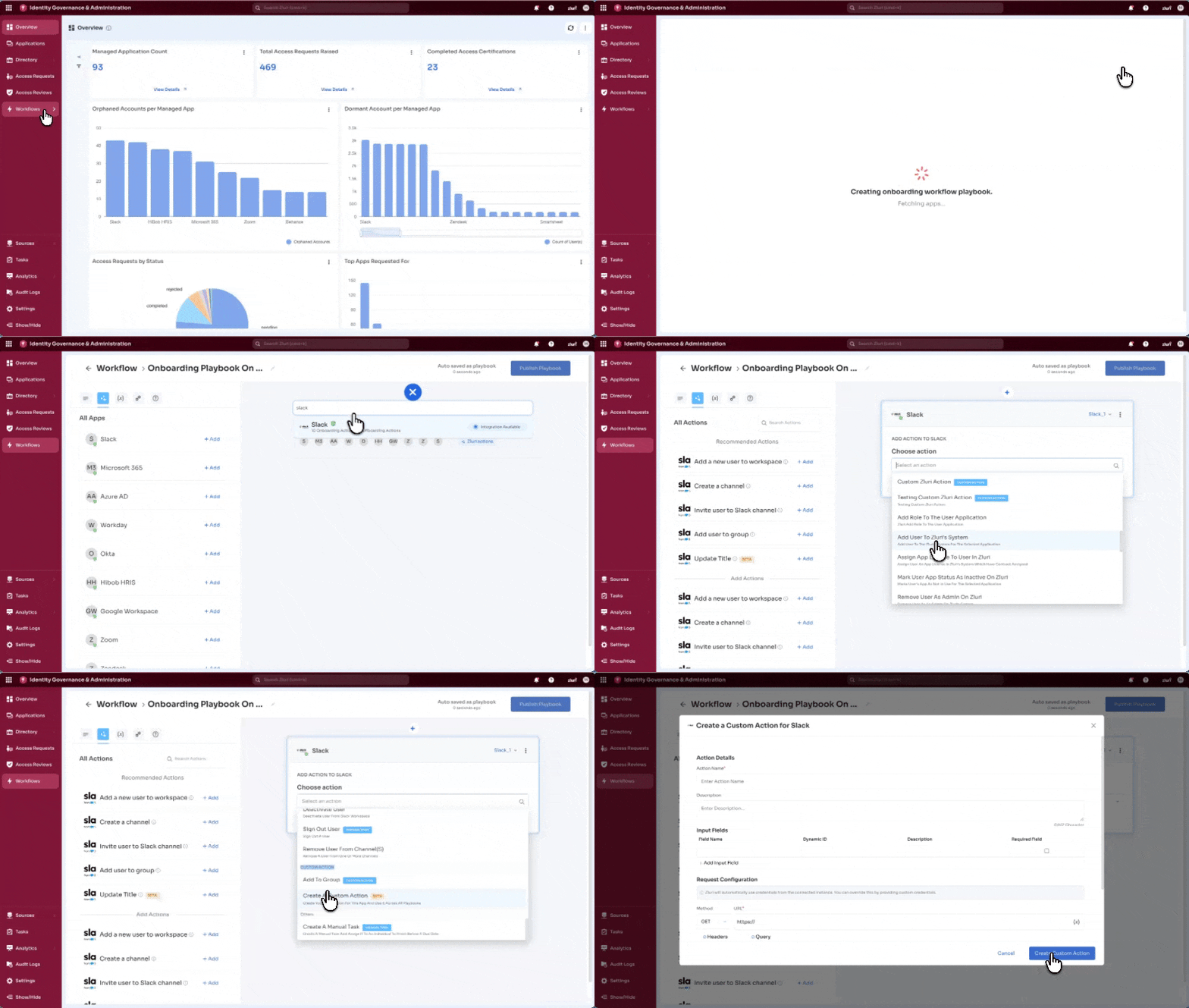
Playbook Path
Custom Application Action
- Open the Playbook builder
- Search and add the required application block
- Select Add Action
- Open Choose Action and scroll to Custom Action
- Select Create a Custom Action
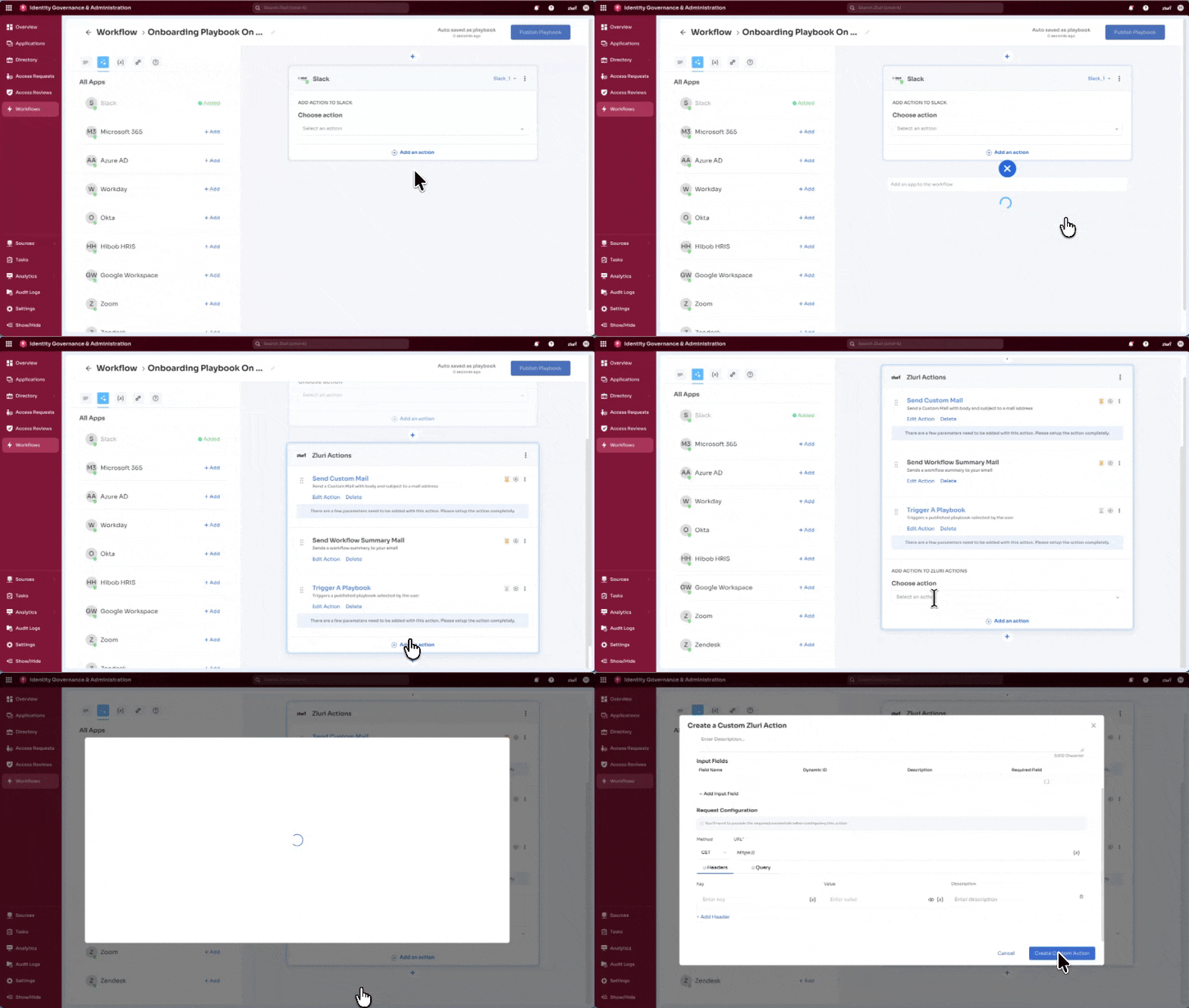
Custom Zluri Action
- In the Playbook builder, select Zluri Actions
- Add the Zluri Actions block
- Select Add Action
- Open Choose Action → Custom Action
- Select Create a Custom Action
Custom Actions Page Path
- Navigate to Settings → Custom Actions
- Select New Custom Action
- Choose one option:
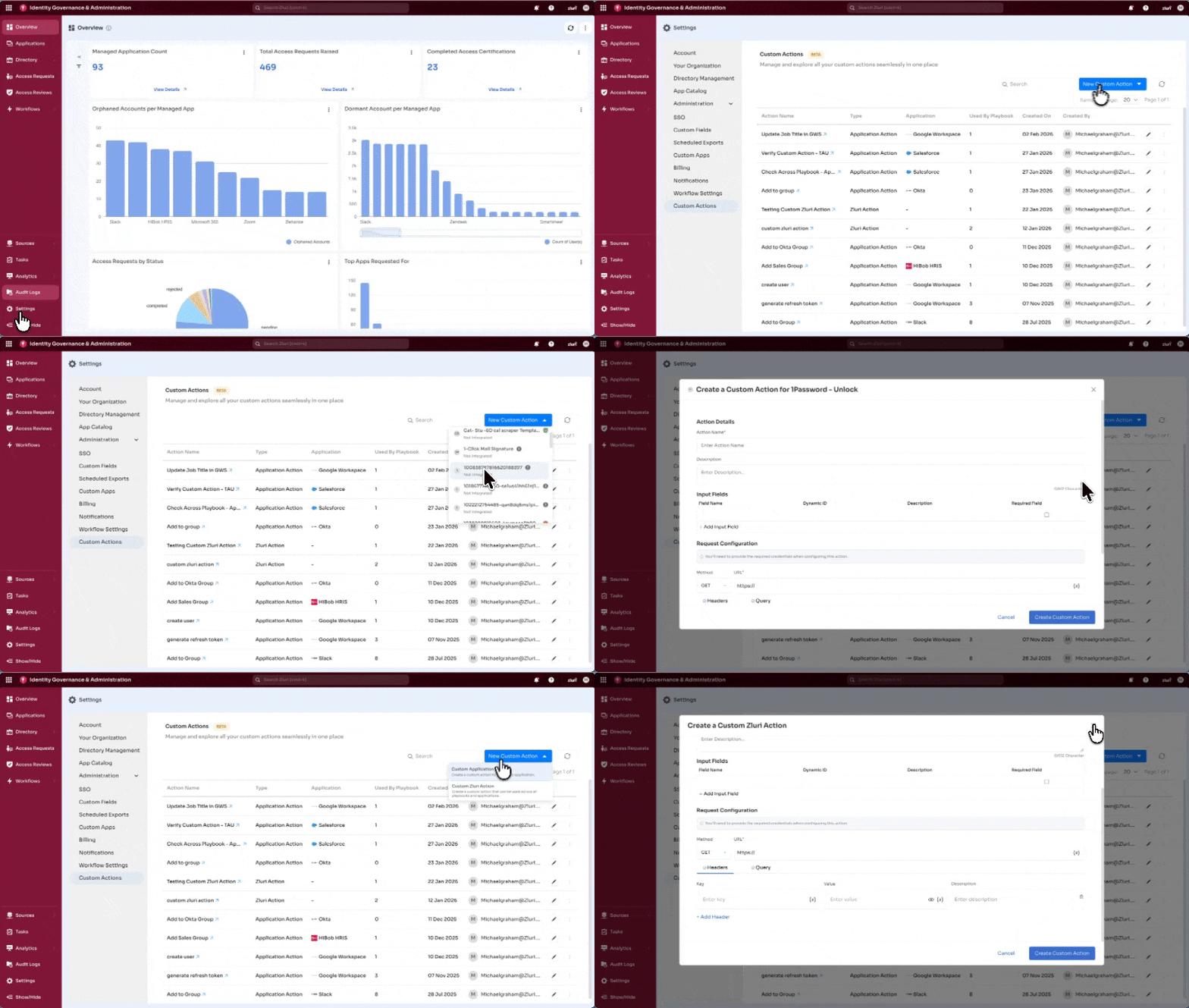
Option 1: Custom Application Action
- Displays all discovered apps:
- Managed
- Unmanaged
- Restricted
- Needs Review
Each app shows:
- Integration status
- App state
- Integration count (for managed apps)
State indicators:
- Green tick → Managed
- Amber dash → Unmanaged
- Red dash → Restricted
- Grey exclamation → Needs Review
Selecting an app opens the creation form.
Option 2: Custom Zluri Action
- Opens the Custom Action creation form directly.
Custom Action Creation Form
The form is consistent across both action types. Credential handling differs under Request Configuration.
Action Details
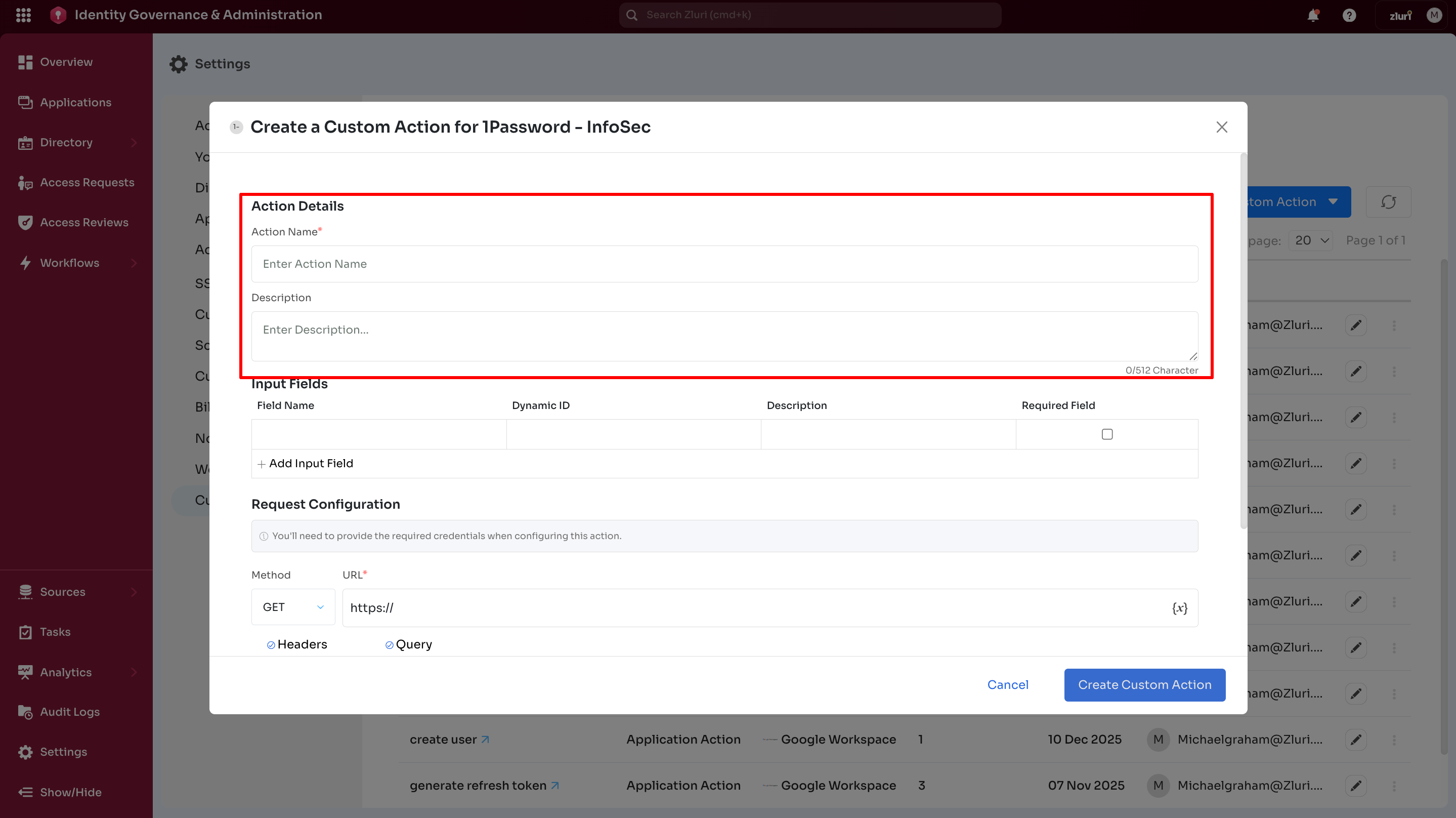
- Action Name – Name assigned to the action
- Description – Short explanation for administrative reference
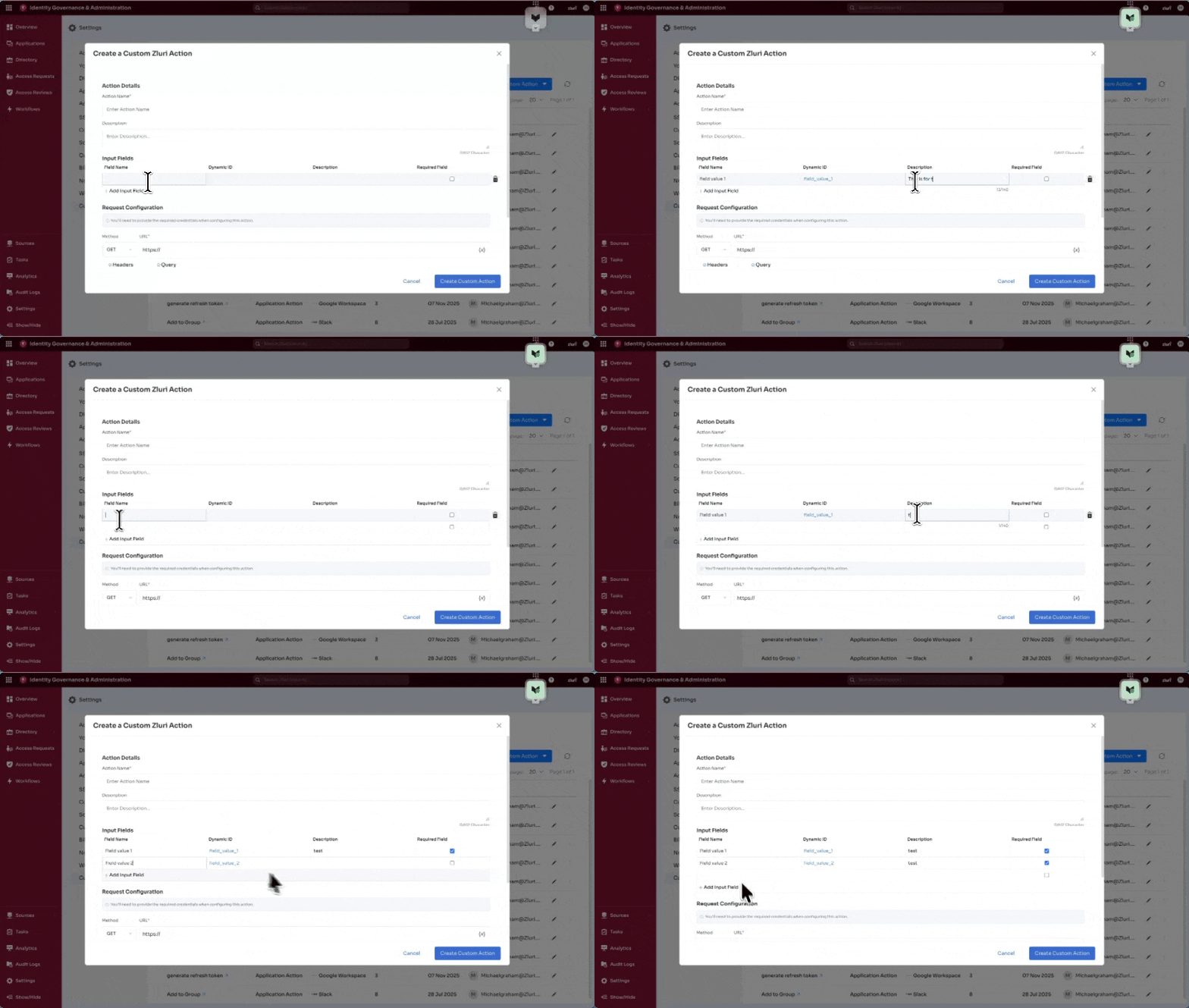
Input Fields
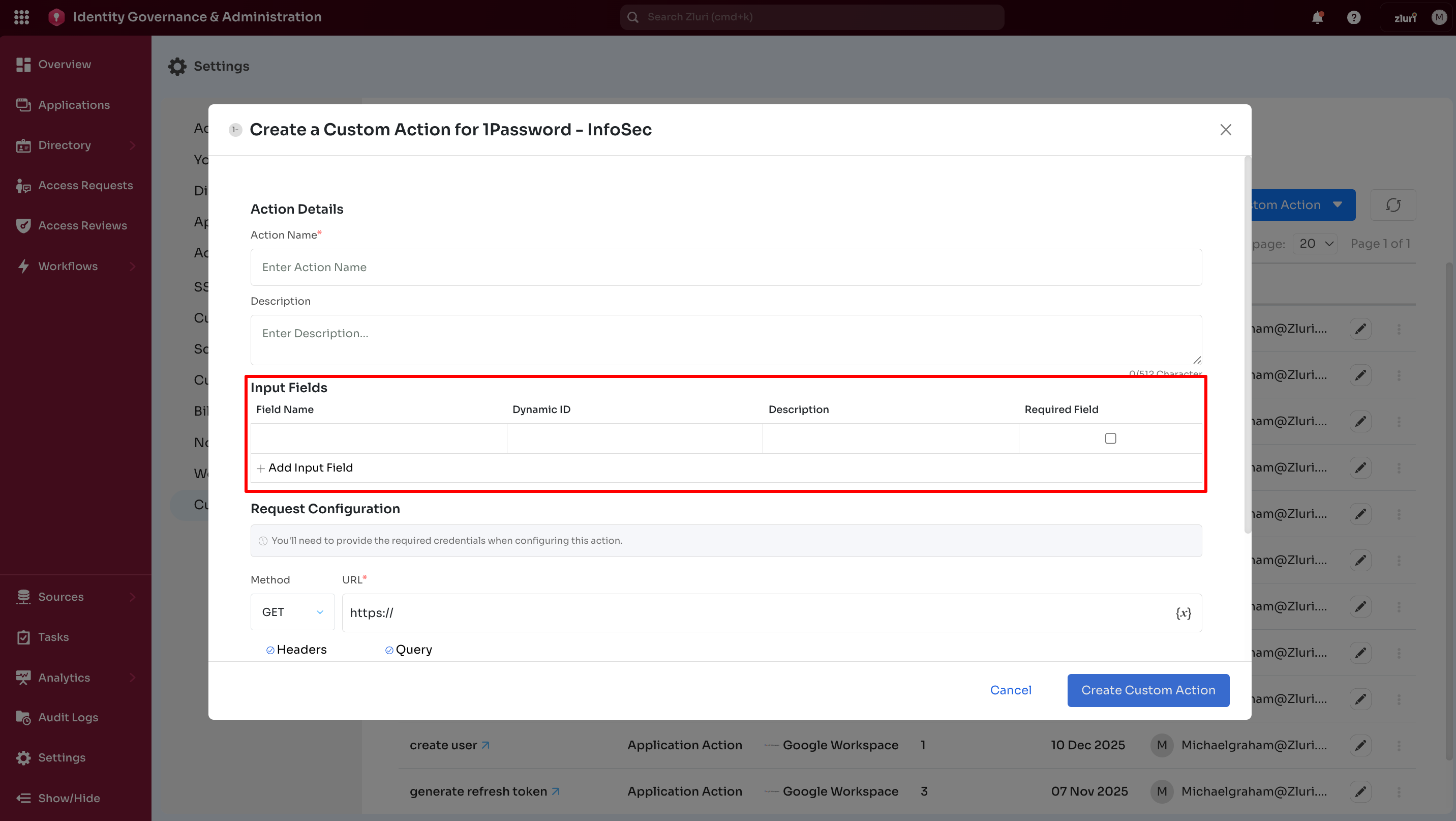
Displayed as a table:
- Field Name – Field label
- Dynamic ID – Auto-generated identifier
- Description – Field description
- Required Field – Mark field as mandatory
- Delete icon – Remove field
Select + Add Input Field to add new rows.
Request Configuration
This section configures the API request.
Common use cases:
- list retrieval
- role fetch operations
- API-based updates
Request configuration fields
- Method – HTTP method (GET, POST, PUT, etc.)
- URL – Must start with
https:// - Headers / Query tabs – Define keys, values, descriptions
Supports multiple headers and parameters.
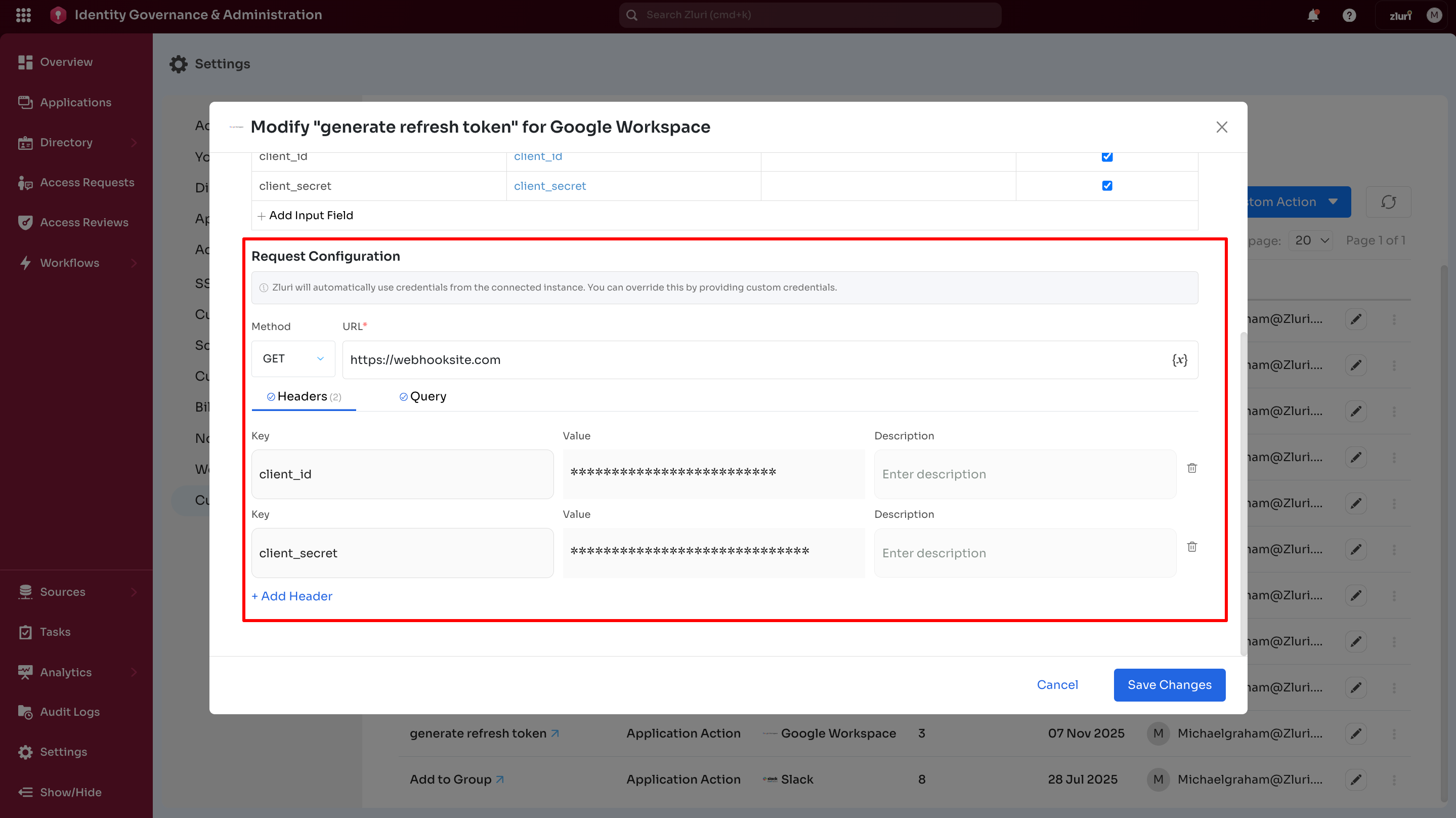
Custom Application Action behavior
- Reuses credentials from the connected app instance.
- Header or query credentials remain optional unless overrides or additional permissions apply.
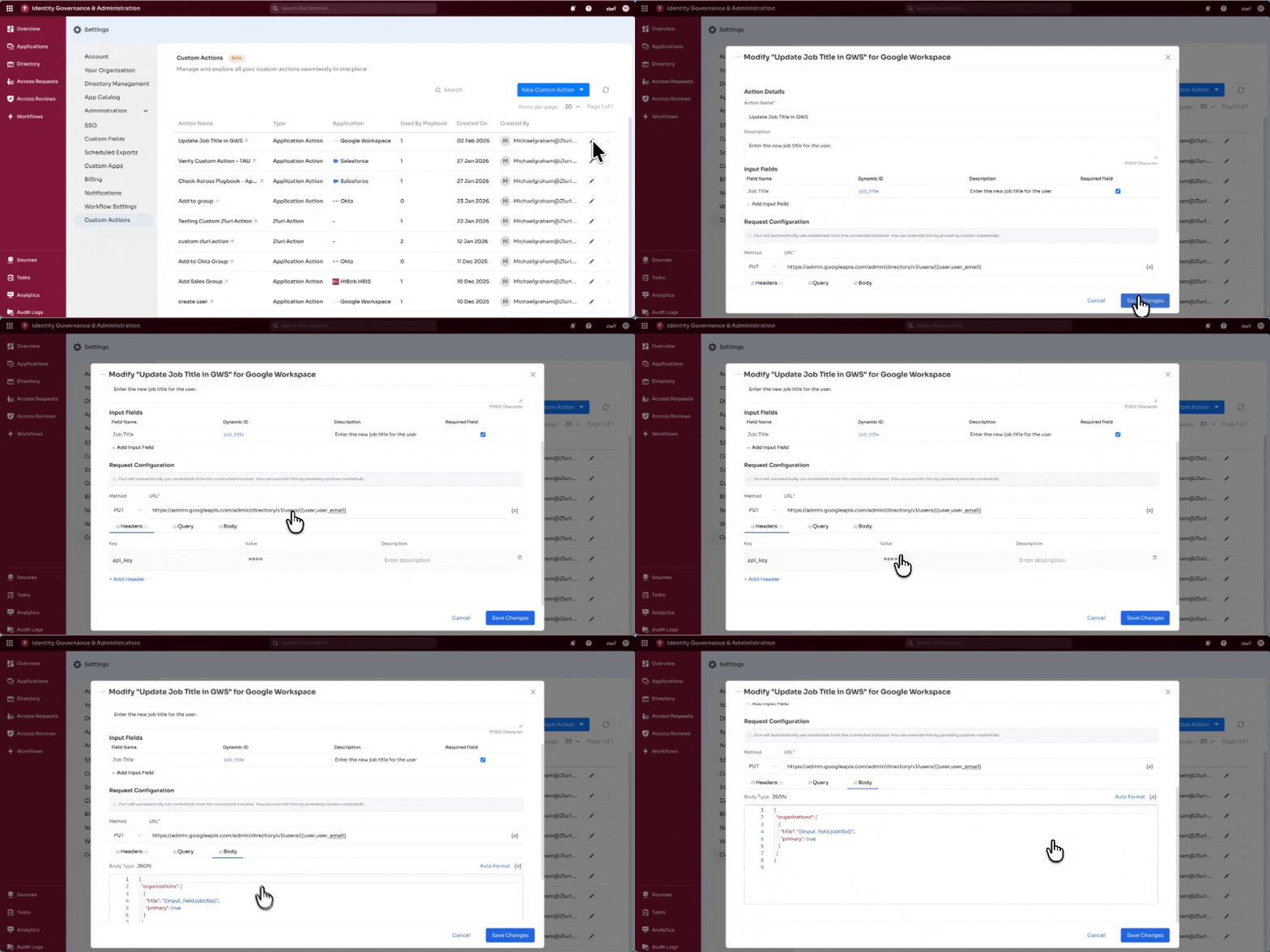
Custom Zluri Action behavior
- No app association
- Headers, query parameters, or request parameters must include credentials for authentication.
Using the Custom Action in a Playbook
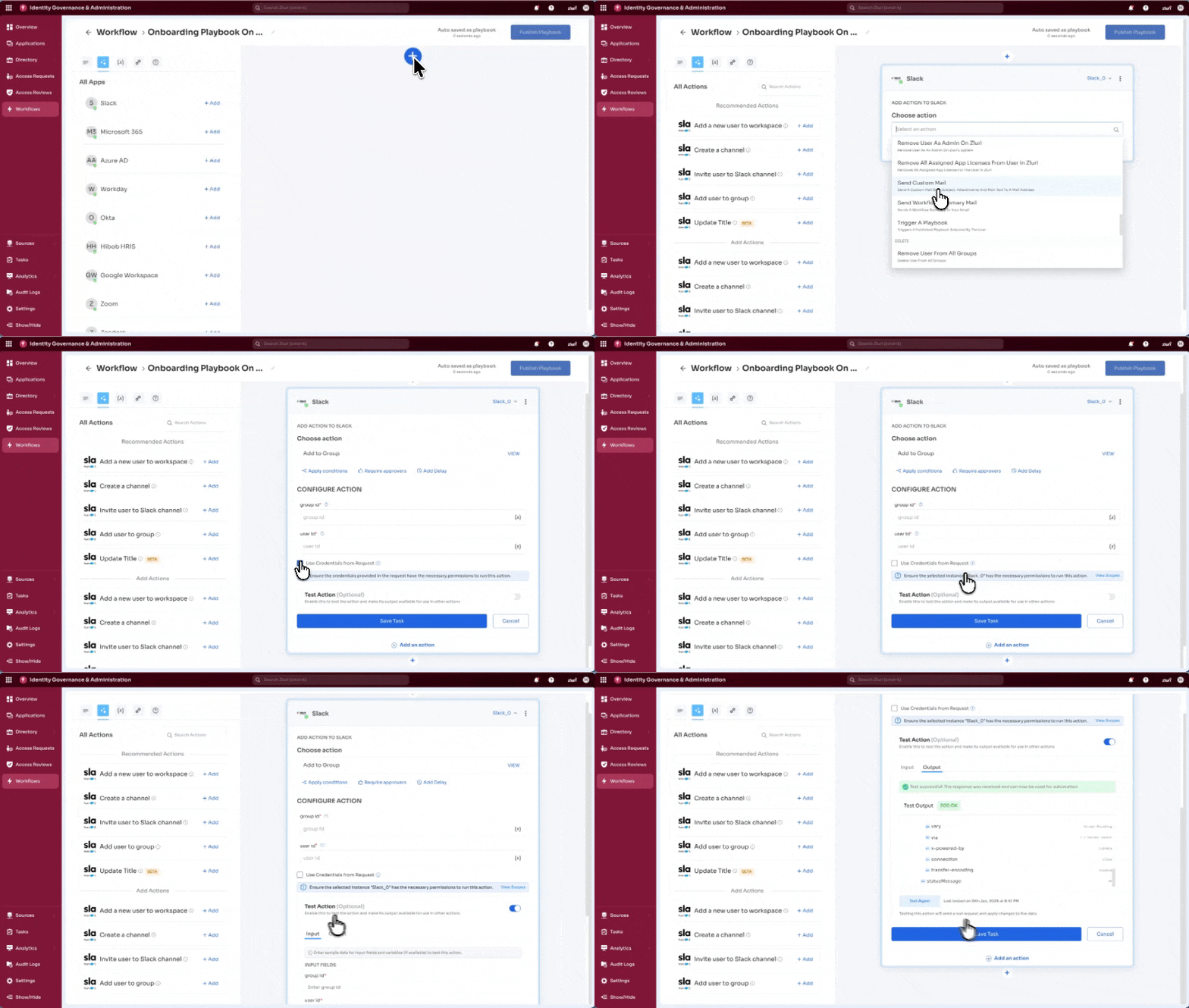
Saved Custom Actions appear immediately in playbooks.
- App-specific actions → available only in that app block
- Zluri Actions → available across all playbooks
Custom Application Action
Example:
A Custom Action named Add To Group created for Slack appears only in the Slack App Block.
Behavior:
- Includes configuration fields
- Includes Use Credentials from Request checkbox
Credential handling:
- Unchecked → uses app instance credentials
- Checked → uses credentials from request configuration
Custom Zluri Action
- Available across all playbooks
- Appears under Custom Action with blue label
Behavior:
- Use Credentials from Request is enabled and locked
- Always uses credentials defined in request configuration
Updated 6 months ago