
Box Connect [OAuth Method]
This guide provides the steps to connect a Box account to Zluri.
Prerequisites
- Administrator access to the Box account.
Step 1: Create a Box User Account
- Sign up on the Box website as a user with admin access.
Step 2: Connect Box in Zluri
-
Log in to the Zluri dashboard.
-
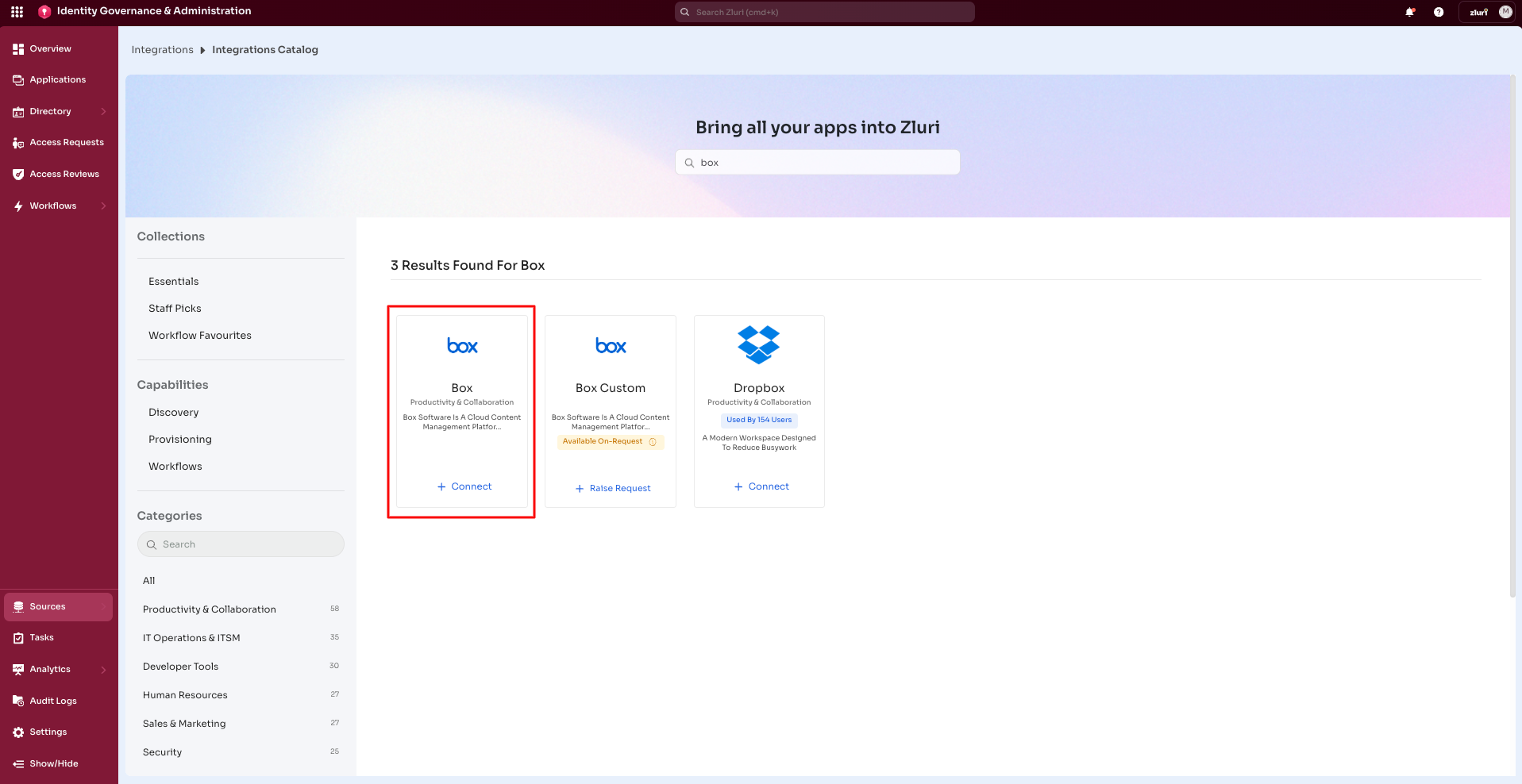
Open the Integrations Catalog.
-
Search for Box. Open the Box Integration page.
-
Select Connect or Connect another instance if an existing connection is already configured.
-
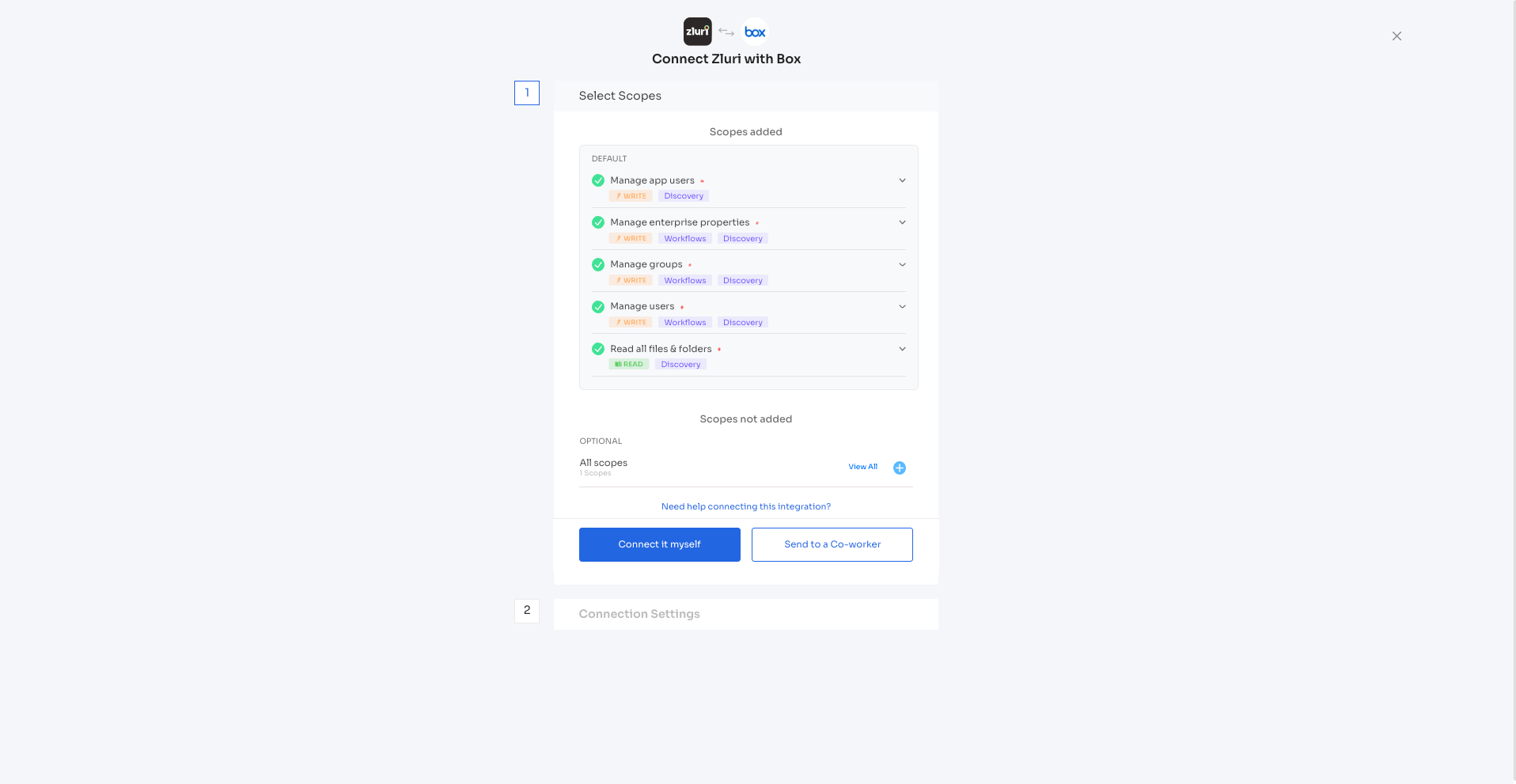
Authorization Options
Self-Authorization
- Select Connect it myself and proceed directly to complete authorization.
Co-worker Authorization
- Enter a co-worker's details to share the access request.
- Zluri sends an invite email or link containing a unique Connect Code.
- The co-worker can use the code to approve and complete the connection setup.
Step 3: Authorize the Connection
-
Select Connect option (Connect it myself or Send to a Co-worker)
-
The page redirects to Box website for OAuth connection setup.
-
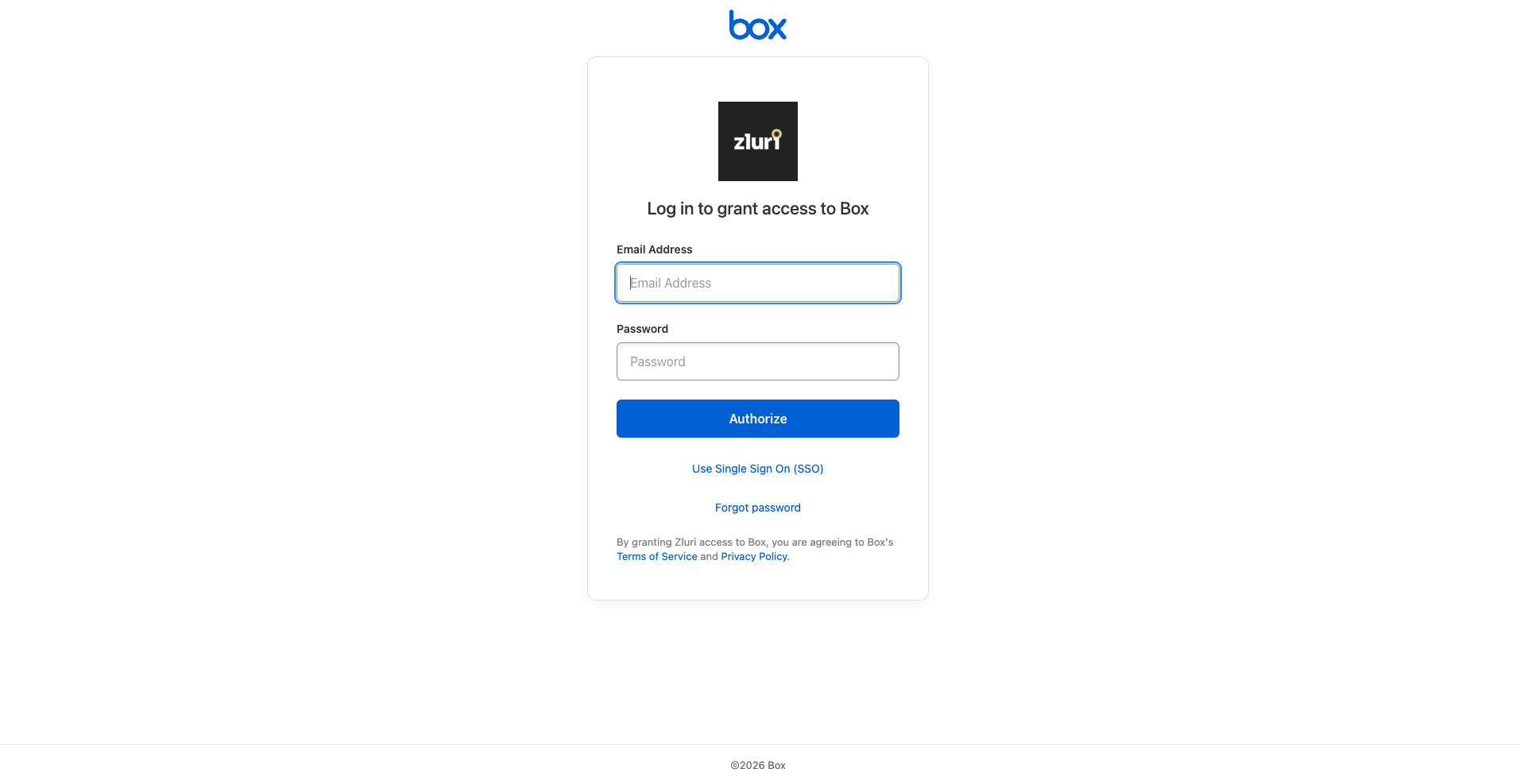
If you aren’t logged in, box will ask you to login, once logged in it’ll ask for permissions, grant those permission and connection will be complete.
Integration Complete
Zluri is now successfully connected to Box and starts discovering Box users and access data.
Got questions? Feel free to submit a ticket or contact us directly at [email protected].
Updated 6 months ago