
Notifications
Zluri sends real-time updates to keep you informed about your access requests, tasks, and related activities.
Notifications are delivered through:
-
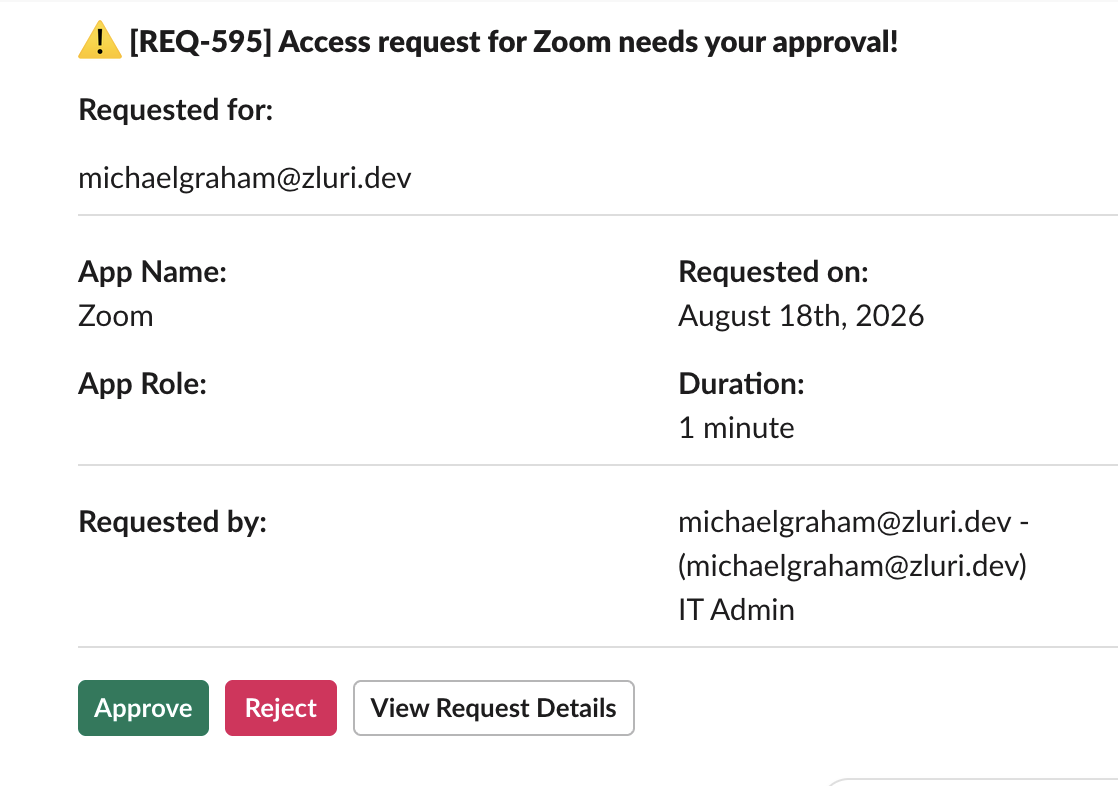
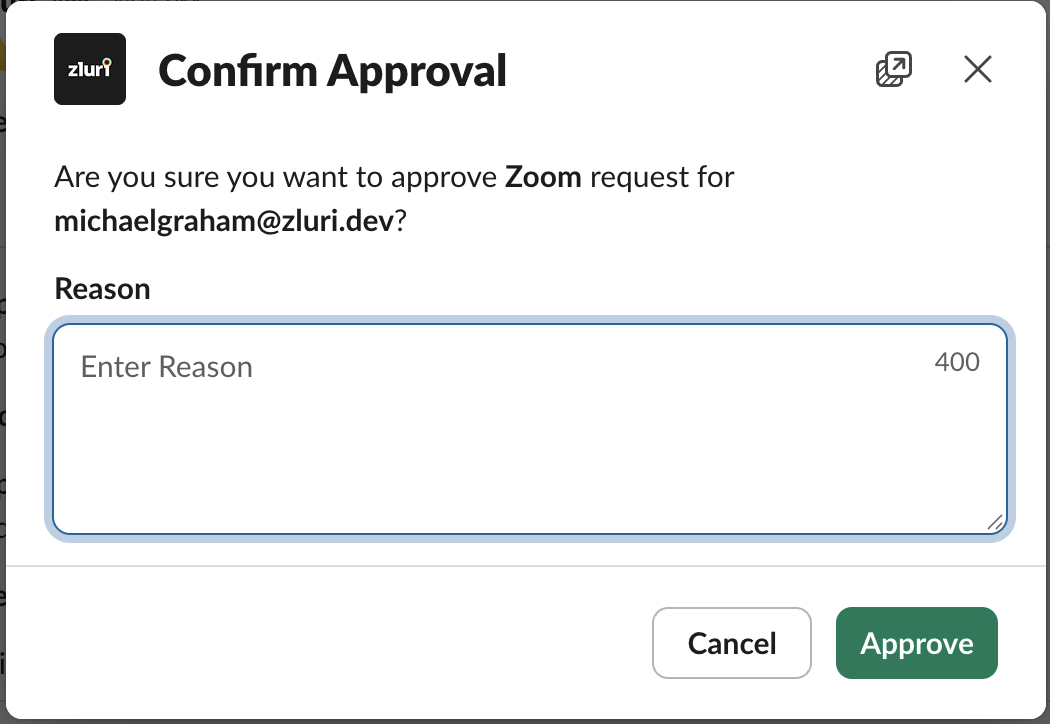
Slack:
Enables approvers to take action without leaving Slack. When an approver selects Approve or Reject, a confirmation modal opens where they enter a mandatory note before submitting the decision. The note is included in the notification you receive.
-
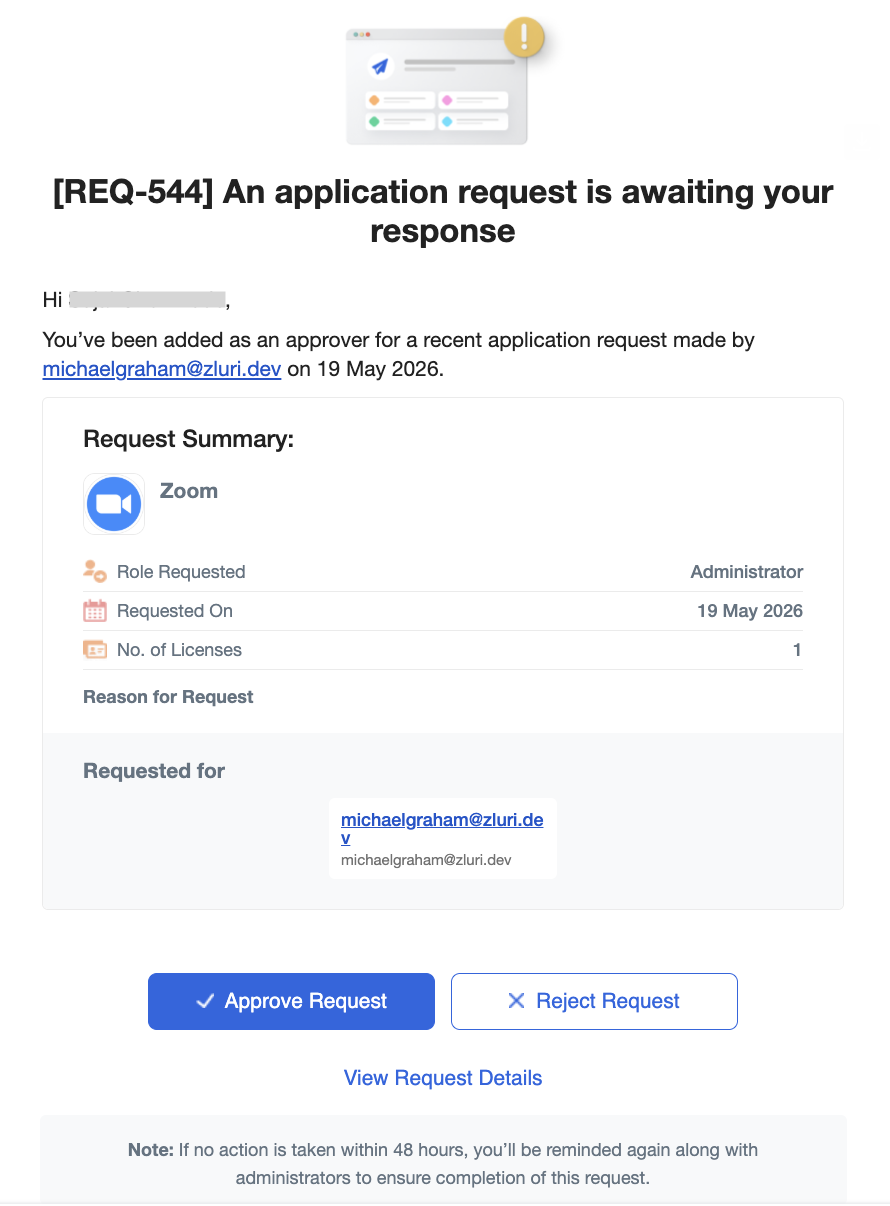
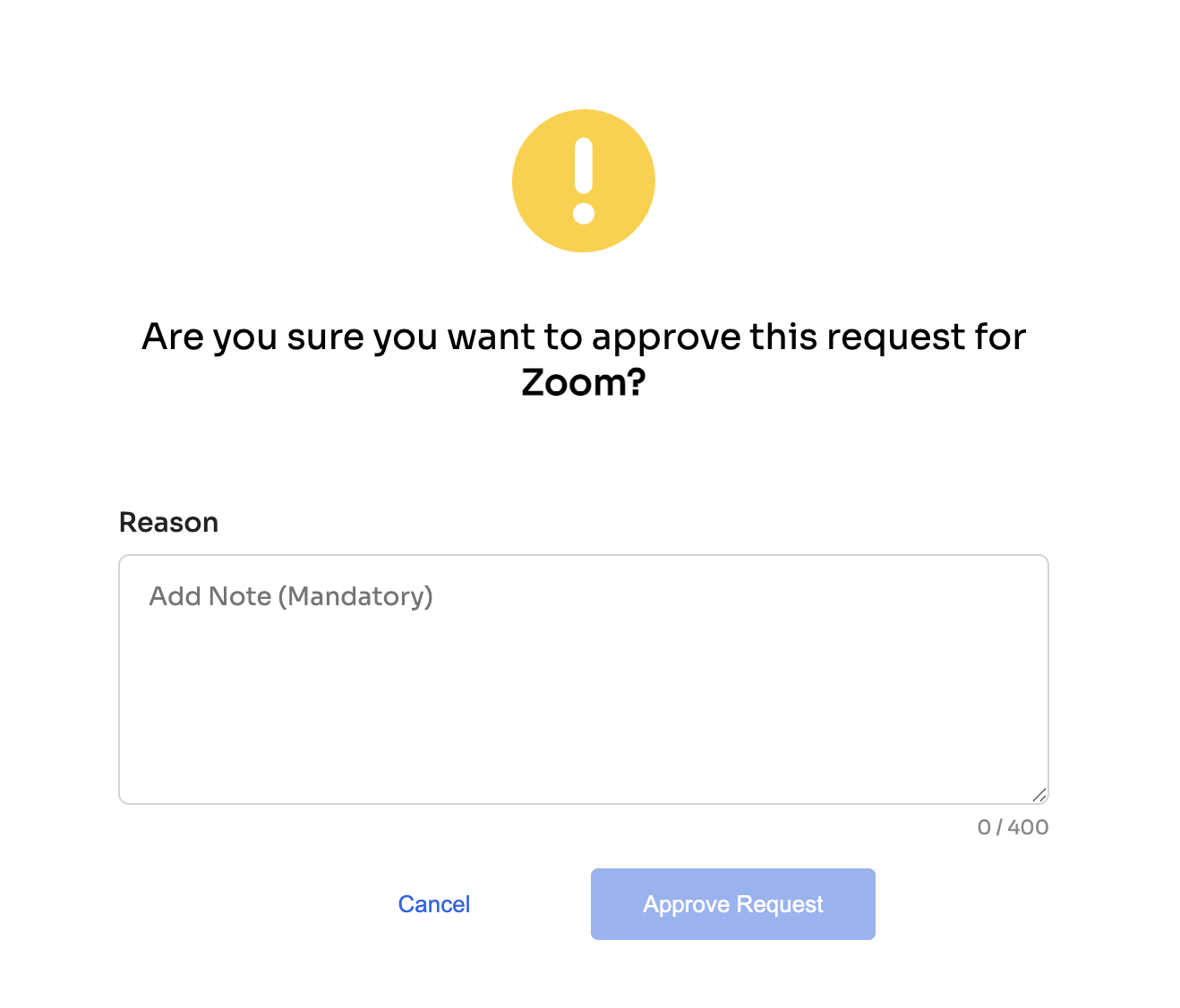
Email:
Sent to approvers, requesters, or task owners. When an approver actions a request from email, a confirmation page opens where they enter a mandatory note before submitting the decision. The note is included in the notification you receive.
These updates cover key events, including:
- When your request is submitted
- When a request is approved, rejected, or commented on — approval and rejection notifications include the approver's note explaining the decision
- When provisioning or deprovisioning actions take place
Approvers actioning requests from Slack or email are prompted to enter a reason before confirming their decision. This note is included in the notification you receive, so you can see why a request was approved or rejected without following up separately.
Note: Ensure Slack and email notifications are enabled for your Zluri account to avoid missing important updates.
Updated about 2 months ago