
Custom Actions and HTTP Requests
Custom action
A Custom Action is a user-defined automation step in Zluri. It extends default integration actions and supports tasks that are not available through built-in actions by using public APIs from integrated applications.
Custom Actions support automation scenarios such as provisioning, deprovisioning, access changes, and profile updates across workflows.
Custom action configuration
Each Custom Action supports the following configuration options:
- API endpoint and method (GET, POST, PUT, DELETE, PATCH)
- Query parameters for request filtering
- Body parameters for request payload
- Custom headers if required
Authentication is handled automatically through the connected application instance.
Use cases
Custom Actions support the following scenarios:
- Automating repeatable tasks using an application’s public APIs
- Extending automation capabilities for integrated applications
Custom action and HTTP request action comparison
A Custom Action builds on the Make an HTTP Request action with additional capabilities:
-
Reusable across playbooks
Custom Actions support reuse across multiple playbooks and standardize automation logic. -
Automatic authentication
Credentials are retrieved from the connected application integration. Manual credential handling is not required.
Integration requirements
Custom Actions require an active integration with the target application. Authentication details are retrieved from the connected account using OAuth or API tokens.
Custom action components
Each Custom Action includes the following components:
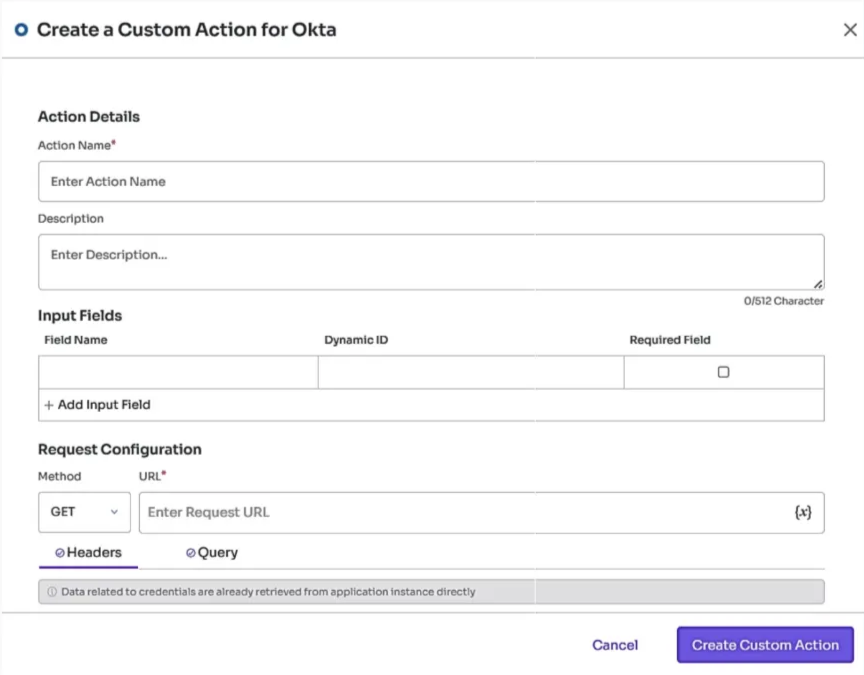
- Name. Action identifier
- Application. Integrated application selection
- Method. HTTP method
- URL. API endpoint
- Headers. Optional request headers
- Body. Optional payload for PUT, POST, or PATCH requests
- Input fields. Optional configuration fields used during playbook execution
Custom action types
Two approaches support tailored automation tasks that are not available by default:
- Custom Action within an application block
- HTTP Request action using the Zluri Actions app block
- HTTP Request without a callback request
- HTTP Request with callback request
1. Custom Action within an application block
Custom Actions are supported across all application blocks. Actions created within an app block can be reused across playbooks for integrated applications.
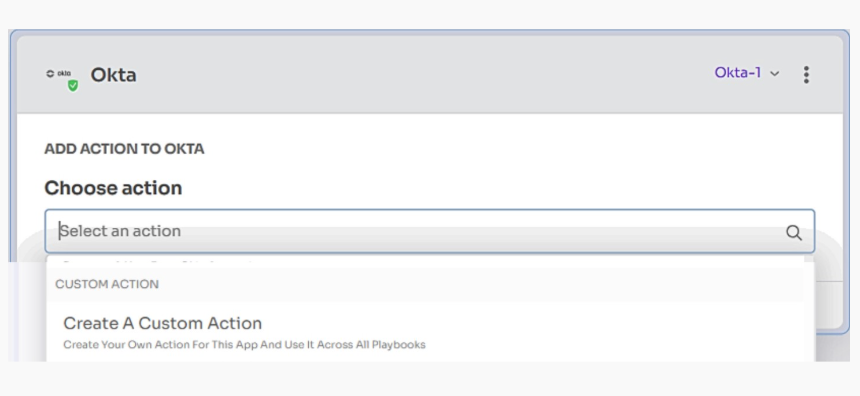
Selecting Custom Action opens the configuration form.
Key features
-
Reusable
Custom Actions can be reused across multiple playbooks once created.Example:
A Custom Action named Add Sales Group created in the HubSpot App Block can be reused in future playbooks without recreating the action. -
Clear identification
Custom Actions are labeled CUSTOM ACTION in the Actions list, making them easy to identify.Example:
An action named Add Sales Group appears in the Actions dropdown with the CUSTOM ACTION label displayed next to it.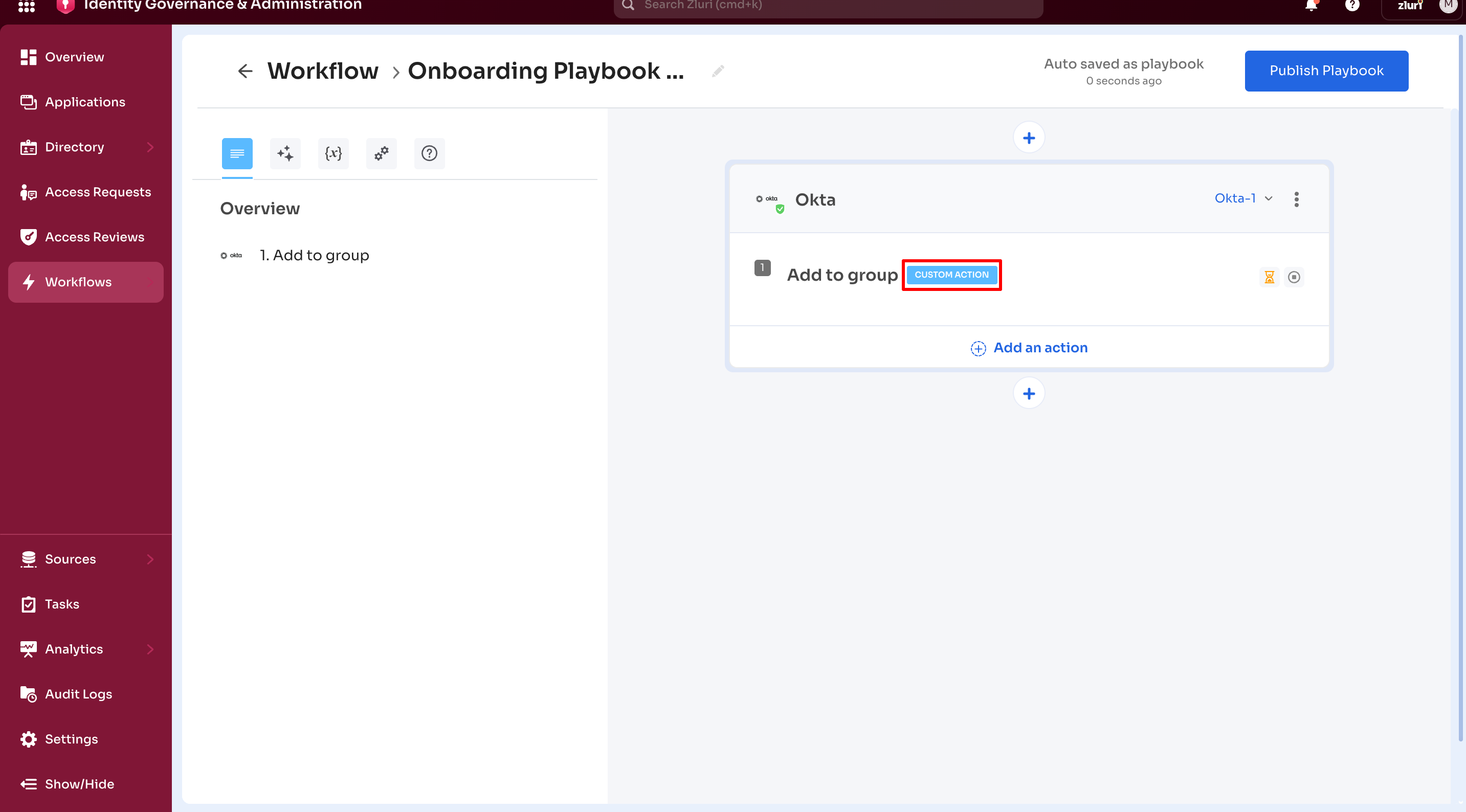
-
Automatic authentication
Custom Actions use credentials from the existing application integration. Manual entry of login credentials is not required.Example:
A Custom Action to deactivate a Salesforce user runs using the integrated Salesforce admin credentials. -
Integration dependency
Custom Actions are supported only for integrated applications. Support for non-integrated applications is planned.
2. Custom actions via HTTP request
The Custom Actions feature supports two types of HTTP request actions:
- HTTP Request without callback
- HTTP Request with callback
Both options support direct API communication with external systems. Reuse is not supported.
2.a. HTTP Request without callback
HTTP Request actions are one-time actions and cannot be reused across playbooks. Each HTTP request action requires a separate configuration.
This action sends a configured request to a third-party application. For example, the action can trigger Jira to close a ticket. Execution status is determined only within Zluri, without feedback from the external system.
A related variant, HTTP Request with Callback, supports status updates from the external system after execution.
The image below shows the HTTP Request option in the Zluri Actions app block action menu.
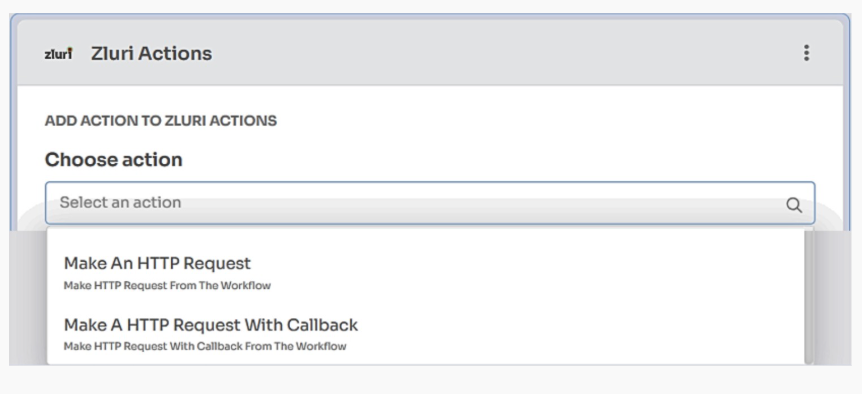
Selecting Make an HTTP Request opens the configuration form shown below.
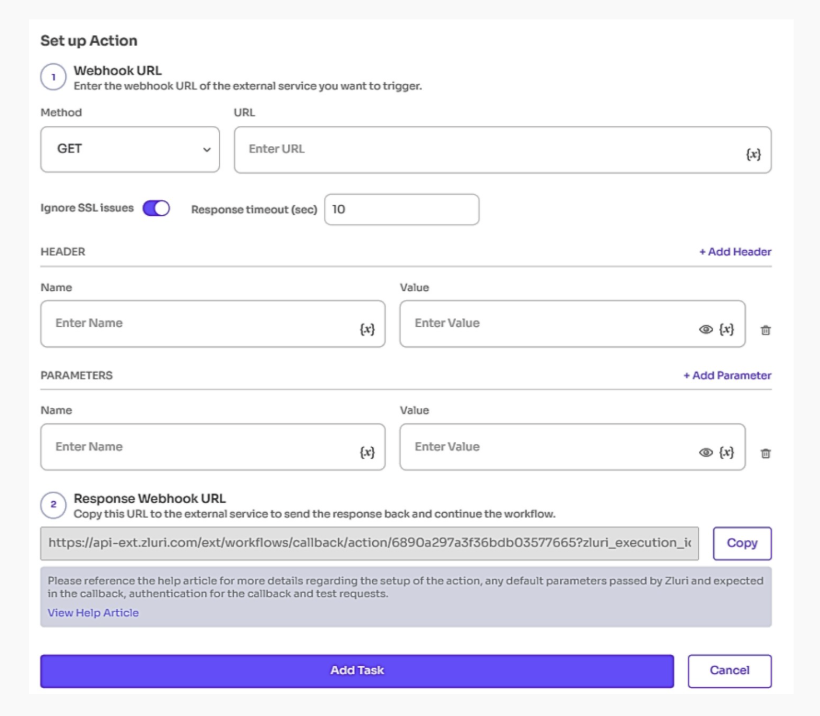
Note: HTTP Request actions are not reusable. Each playbook requires a separate configuration for the same action.
Key features
-
Clear identification
HTTP Request and HTTP Request with Callback actions display a blue label in the Actions list.Example:
An action named Update Jira appears in the Actions dropdown with the HTTP Request label displayed next to it. -
Manual API configuration
HTTP Request actions require manual configuration of API details, including the endpoint URL, HTTP method (GET or POST), headers, and request body. Credentials are included as part of the request configuration. -
Application support
HTTP Request actions support both integrated and non-integrated applications.
2.b. HTTP Request with callback request
This action sends an HTTP request to an external service and accepts a callback response to update the action status in Zluri. The callback marks the action as completed or failed based on the response received.
This action supports workflows triggered in third-party systems and reflects completion status in Zluri after execution finishes in the external system.
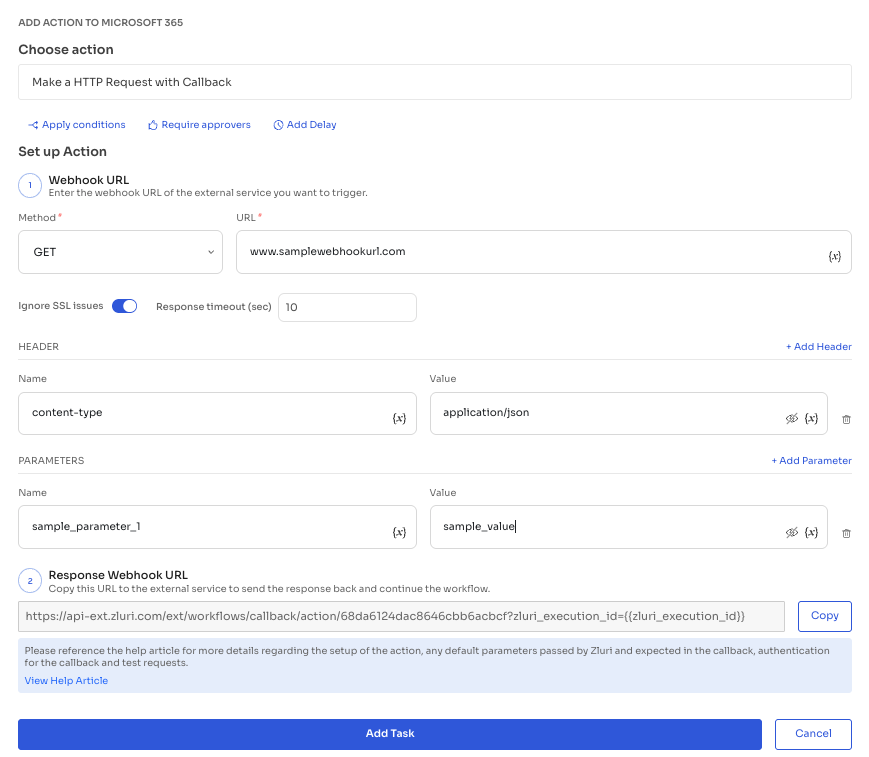
The action has two steps.
Step 1: Configure the HTTP request
- Define the webhook URL and select the HTTP method (GET, POST, PUT, and so on)
- Configure request headers and body parameters as required
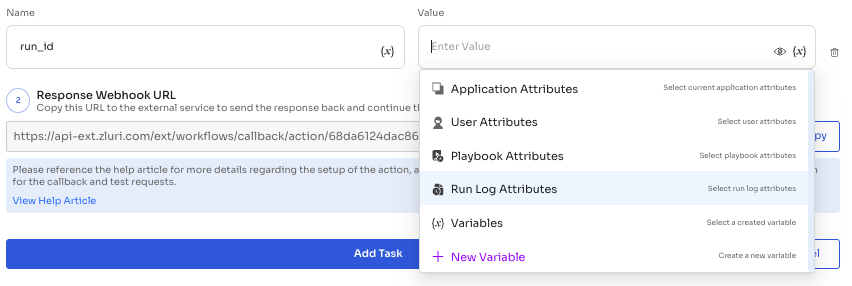
- Populate the
zluri_execution_iddynamically using variables to support callback execution for each playbook run- Select the
{x}option under query or body parameters to view available variables - Use Run Log Attributes to access the
run_idfield - Pass the
zluri_execution_idin the format and location supported by the target system
- Select the
Step 2: Configure the callback in the external system
- Copy the callback URL generated by Zluri
- Add the callback URL to the external application or service receiving the HTTP request
Callback URL format:
https://api-ext.zluri.com/ext/workflows/callback/action/action_id?zluri_execution_id={{zluri_execution_id}}Replace {{zluri_execution_id}} with the execution ID value.
Callback requirements
- Include the status field in the request body. Accepted values are
completedandfailed. - Include zluri_execution_id as a request parameter. Zluri generates this value automatically during execution.
- Include api_key or api-key in the request headers for authentication. Contact Zluri support to obtain the API key.
Validation and execution status
A successful test callback returns a 200 OK response. Testing can be performed using the generated callback URL with the required status, API key, and a sample zluri_execution_id value such as 11111111.
On successful execution, Zluri updates the action status from pending or failed to completed in the execution logs. For failures or misconfigured callbacks, review the error details or contact Zluri support before retrying.
Updated 7 months ago