
Source of Truth and Directory Management
Source of Truth
A Source of Truth (SoT) is an authoritative system storing employee identity data such as name, role, department, manager, location, and status.
Examples of common sources of truth:
- HRMS (Workday, BambooHR, HiBob)
- Identity Providers (IdPs) (Okta, Azure AD, Google Workspace)
Zluri syncs with the Source of Truth to automate provisioning and deprovisioning using current identity data. Automated deprovisioning removes access for inactive users and reduces manual IT effort while enforcing least-privilege access policies.
Directory Management
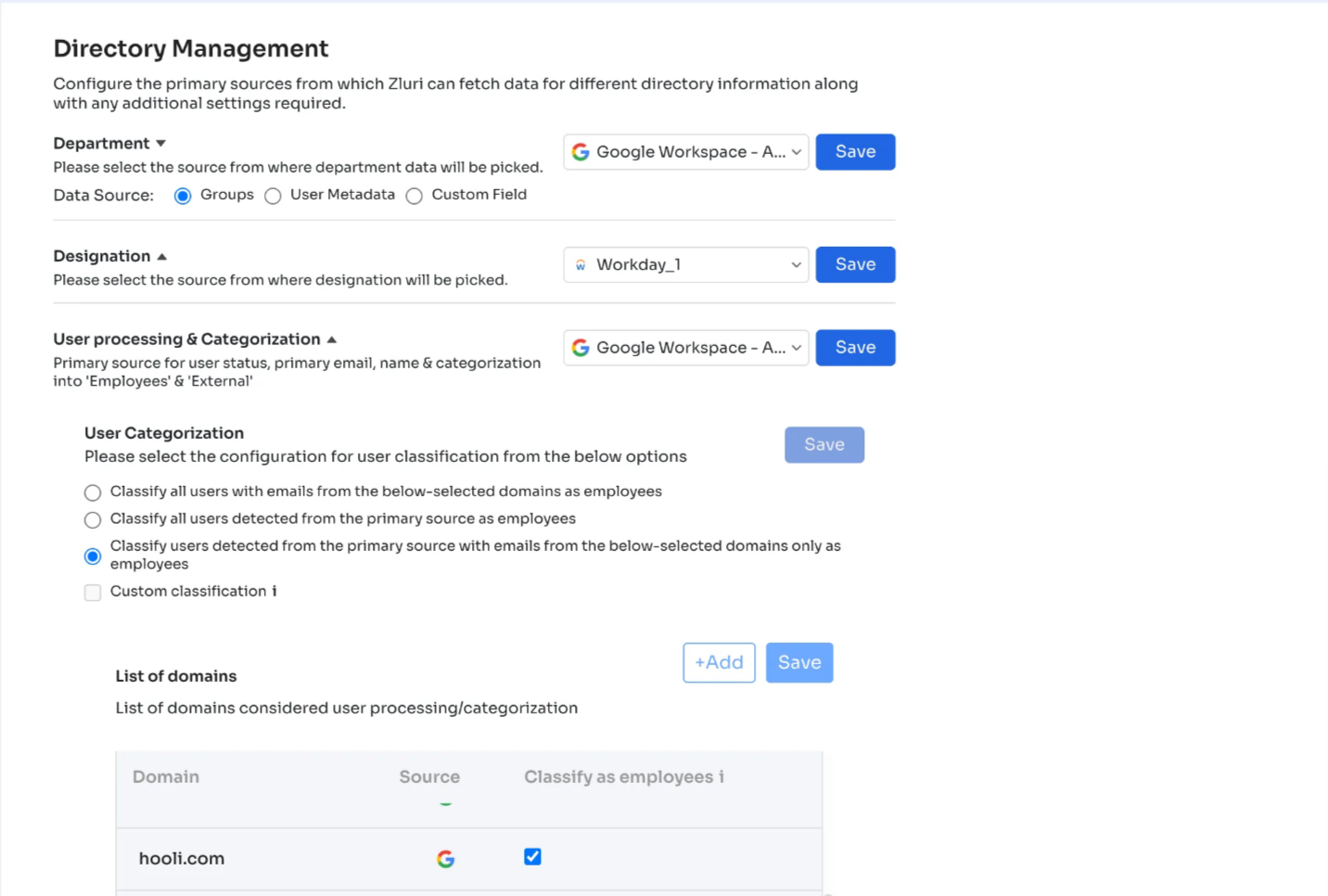
Directory Management controls user attribute retrieval from the Source of Truth and other connected systems within Zluri. Configure these settings from:
Settings → Directory Management
Setup Instructions for Configuring SOT within Directory Management
Navigate to Directory Management
- Sign in to the Zluri IGA platform with the organization’s URL.
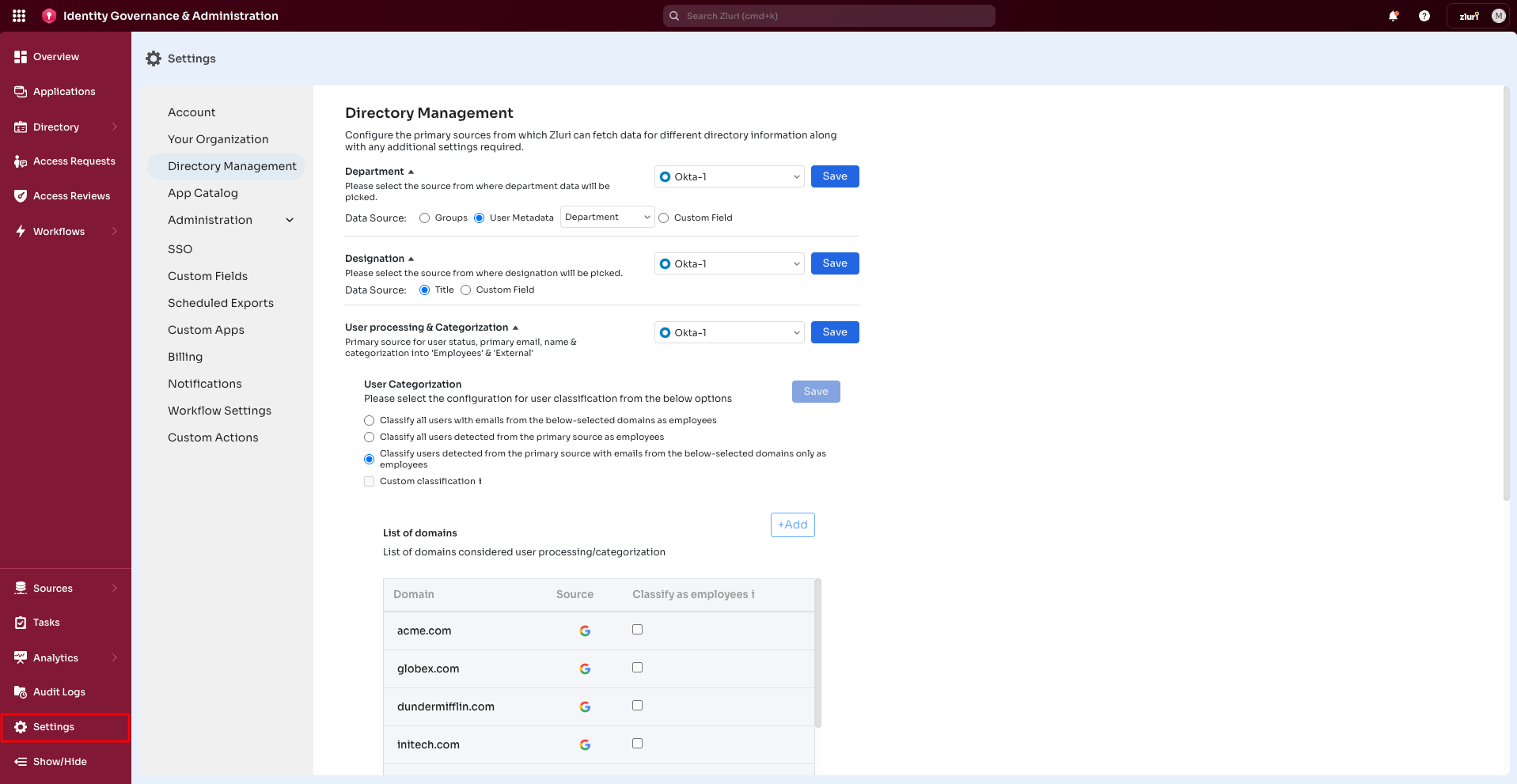
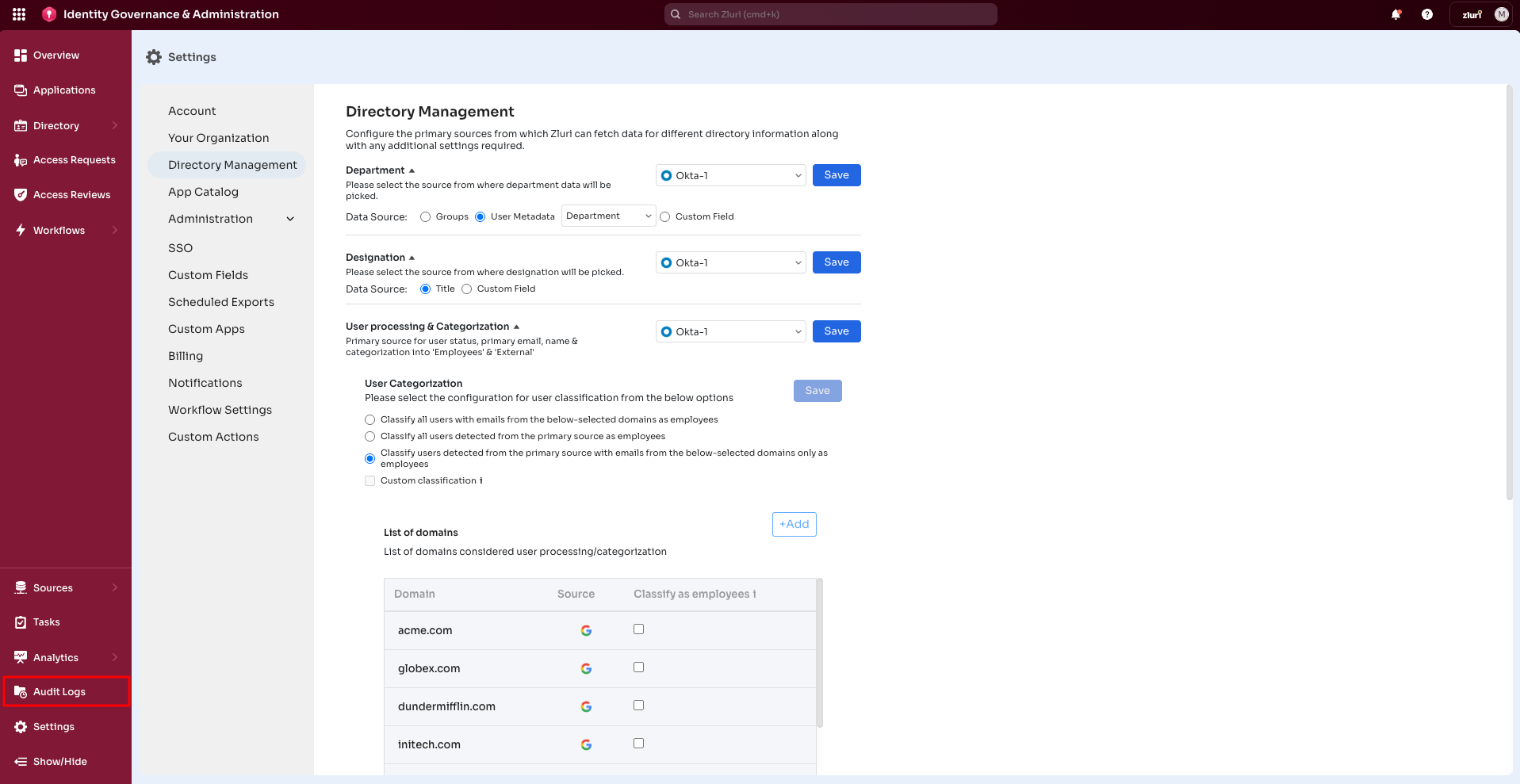
- Go to Settings > Directory Management.
Choose a Source of Truth
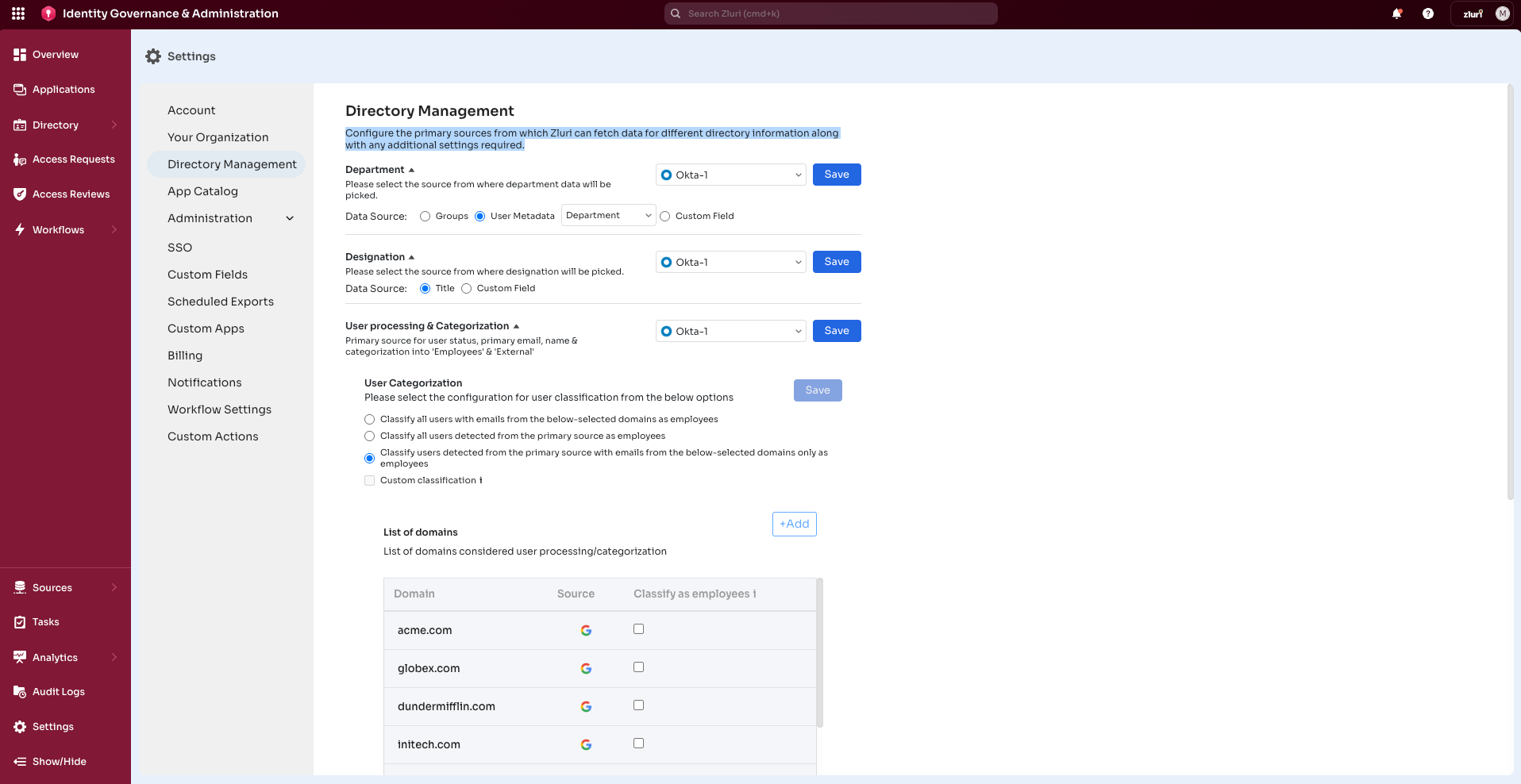
Within Directory Management, configure the primary sources Zluri uses to retrieve directory information and set the required options.
- Department: Select the data source: Groups, user metadata, or custom field. These options vary by integration.
- Designation: Select the designation data source.
- User processing & Categorization: Select the primary source for user status, primary email, name & categorization into Employees and External.
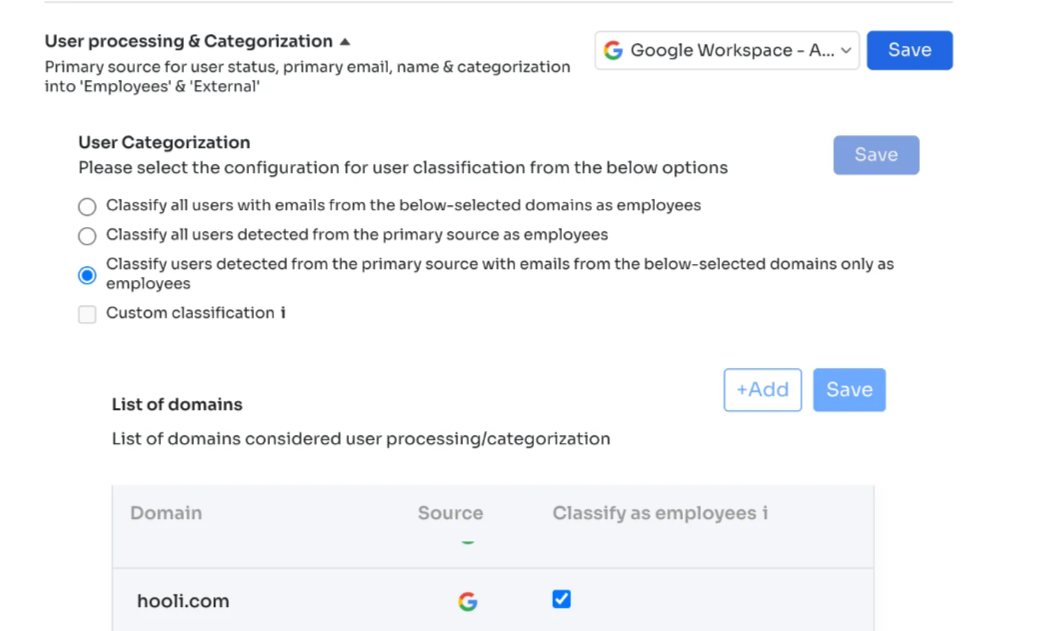
- User Categorization: Select the user classification configuration (For details, see Step 3.)
- Reporting Manager: Select the source for reporting manager data. The Data Source option- configuration include Custom Field. In the custom field, the admin needs to add a data key value.
- Onboarding Date: Select the source for onboarding data.
- Personal Email: Select the source for personal email data.
- Business Unit: Select the source for Business Unit data.
- Cost Center: Select the source for Cost Center data.
Step 3: User Processing & Categorization
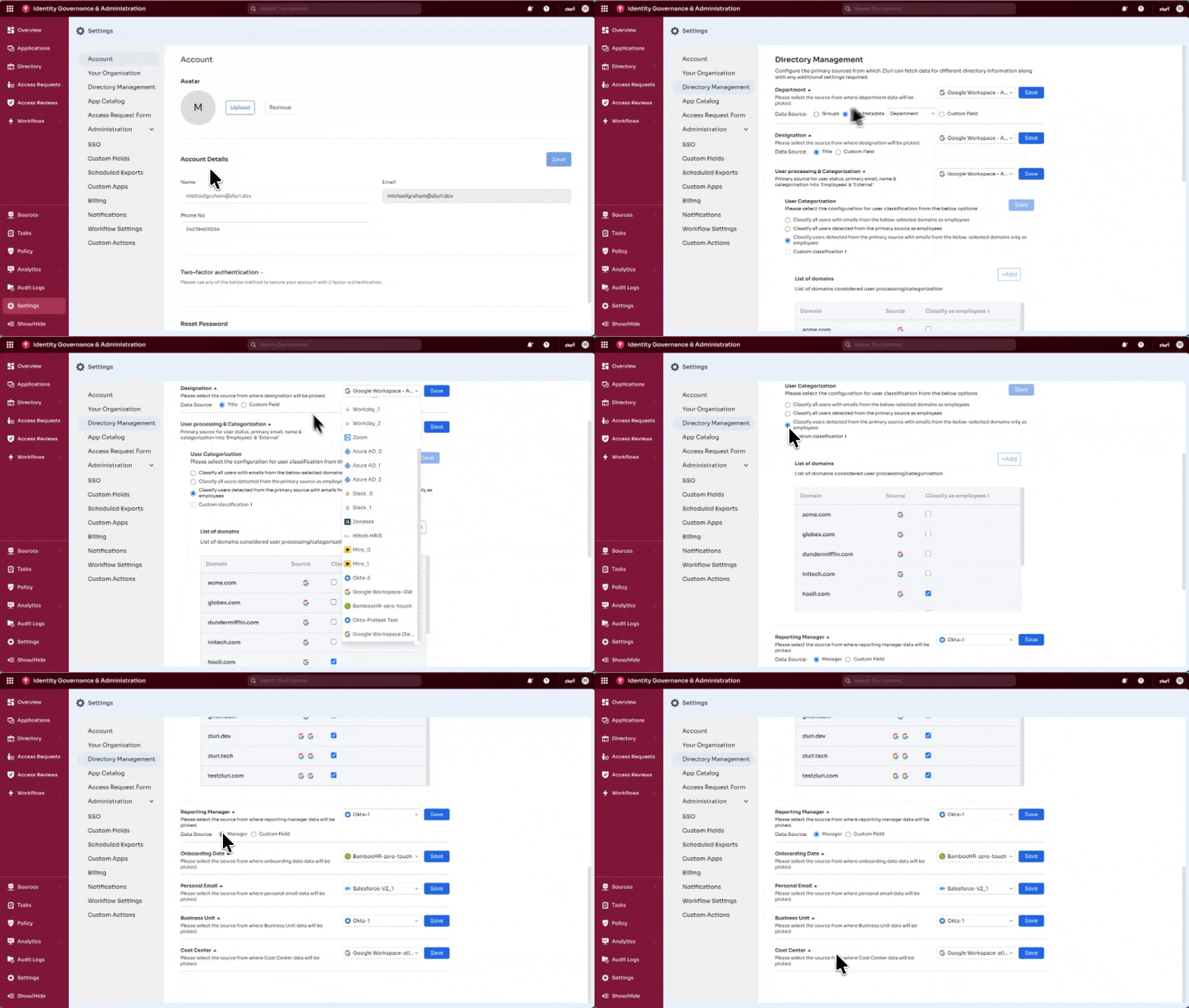
1. Set Primary Source
The primary source determines the system Zluri uses to retrieve a user’s status, name, primary email, and classification as Employee or External . Examples include Google Workspace, BambooHR, and Okta.
Steps:
- Open the drop-down menu.
- Select the system to use as the primary source.
- Select Save.
Zluri uses the selected system as the primary reference for user details.
2. User Categorization Settings
These settings classify users as Employees or External. Administrators must select one option from the list.
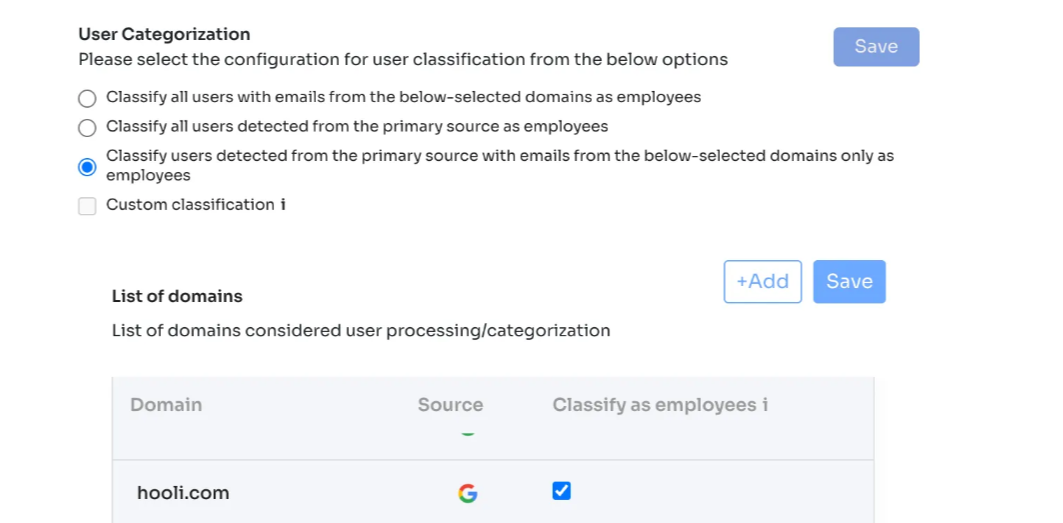
Option 1: Use Email Domains Only
Classify users as Employees based on the selected email domains.
- Selecting this option activates the List of Domains section.
- Zluri identifies employees using only the selected domains.
- Select or clear domains as needed.
Use this option for domain-based classification.
Option 2: Use Primary Source Only
Classify users detected from the primary source as employees. This option is recommended for most organizations, as it leverages accurate information provided by systems such as Google Workspace or the organization's HRMS.
- Zluri disables the List of Domains section upon selecting this option.
- Zluri ignores domain selection.
- Zluri classifies users solely based on the primary source, such as the organization's IdP or HRMS data.
Use this option if the primary source already provides accurate information about employees or external parties.
Option 3: Primary Source + Email Domains
Classify users detected from the primary source and with emails from selected domains as employees.
- Zluri activates the List of Domains section upon selecting this option.
- A user must meet both conditions to be marked as an employee:
- The user exists in the primary source.
- The user's email belongs to a selected domain.
- Check or uncheck any domain in the list.
Use this option for stricter control requiring both primary source and domain checks.
Option 4: Custom Classification
Admins can select Custom classification by checking the checkbox.
- This option enables a fully customized setup tailored to the organization's specific requirements.
- Use this option for requirements the first three options cannot meet.
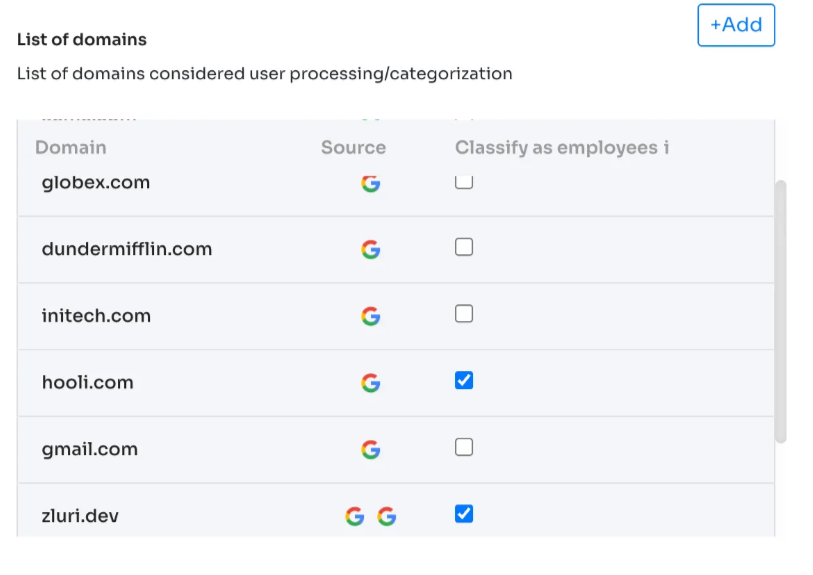
3. List of Domains
This section determines the email domains Zluri treats as employee domains.
Available actions:
- View all domains currently used for classification.
- Check or uncheck any domain to include or exclude it.
- Add new domains.
Adding a Domain
- Under the list of domains section, select the +Add option.
- Enter the domain name.
- Select the checkbox if users from this domain should be classified as employees.
- Select Save.
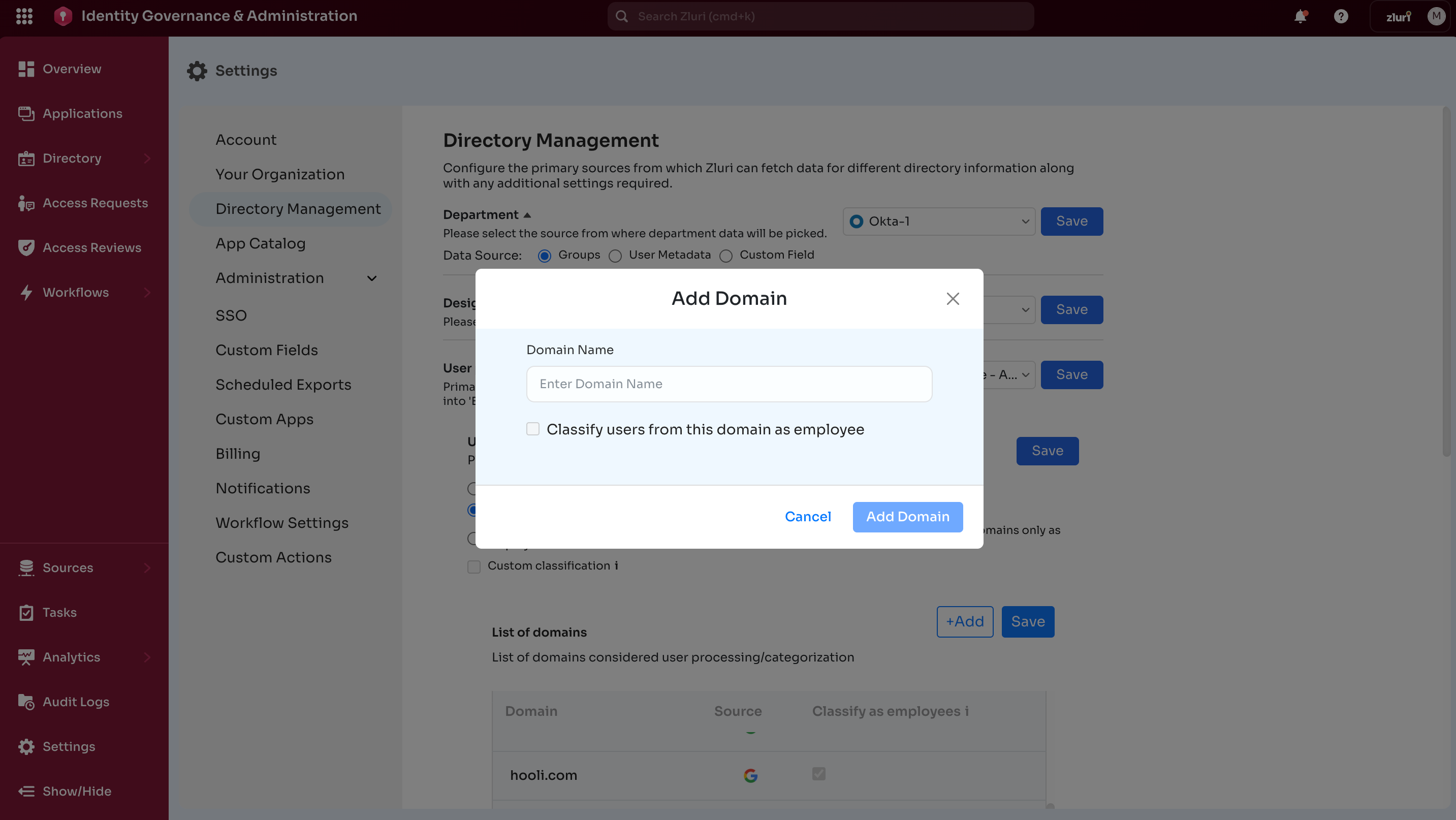
The domain is now added to the list and will be used according to the selected categorization option.
Step 4: Verify the Directory Settings
- After configuring the directory settings, navigate to Directory > Users.
- Search for a user and verify their data matches the data stored in the configured Source of Truth system.
The following example illustrates the automated process triggered by updating user details in an organization's HRMS or IdP:
- The Human Resources team adds a new hire in BambooHR.
- Zluri detects the record during the next sync (or instantly for supported systems).
- Zluri runs the configured Onboarding Playbook, automatically provisioning all Day 1 apps.
- No manual IT intervention is required.
To measure the effectiveness of this automation, consider tracking the metric of reduced time spent on onboarding tasks. For instance, achieving a reduction in manual onboarding tickets in the first month would indicate significant success in automation efforts.
Best Practices for Source of Truth Integration
- Test with a small group before syncing organization-wide.
- Align data fields between Zluri and the Source of Truth to ensure accurate provisioning.
- Double-check the mapping of user attributes during initial configuration.
- Monitor audit logs on the IGA platform to track changes in employee data and ensure compliance.
Updated 6 months ago