
Output chaining
Overview
Output chaining allows users to capture data from the response of one workflow action and use it as a dynamic input for subsequent actions within the same playbook. Zluri also refers to this capability as Action Output as a Variable.
Zluri workflows run sequentially. Output chaining supports multi-step automations where each step can depend on data returned by a previous step.
Currently only HTTP request and custom actions support output chaining. Built-in integration actions (such as the standard "Add to Slack Channel") do not currently support being used as a source for chained variables.
Why use output chaining
Many application APIs require unique identifiers such as system IDs, tokens, or resource IDs rather than common attributes like email addresses. Output chaining bridges this gap by letting one action retrieve the required identifier and pass it to the next action automatically.
Use output chaining when a workflow requires:
- translating a user's email into a system-specific user ID before performing an operation
- retrieving a temporary access token from an authentication endpoint and passing it into the headers of downstream API calls
- fetching a resource identifier such as a Workspace ID or Project ID and using it to manage entitlements and access to that resources
Without output chaining, users would need to look up these values manually and hard-code them into each action, which prevents the workflow from running dynamically across different users or contexts.
Configure and test the parent action
Zluri must understand the response schema of the first action before it can provide response fields as variables to downstream actions.
Steps
-
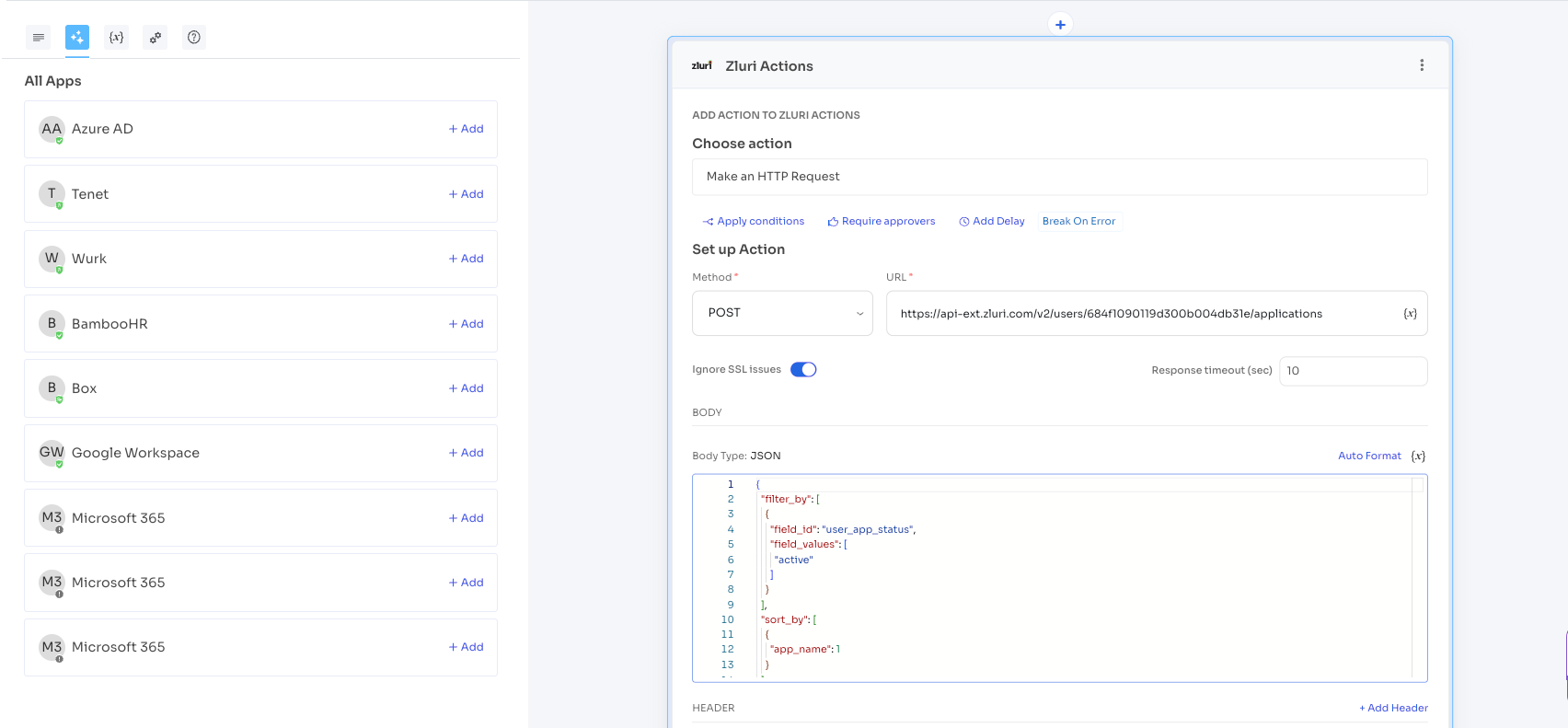
Add an HTTP Request or Custom Action to the playbook.
-
In the action configuration, enter valid test values for any required input fields.
-
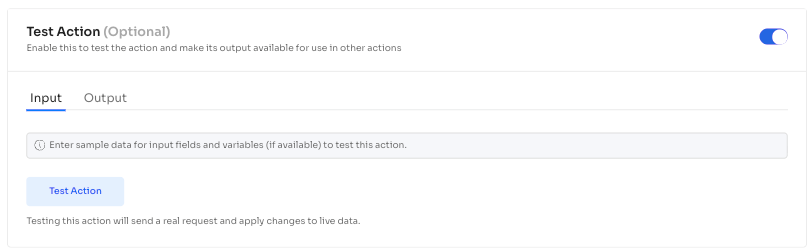
Select Test Action. This triggers a real-time call to the API.
-
Verify that the test returns a successful response. Zluri saves the Response Body structure on a successful test.
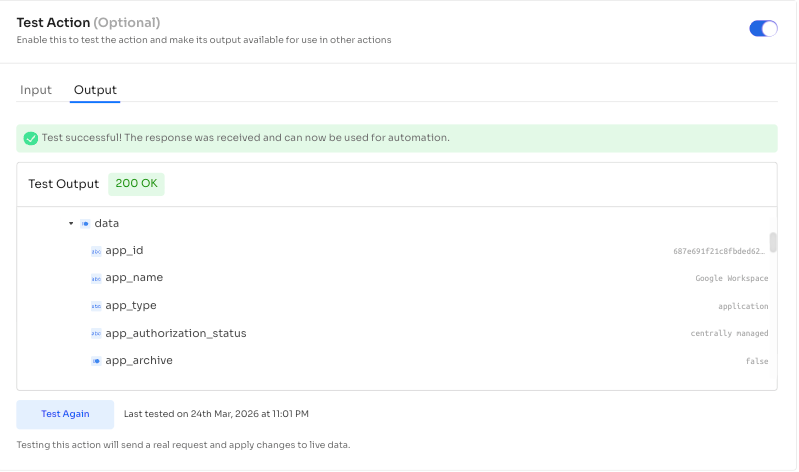
The test sends a real request and applies changes to live data. Use test values that are safe to run against the target system.
Test an action at least once within the playbook editor before its response attributes become available as variables for subsequent actions.
Map the output to a downstream action
After you successfully test the parent action, its response attributes become available as variables in any subsequent action within the same playbook.
Steps
-
Add a subsequent action to the playbook.
-
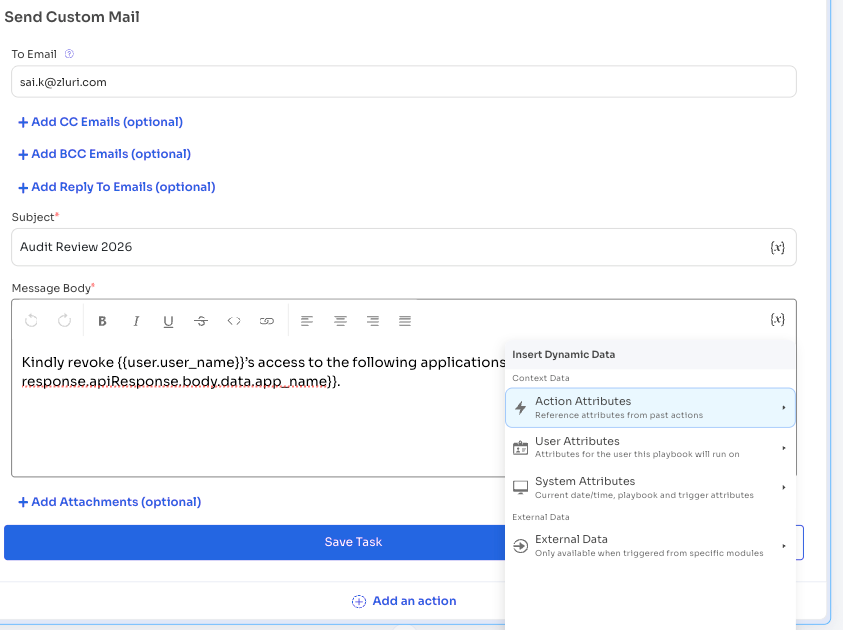
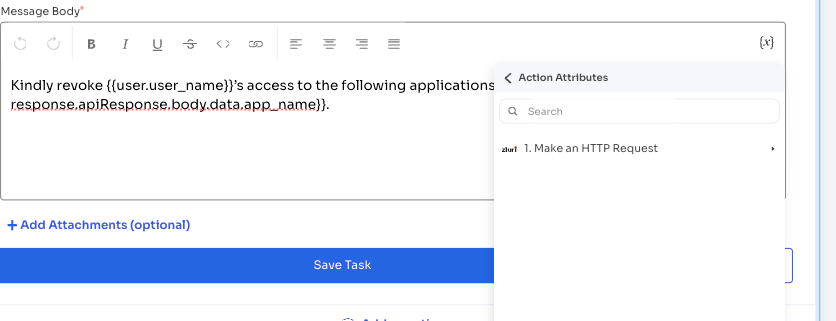
Select the Variables icon in the input field where you want to insert the chained data. Variables can also be used in conditions.
-
Navigate to the Action Attributes section.
-
Expand the parent action from the list of preceding actions that you have successfully tested.
-
Select the specific data point (such as ID, token, or status) to insert it into the configuration.
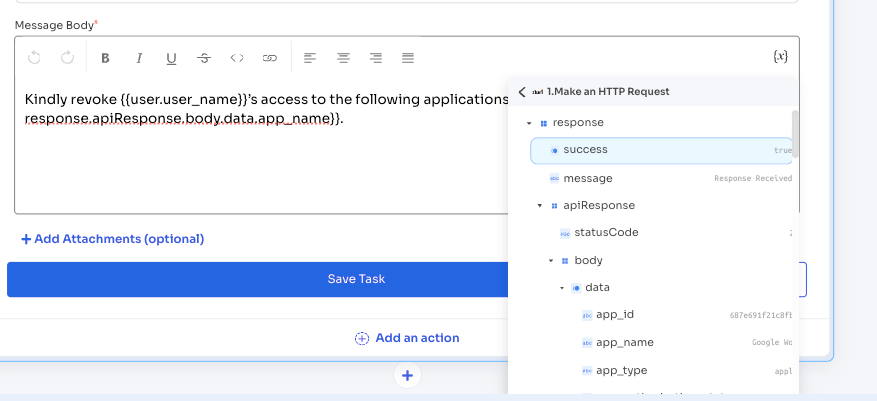
Zluri inserts the selected variable into the field. The variable resolves dynamically at runtime based on the actual response of the parent action.
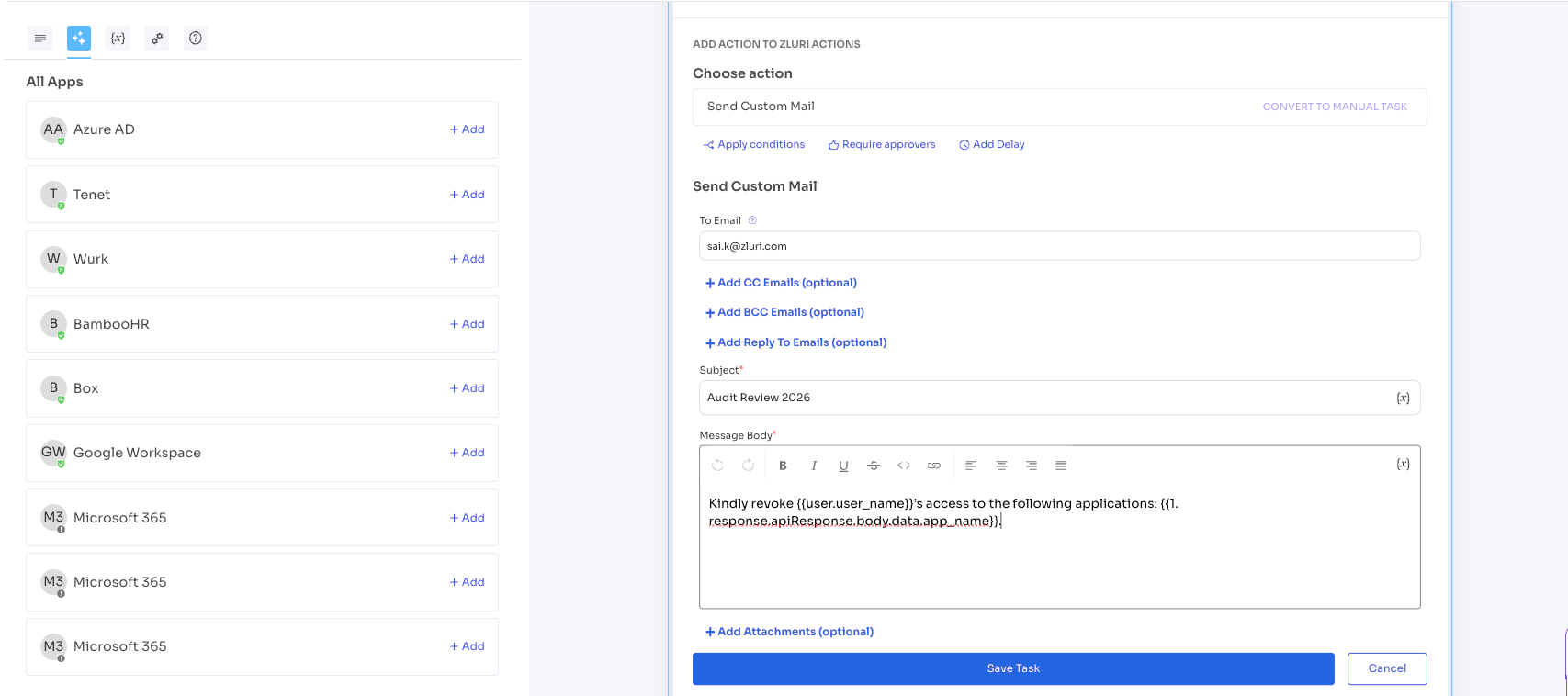
Insert chained variables from the App Response section of the action log by selecting any attribute directly in the JSON response. Zluri automatically pastes the selected attribute into the current configuration payload.
Variable format
Chained variables appear in the action configuration using the following format:
{{actions.action_number.attribute}}
For example, {{actions.1.user_id}} references the user_id attribute from the response of the first action in the playbook.
Array handling
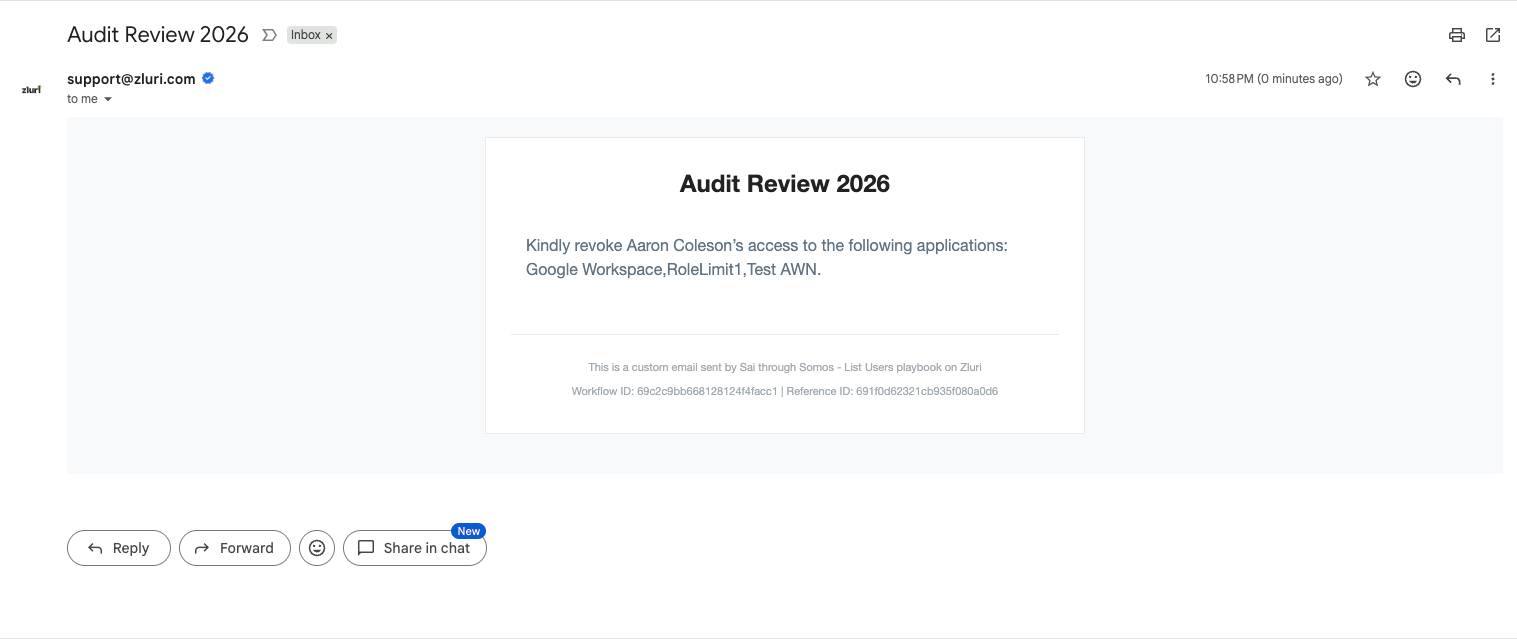
If an API response returns an array of objects (for example, a list of all applications that Zluri associates with a user), Zluri cannot index specific items within the array. Instead, Zluri concatenates the values of the selected attribute from all items in the array into a single comma-separated string.
For example, if the parent action returns a list of applications and the downstream action references the app_name attribute
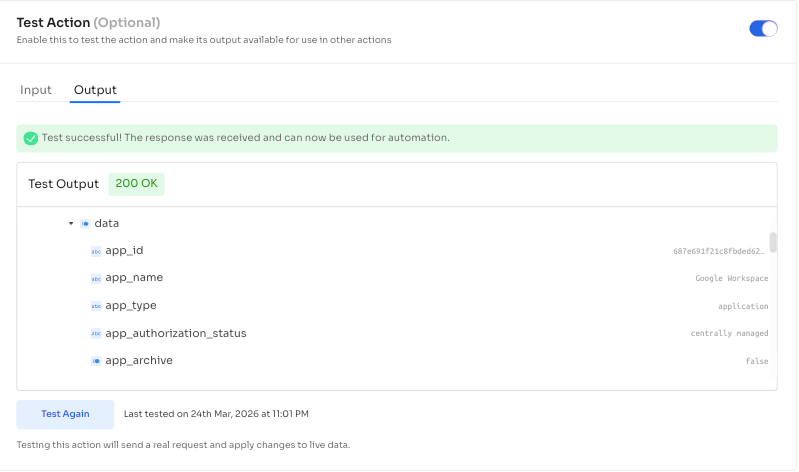
Zluri concatenates all application names into a single string. Use this concatenated string in fields such as an email body to list all relevant application names.
Common use cases
Email-to-ID translation
An application's API requires a system-specific user ID to perform operations, but the workflow only has the user's email address.
Add a GET action to fetch the user's unique system ID using their email address. Chain the returned ID into a subsequent POST action that adds the user to a specific group or assigns a role.
Dynamic authentication
An application requires a temporary access token for API calls rather than a static credential.
Add an HTTP request to the authentication endpoint to retrieve the token. Chain the token into the authorization headers of all downstream API calls in the same playbook.
Resource orchestration
A workflow needs to create resources within a specific container, but the container's unique identifier must be retrieved at runtime.
Add an action to fetch the Workspace ID or Project ID from the application. Chain the returned identifier into subsequent actions that create folders, tasks, or other resources within that container.
Considerations
- Currently, output chaining supports only HTTP Request Actions and Custom Actions. Built-in integration actions do not currently support being used as a source for chained variables.
- Test an action at least once within the playbook editor so that Zluri can capture its response schema. Until you test the action, its attributes are not available as variables for subsequent actions.
- Testing an action sends a real request to the API and applies changes to live data. Use appropriate test values.
- Turn on the Wait until completion toggle on parent actions to ensure response data is fully available before the subsequent action runs. This toggle is available for paid Zluri tenants.
- If an API response returns an array of objects, Zluri concatenates the values of the selected attribute from all items into a single string. Currently, Zluri cannot index individual array items.
Updated 5 months ago