
Connect
This guide explains how to connect your CaptivateIQ account to Zluri.
Prerequisites
- Administrator access to a CaptivateIQ organization account
Note: Personal CaptivateIQ accounts are not supported.
Step 1: Generate an API Token in CaptivateIQ
-
Sign in to the CaptivateIQ account.
-
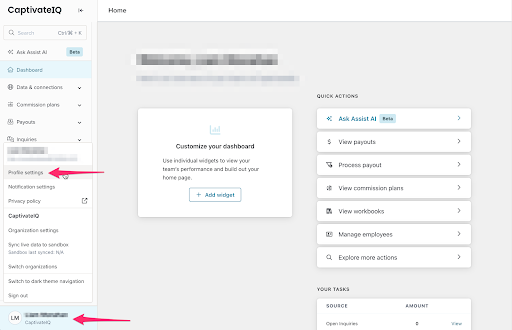
Navigate to Profile Settings.
-
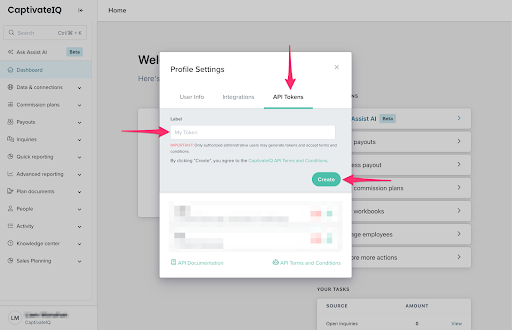
Open the API Tokens tab.
-
Enter a descriptive label for the token (for example,
Zluri Integration). -
Select Create.
-
Copy the generated API Token and store it securely.
Step 2: Connect CaptivateIQ in Zluri
-
Sign in to Zluri.
-
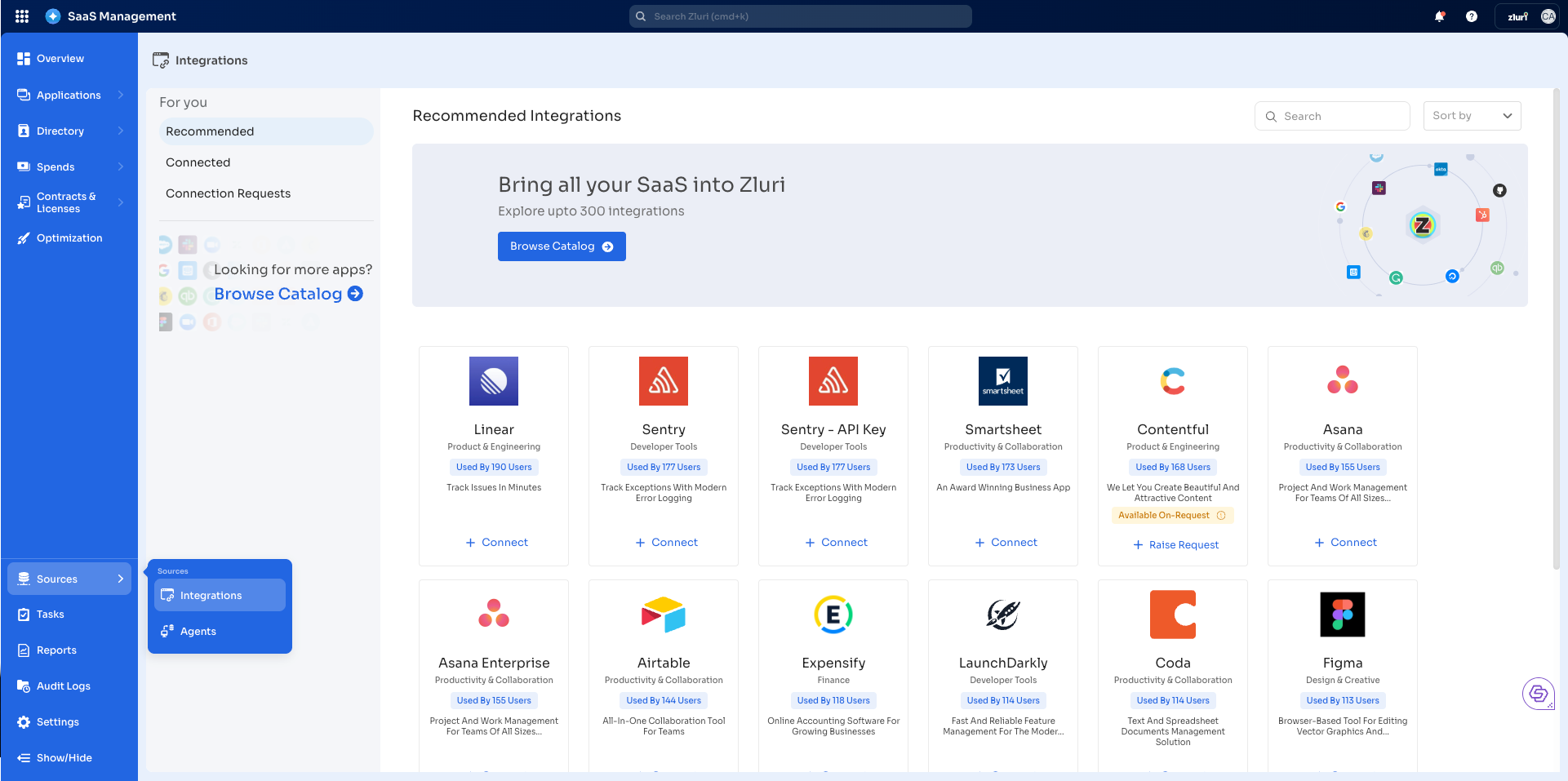
Open the Integrations Catalog.
-
Search for CaptivateIQ.
-
Open the CaptivateIQ Integration page.
-
Select Connect Integration or Connect another instance if an existing connection is already configured.
Step 3: Review and Add Scopes
- Review the required scopes displayed for the integration.
- Add additional scopes if required.
Authorization Options
Self-Authorization
- Proceed directly to Step 4.
Co-worker Authorization
- Enter a co-worker’s details to share the connection request.
- Zluri sends an invite email or link containing a unique Connect Code.
- The co-worker can use the code to approve and complete the connection setup.
Step 4: Authorize the Connection
- Paste the generated API Token into the Token field in Zluri.
- Enter a connection name and description.
- Select Connect to complete the integration.
Integration Complete
Zluri connects to CaptivateIQ and begins syncing data automatically.
Got questions? Feel free to submit a ticket or contact us directly at [email protected].
Updated 4 months ago
Did this page help you?