
Application discovery
Application discovery
Application discovery identifies applications used across the organization by processing data from multiple sources. Zluri adds discovered applications to the application inventory based on predefined source logic and matching rules.
Discovery sources
Zluri discovers applications from the following sources:
- Single Sign-On (SSO) providers, for example Azure AD, Google Workspace, Okta, OneLogin, and JumpCloud
- Direct integrations
- Manual additions
- Transactions
- Agents
- Mobile Device Management (MDM) systems
- CASB tools
- Plugins
Each source contributes application identifiers based on the type of data it provides.
Folders used for discovery
Zluri processes data from the following folders to detect applications:
- List of Applications (from SSO providers)
- Application Users
- Activity
- Transactions: disabled by default. Enable this if required.
Discovery behavior by source
Application discovery differs based on the source.
| Source | What Zluri processes |
|---|---|
| SSOs | Application list, application user APIs, application user activity data |
| Direct Integrations | Integration-specific application names |
| Transactions | Transaction descriptions |
| MDMs | Installed application lists on managed devices |
| Browser Agents | Website URLs |
| Desktop Agents | Application usage patterns |
Application matching logic
When Zluri receives an application name, description, or pattern, it matches the application against the global application database using the following logic, in order:
- Direct name match in
orgapp - Exact match
- Alias exact match
- Direct match in
globalapp - Cupid mapping in
orgapplication/globalapp - Cupid mapping in global applications
Zluri does not add applications discovered from transactions or contracts alone to the application inventory.
Browser-based detection patterns
For browser-based discovery, Zluri uses the following patterns:
- Organization domain pattern
- Global domain pattern
- Application links
- Entity-level breakdown
Application status assignment
Zluri assigns application status based on the discovery source:
| Source | Assigned status |
|---|---|
| Direct Integration | Active |
| SSOs | Provided by SSO |
| Other sources | Active |
| Manual additions | Set during manual addition. Cannot be changed automatically |
Primary source priority
Each discovered application is associated with a primary source.
Priority rules:
- The first detected source becomes the primary source.
- Direct Integration or SDK takes priority over other sources.
- A manual source always has the highest priority.
If an administrator removes a direct integration, Zluri also removes the primary source association.
The primary source panel lists every source contributing to an application, with a PRIMARY badge on the current primary source. Select the X next to a source to remove it.

Status change log
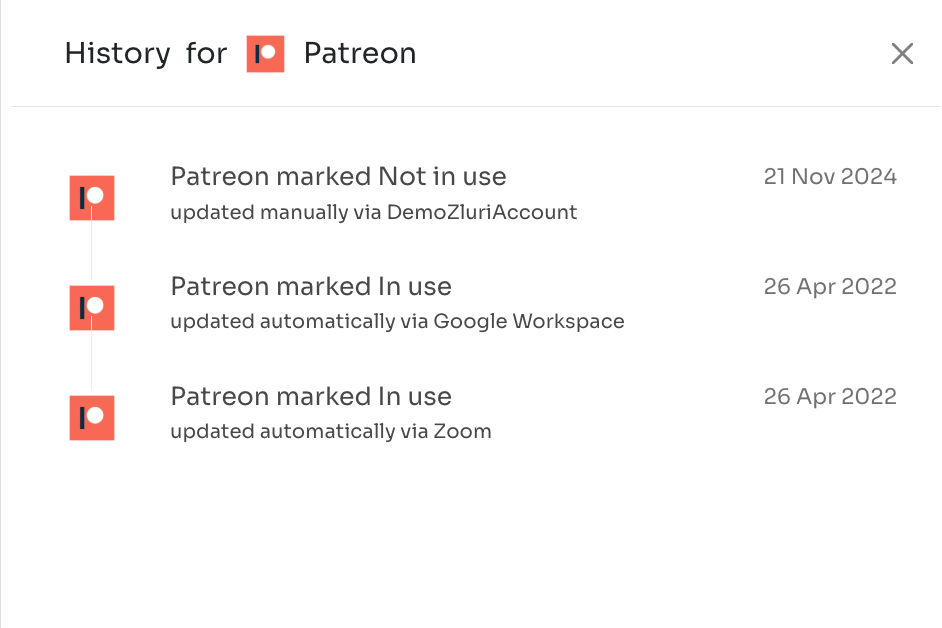
Zluri records source-level changes in the status change log, labeled History in the application panel. This log tracks changes related to application discovery and source updates.
Each entry shows the status change, for example marked Not in use or marked In use, whether the change was manual or automatic, the source involved, and the date.
Application name normalization
Zluri normalizes application names received from APIs before matching them against the database.
Normalization behavior:
- Uses fuzzy matching logic
- Removes special characters for consistency
For example, Zluri normalizes and displays Slack # as Slack.
Removed characters
Zluri removes the following special characters during normalization:
\ ` ~ ! @ # $ % ^ & * ( ) - _ + = | [ ] { } ' " : ; < > , ?
Updated 2 months ago