
Renewals
The Renewals page shows your upcoming contract renewals and payments for the next 12 months, so you can plan spend and act before each date.
Open the Renewals page
In the left navigation, click Spends, then click Renewals under Contract Management.
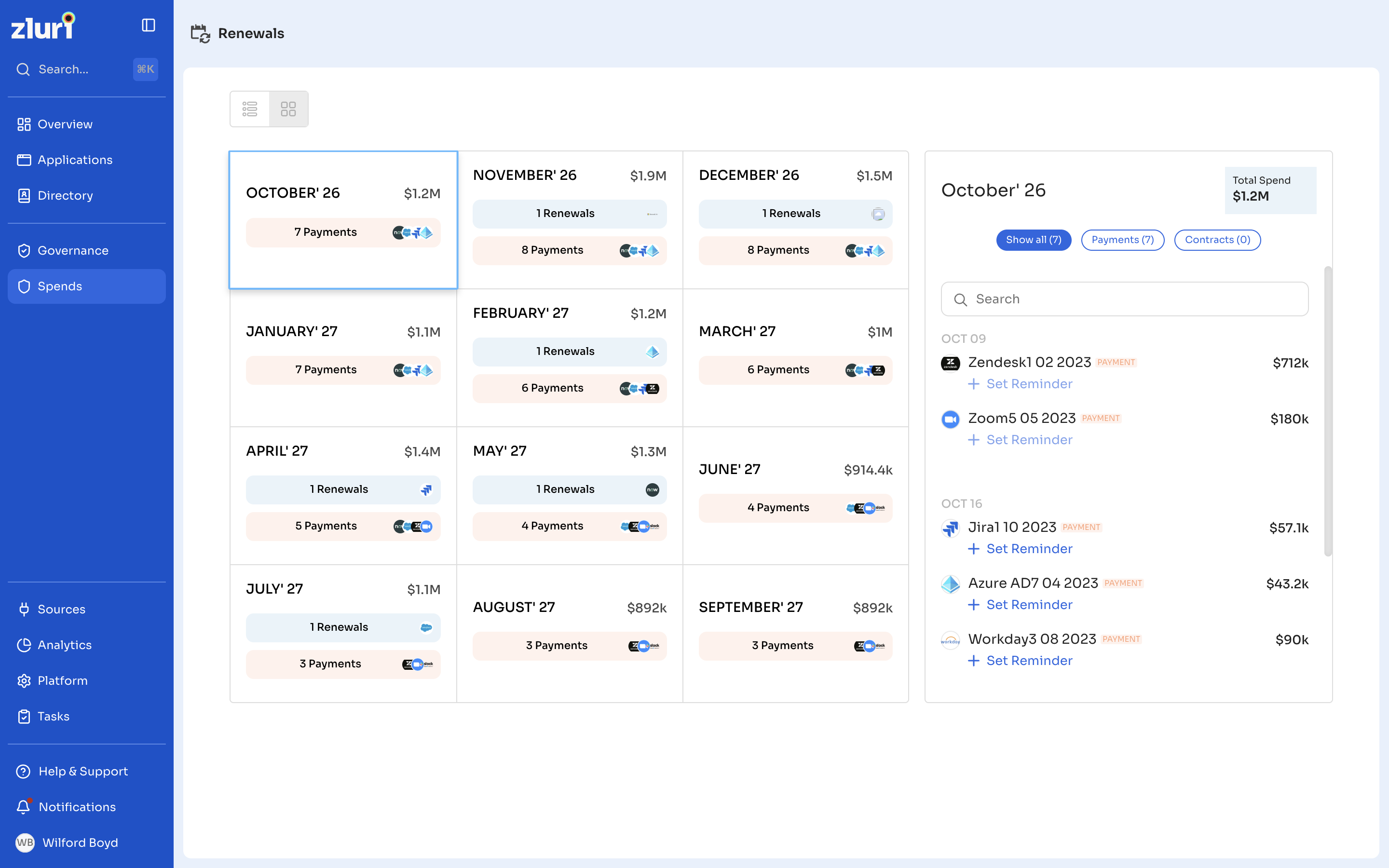
Monthly view
The page shows one card for each of the next 12 months. Each card shows:
- The total amount due that month.
- The number of Renewals and Payments due, with the icons of the applications involved.
Use the icons at the top of the page to switch between the grid and list views.
View a month's renewals and payments
Click a month to see its details in the panel on the right. The panel shows the month's Total Spend and lists each item by date, with its contract name, type, and amount.
- Click Show all, Payments, or Contracts to filter the list.
- Use Search to find a contract.
Set a reminder
To get a reminder before a payment or renewal, click + Set Reminder below the item in the month's panel.
To learn about the automatic reminders Zluri sends, see Contract Notifications and Reminders.
Related articles
Updated 12 days ago