
Adding an application
Adding an application
Add an application manually when it does not already appear in the Applications table, or when it needs to be tracked for visibility, governance, or reporting.
Add an application
-
Select Applications in the left navigation.
-
Select Add Application in the top right of the table.
-
In the Search Application field, enter the application name.
-
Select the matching application from the results, or select Add a custom application if it does not appear.
-
Complete the application details.
-
Select Save.
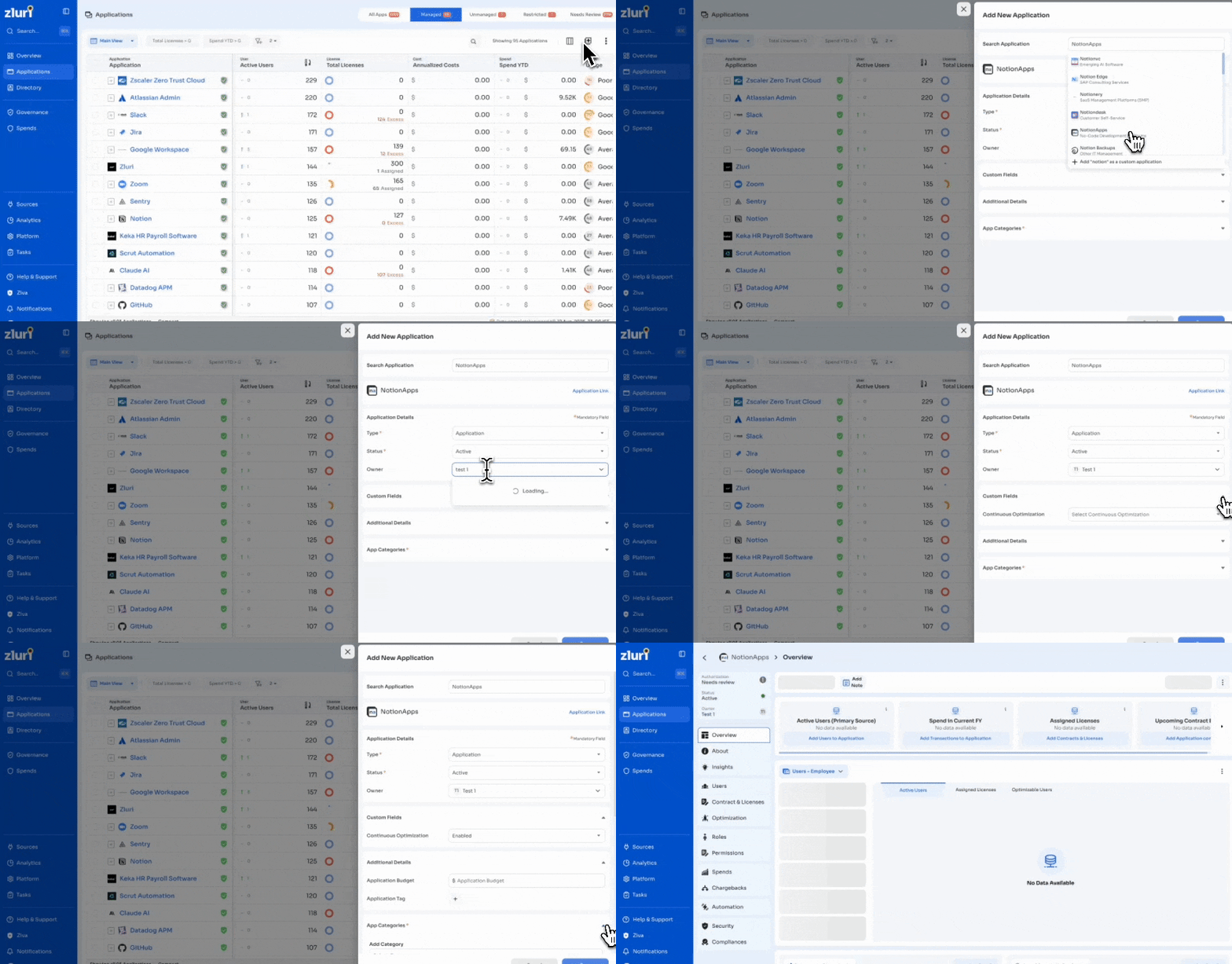
Application details
When an application is selected from search results, its name appears below the search field. Select Application Link to open the application's website.
Enter the following mandatory details:
| Field | Description |
|---|---|
| Type | The record type: Application, Browser, Website, Device, or Other |
| Status | The application's status: Active or Inactive |
| Owner | The assigned application owner. Search by name or email |
Custom fields
Expand Custom Fields to set values for organization-specific fields. For example, set Continuous Optimization to Enabled or Not Enabled.
Additional details
Expand Additional Details to set:
- Application Budget: the allocated budget for the application
- Application Tag: a tag to group or label the application
App categories
Expand App Categories to assign a category.
- Select Add Category.
- Choose a category from the list, for example Artificial Intelligence.
- Select Add Sub Category to add a subcategory, for example AI Note-Taking Software.
App Categories is a mandatory field.
After adding an application
Once saved, the application appears in the Applications table. Administrators can then:
- Update application metadata from its profile
- Apply status and authorization changes
- Include the application in bulk actions and exports
Adding an application creates its record only. It does not assign users or licenses, and does not apply integrations. Configure these separately after adding the application.
Updated 2 months ago