
Automation
The Automation tab brings together the playbooks, rules, and runs that automate user access for an application. Use it to manage how users get access to the application, how access is removed, and how access requests are handled.
Access the Automation tab
- Select Applications from the left navigation, then select Applications under Inventory.
- Select the application. To learn more about the application page, see Application overview.
- Select Automation from the application menu.
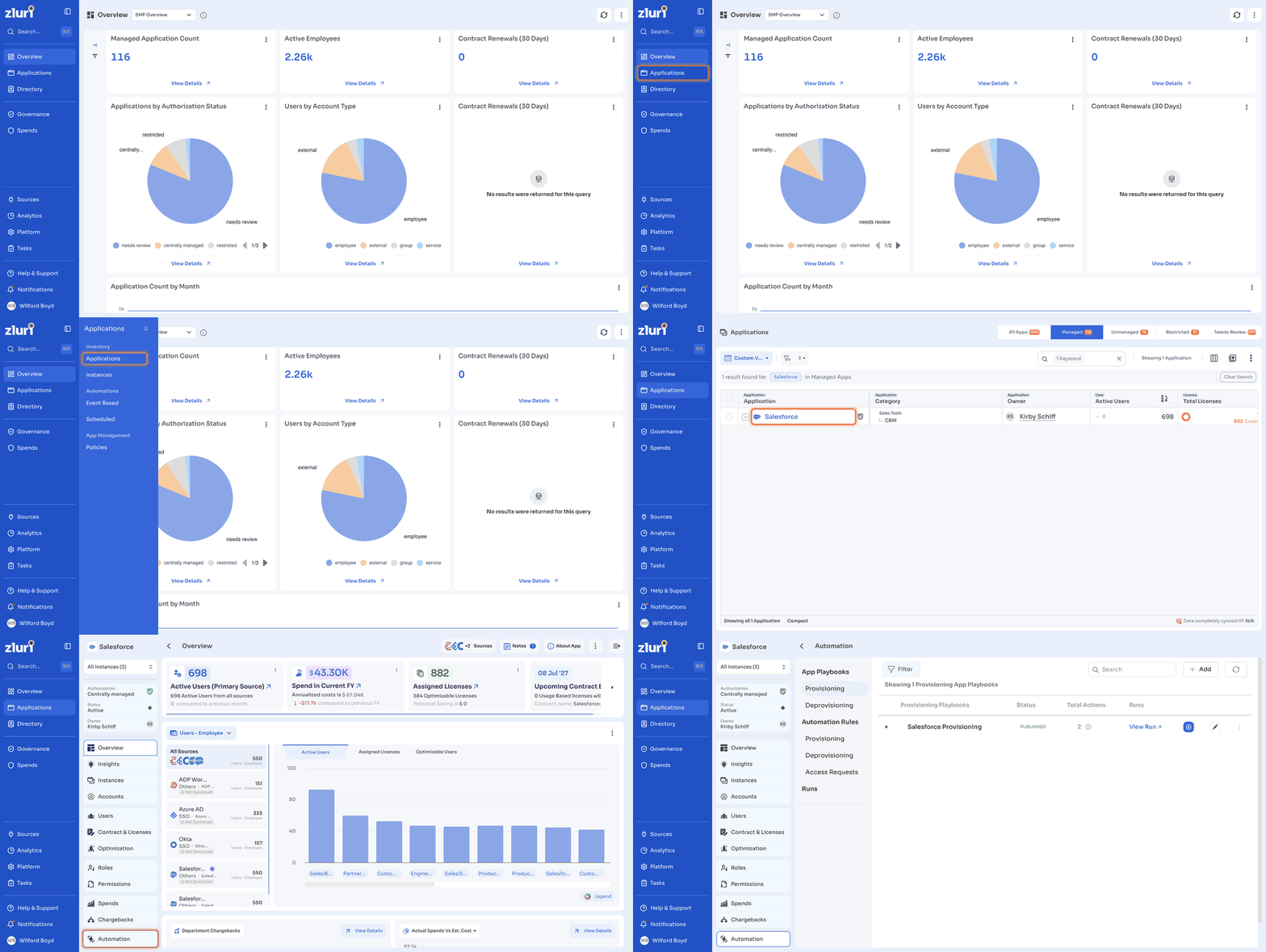
Use the instance dropdown at the top of the application menu to view automations for All Instances or a single instance. To learn more, see Instances.
Automation sections
The Automation tab has three sections.
| Section | Sub-sections | What it covers |
|---|---|---|
| App Playbooks | Provisioning, Deprovisioning | Playbooks that give users access to the application or remove their access. |
| Automation Rules | Provisioning, Deprovisioning, Access Requests | Rules that run playbooks automatically when their conditions are met. |
| Runs | None | The history of playbook runs for the application. |
App Playbooks
App Playbooks list the provisioning and deprovisioning playbooks created for the application. Select Provisioning or Deprovisioning to view each type.
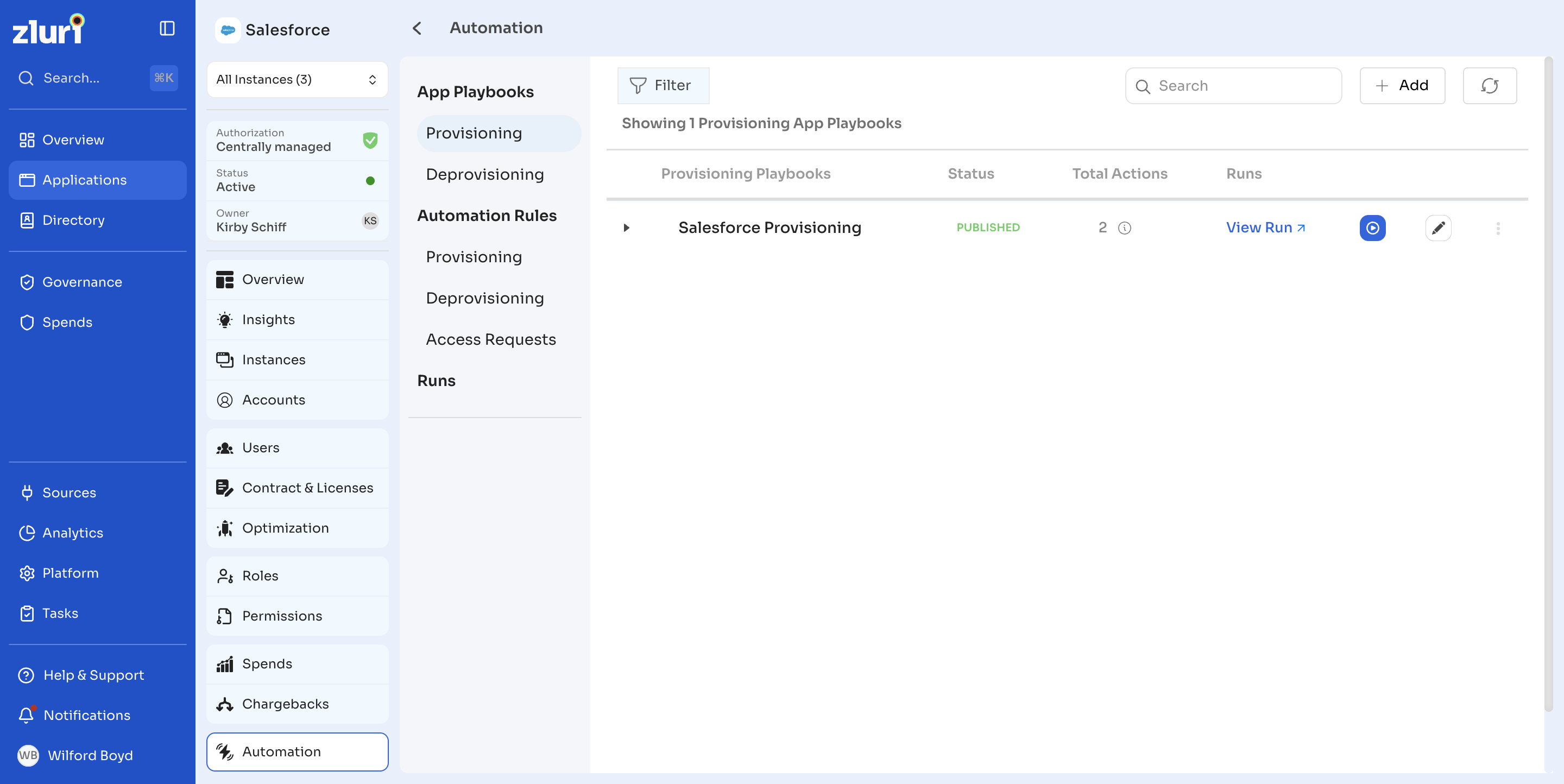
| Column | Description |
|---|---|
| Provisioning Playbooks or Deprovisioning Playbooks | The name of the playbook. |
| Status | The current status of the playbook, such as Published. |
| Total Actions | The number of actions in the playbook. |
| Runs | Select View Run to see the runs of the playbook. |
To work with playbooks:
- Select Add to create a playbook for the application. To learn more, see Playbooks.
- Select Filter to filter the list.
- Use Search to find a playbook by name.
- Select the refresh icon to reload the list.
- Select the arrow next to a playbook to view when it was created, who created it, and who last published it.
- Select the run icon to run the playbook.
- Select the edit icon to edit the playbook.
- Select the more options icon (⋮) to Duplicate Playbook or Delete Playbook.
Automation Rules
Automation Rules run app playbooks automatically based on conditions you set.
- Provisioning: Rules that give users access to the application.
- Deprovisioning: Rules that remove user access from the application.
- Access Requests: Rules that decide how access requests for the application are handled.
Provisioning and Deprovisioning rules
Each rule shows its trigger condition (TRIGGER WHEN) and the action it takes (THEN).
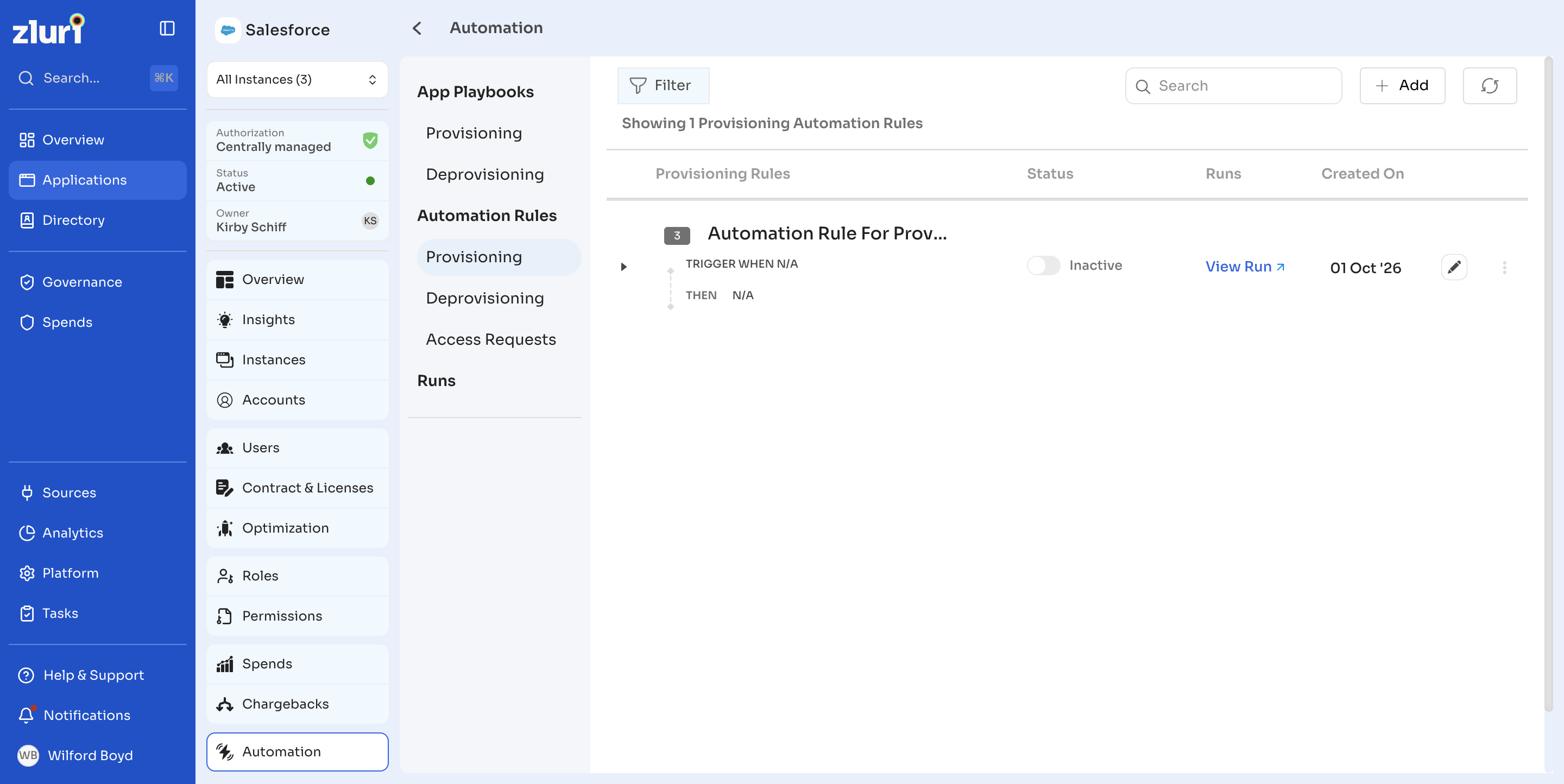
| Column | Description |
|---|---|
| Provisioning Rules or Deprovisioning Rules | The name of the rule, with its trigger condition and action. |
| Status | Whether the rule is Active or Inactive. Use the toggle to change it. |
| Runs | Select View Run to see the runs started by the rule. |
| Created On | The date the rule was created. |
To work with rules:
- Select Add to create a rule.
- Select Filter to filter the list.
- Use Search to find a rule by name.
- Select the refresh icon to reload the list.
- Select the arrow next to a rule to view who created it.
- Select the edit icon to edit the rule.
- Select the more options icon (⋮) and then Delete Rule to delete the rule.
Access Requests rules
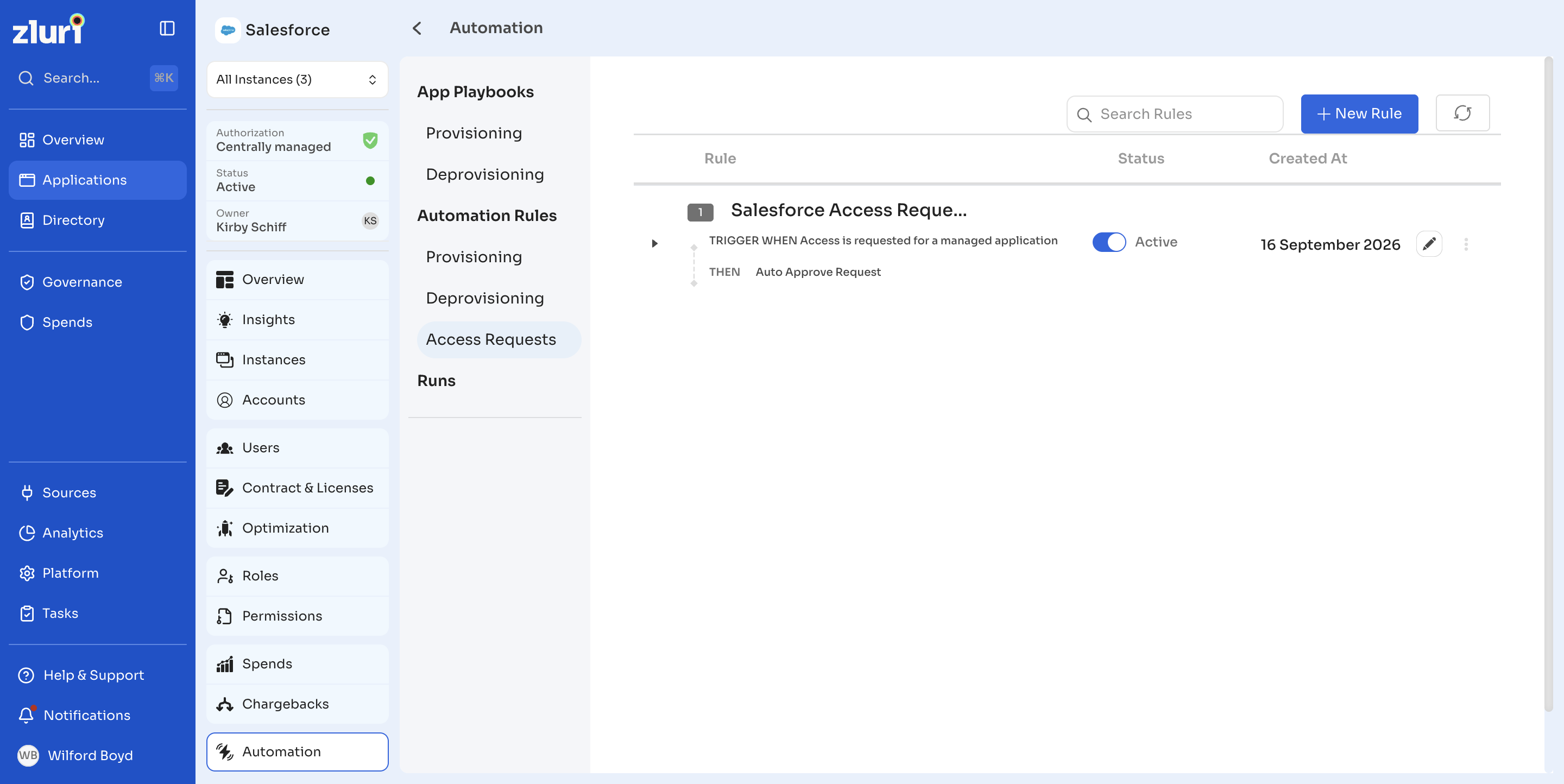
| Column | Description |
|---|---|
| Rule | The name of the rule, with its trigger condition (TRIGGER WHEN) and action (THEN). |
| Status | Whether the rule is Active or Inactive. Use the toggle to change it. |
| Created At | The date the rule was created. |
To work with access request rules:
- Select New Rule to create a rule.
- Use Search Rules to find a rule by name.
- Select the refresh icon to reload the list.
- Select the edit icon to edit the rule.
To learn more, see Automation Rules and Access Request Automation Rules.
Runs
Runs shows every playbook run for the application, including runs started manually and runs started by automation rules. To learn more, see Run Logs.
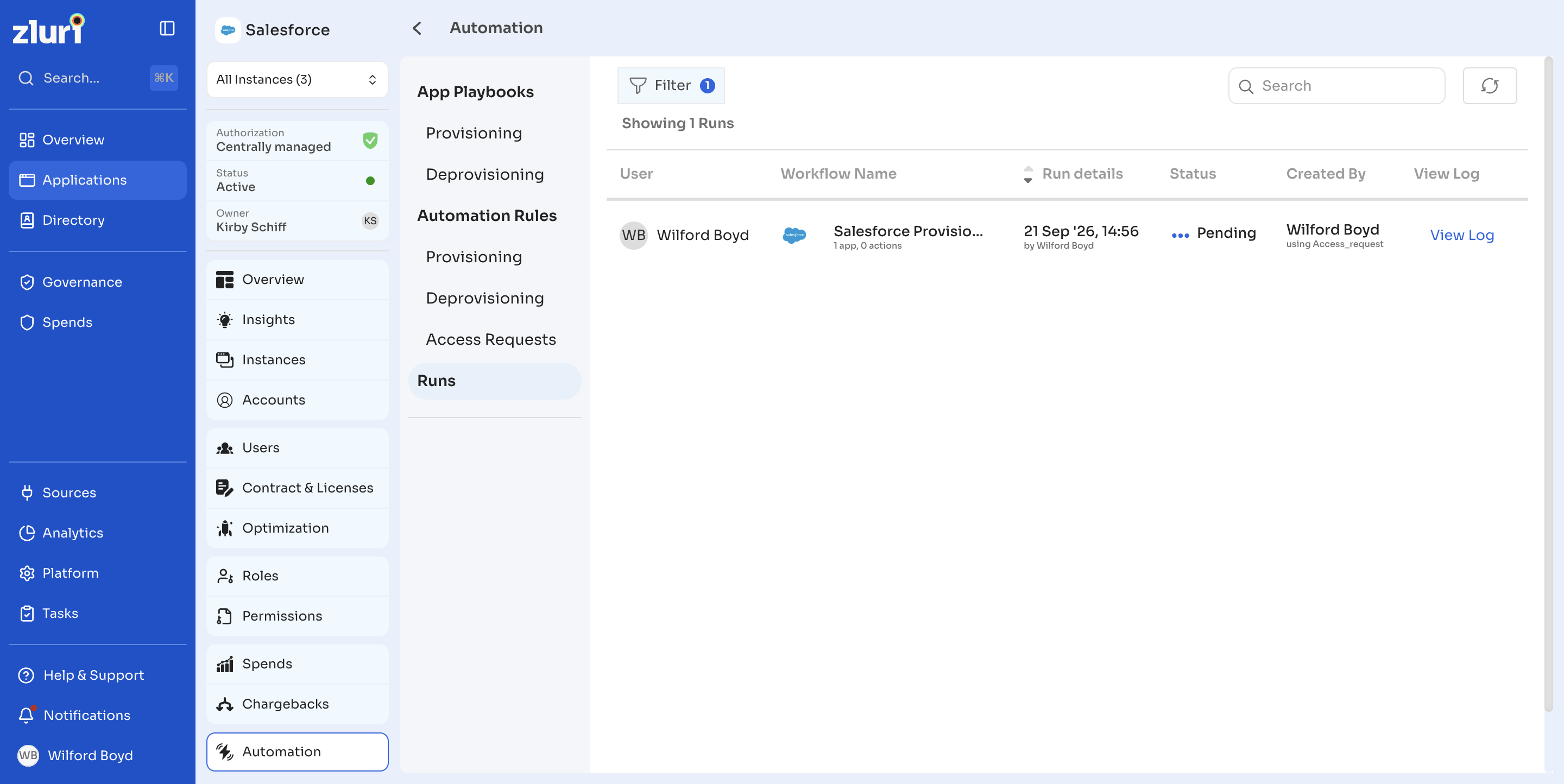
| Column | Description |
|---|---|
| User | The user the playbook ran for. |
| Workflow Name | The name of the playbook that ran, with the number of apps and actions. |
| Run details | The date and time of the run, and who started it. |
| Status | The status of the run, such as Pending. |
| Created By | Who created the run, and how it was started, such as through an access request. |
| View Log | Select View Log to see the run log. |
To work with runs:
- Select Filter to filter the list. By default, archived runs are hidden.
- Use Search to find a run.
- Select the refresh icon to reload the list.
Updated 26 days ago