
Cost vs. Spend
Zluri tracks two related but distinct figures for every application: cost and spend. Understanding the difference helps you interpret the numbers you see across Licenses, Contracts, Vendors, and Optimization correctly.
Cost
Cost is the agreed-upon amount allocated from a contract. It reflects what you committed to pay, based on your contract terms.
For example, if you procure 100 Zoom licenses for $1,000 total, your cost is $1,000, or $10 per license.
Spend
Spend is the actual money your company has spent. This can differ from cost when transactions occur outside your contracted terms, for example when employees independently procure additional licenses.
Continuing the example above, if employees procure extra licenses on their own and your company ends up spending $1,500 in total, your spend is $1,500, even though your contracted cost was only $1,000.
Where you see this in Zluri
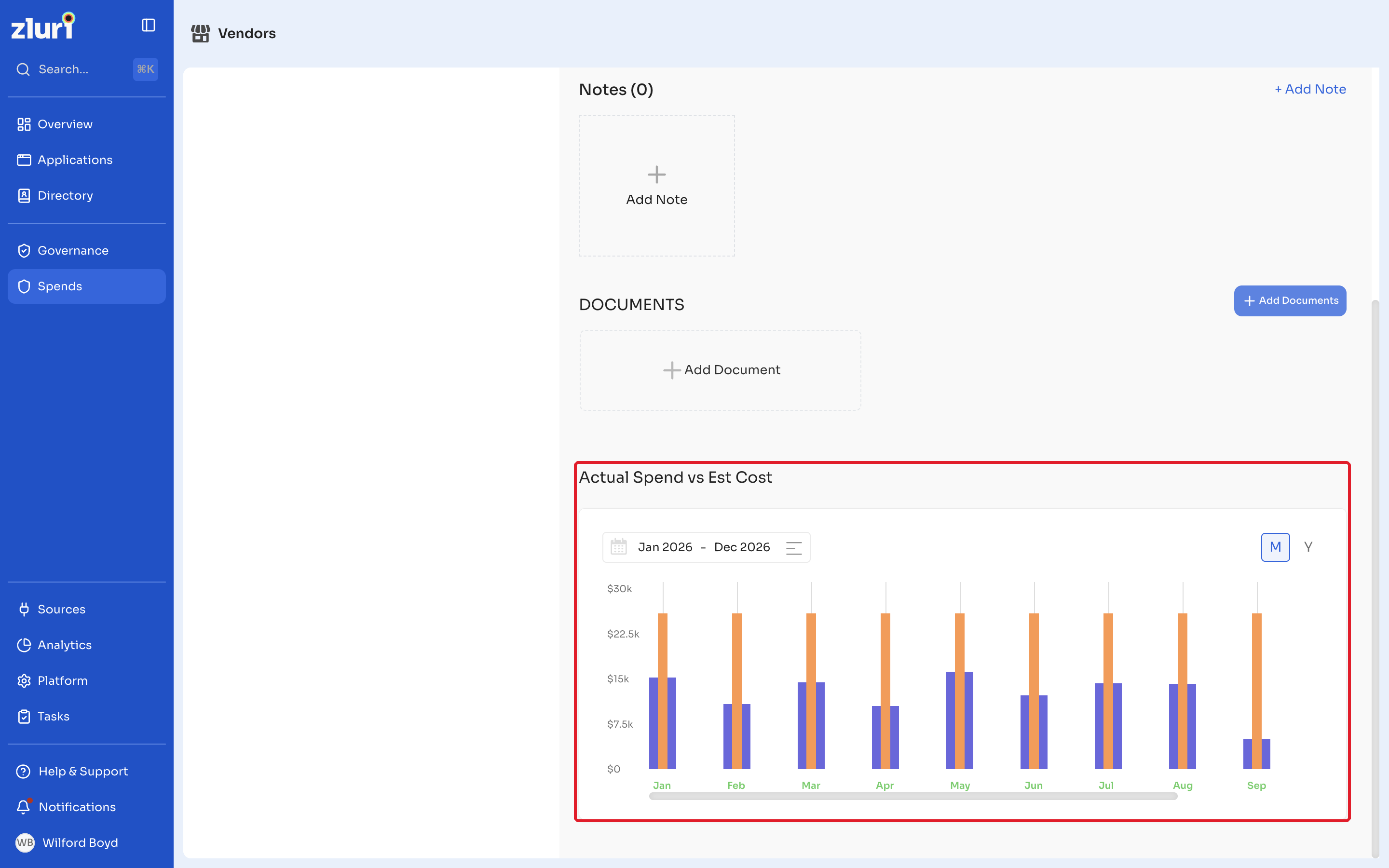
- The Actual Spends vs. Est. Cost chart, available on an application's or vendor's Overview page, plots both figures side by side over time so you can see where spend has grown beyond your contracted cost.
- The Budget column in the Departments directory shows the budget allocated to a department, which you can compare against that department's actual spend.
- On the Vendors list, the Spend [YTD] and Cost [YTD] columns can differ significantly. A large gap between them is a signal worth investigating, either an application with real usage but no tracked contract, or a contracted license that isn't being used as expected.
Updated 12 days ago