
Insights
The Insights tab surfaces real-time findings about an application, such as unused licenses, inactive accounts, and potential security risks, so administrators can investigate and resolve them quickly.
Accessing Insights
-
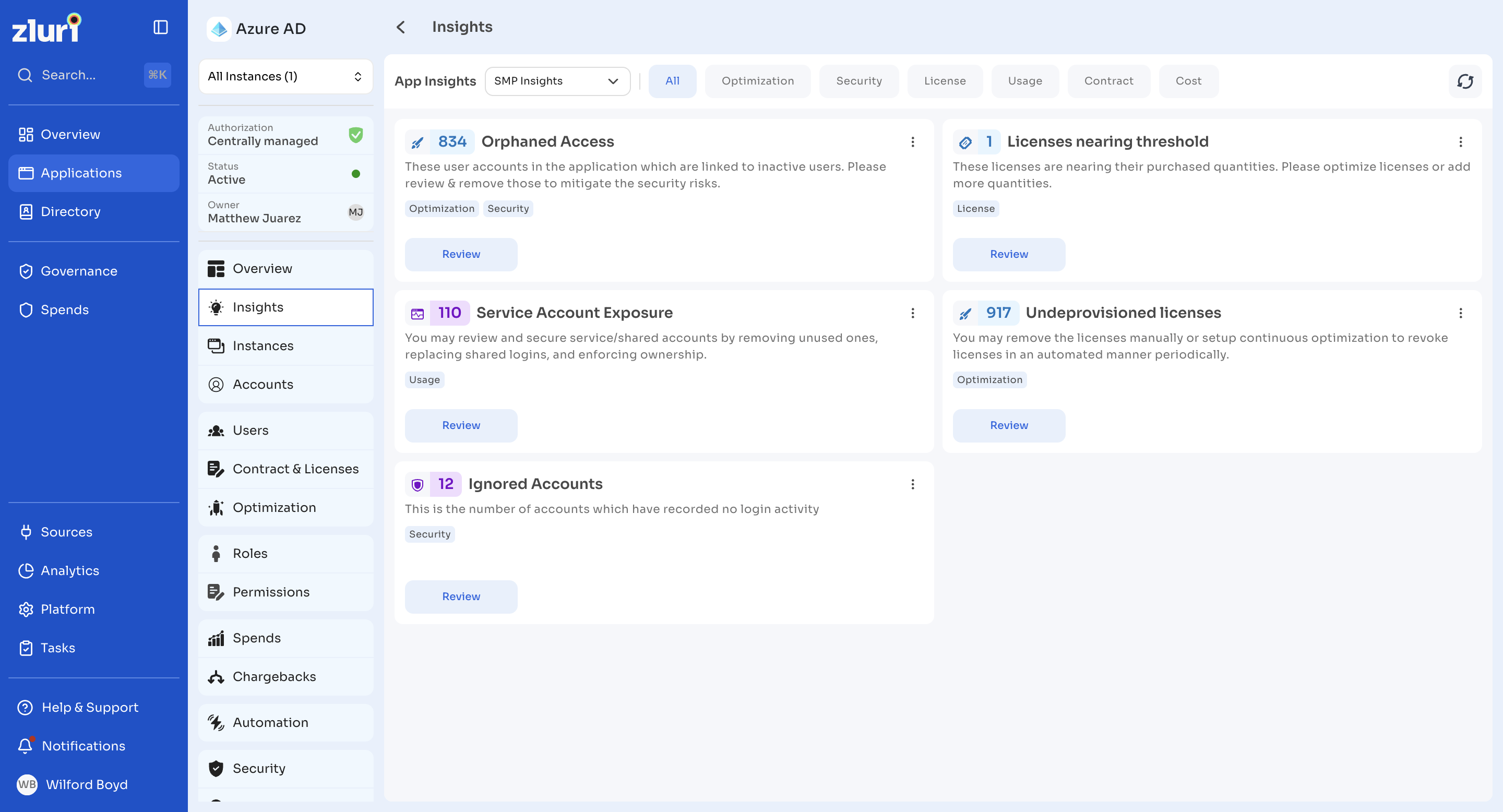
Select Applications in the left navigation, then select an application to open its profile.
-
Select Insights in the left panel.
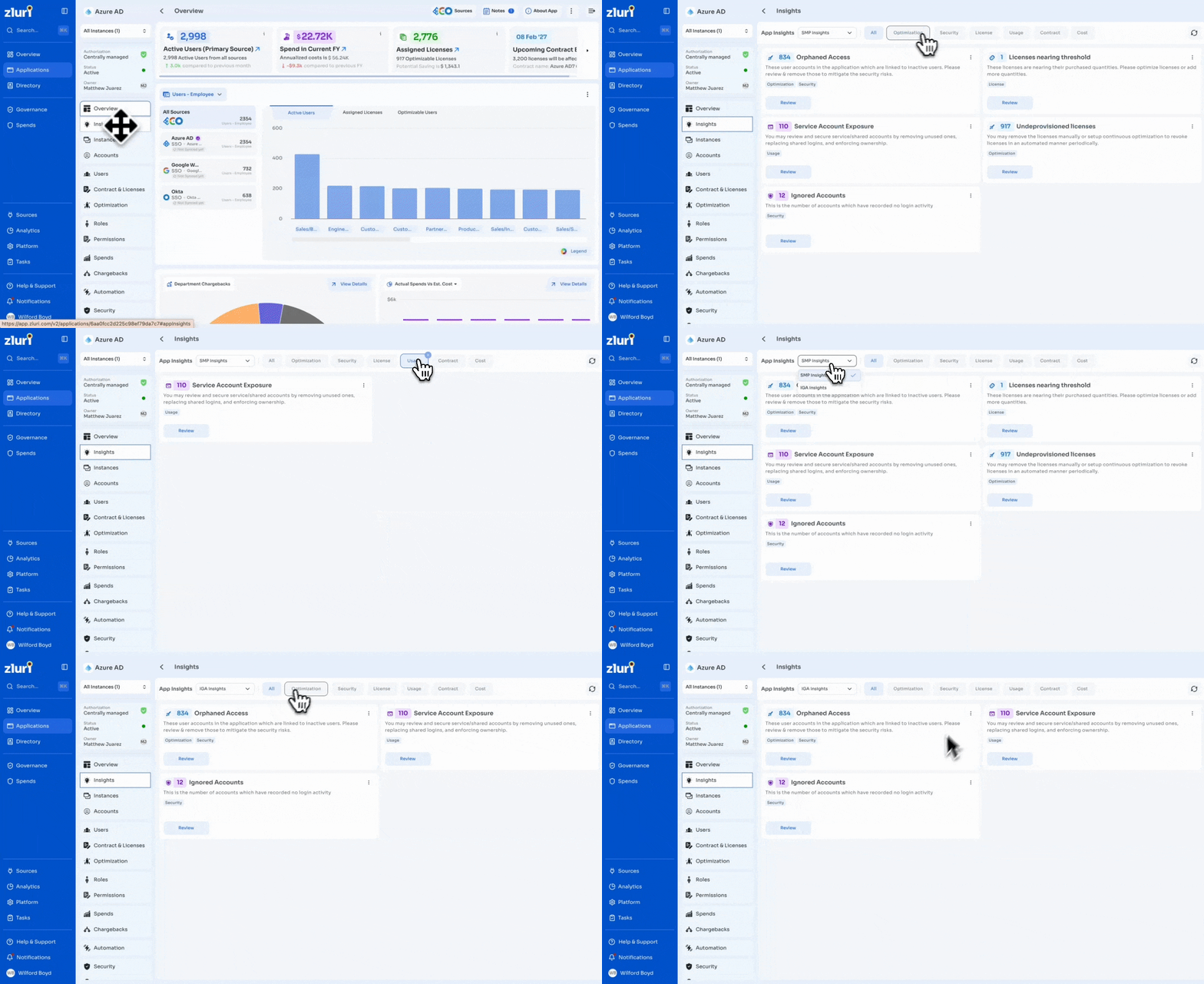
Switching insight sources
Use the App Insights dropdown to switch between SMP Insights and IGA Insights, depending on which platform's data you want to review. If no insights are available for the selected source, the tab shows a No insights available state.
Insight cards
Each insight appears as a card showing:
-
The number of affected users or records
-
A title describing the detected issue, for example Orphaned Access
-
A short description explaining the context
-
One or more tags showing the insight category, for example Security, Optimization
-
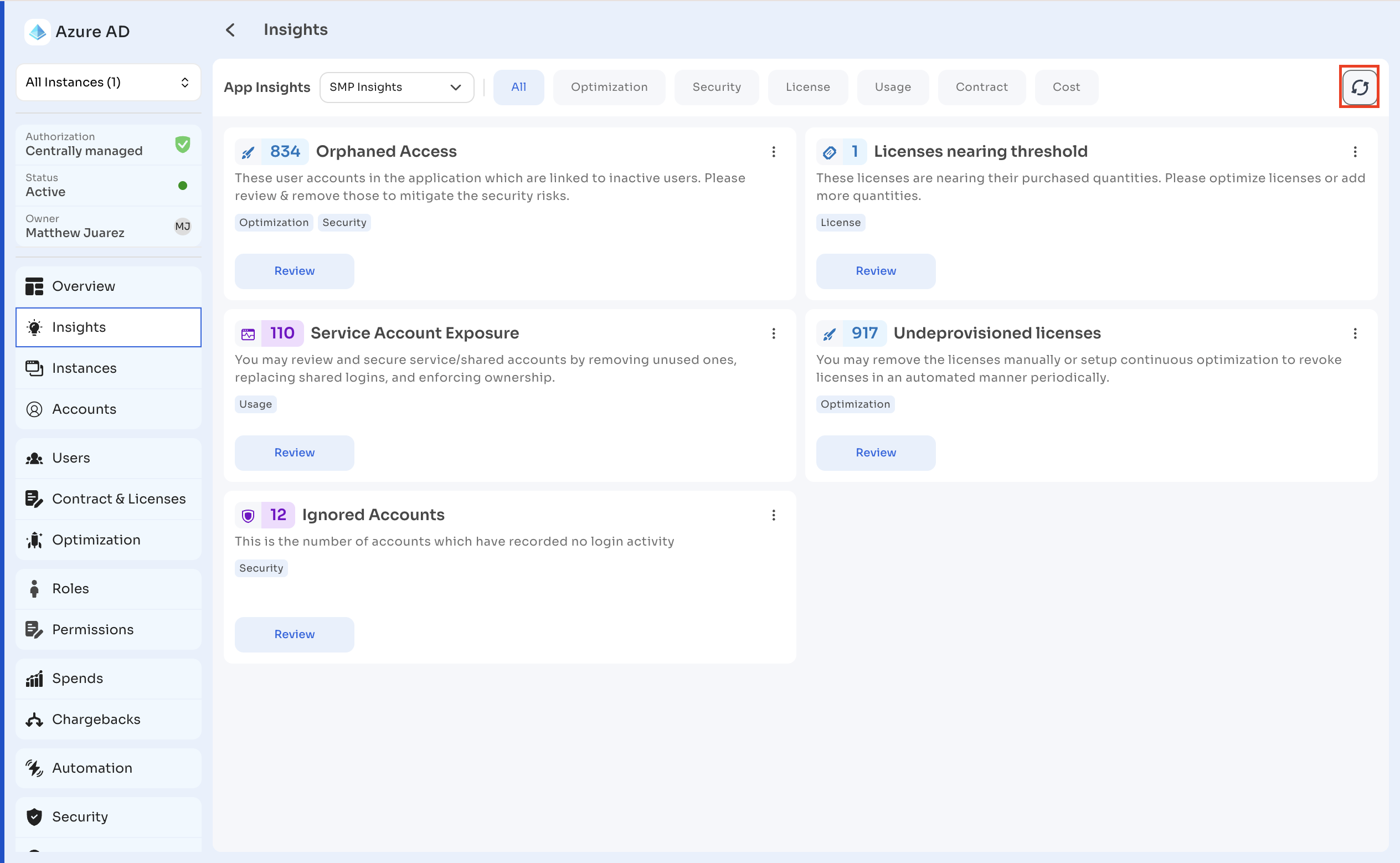
A Review button that opens the relevant view, such as the Users tab, with matching filters already applied — for example, reviewing an Orphaned Access insight opens the Users tab filtered to the affected accounts
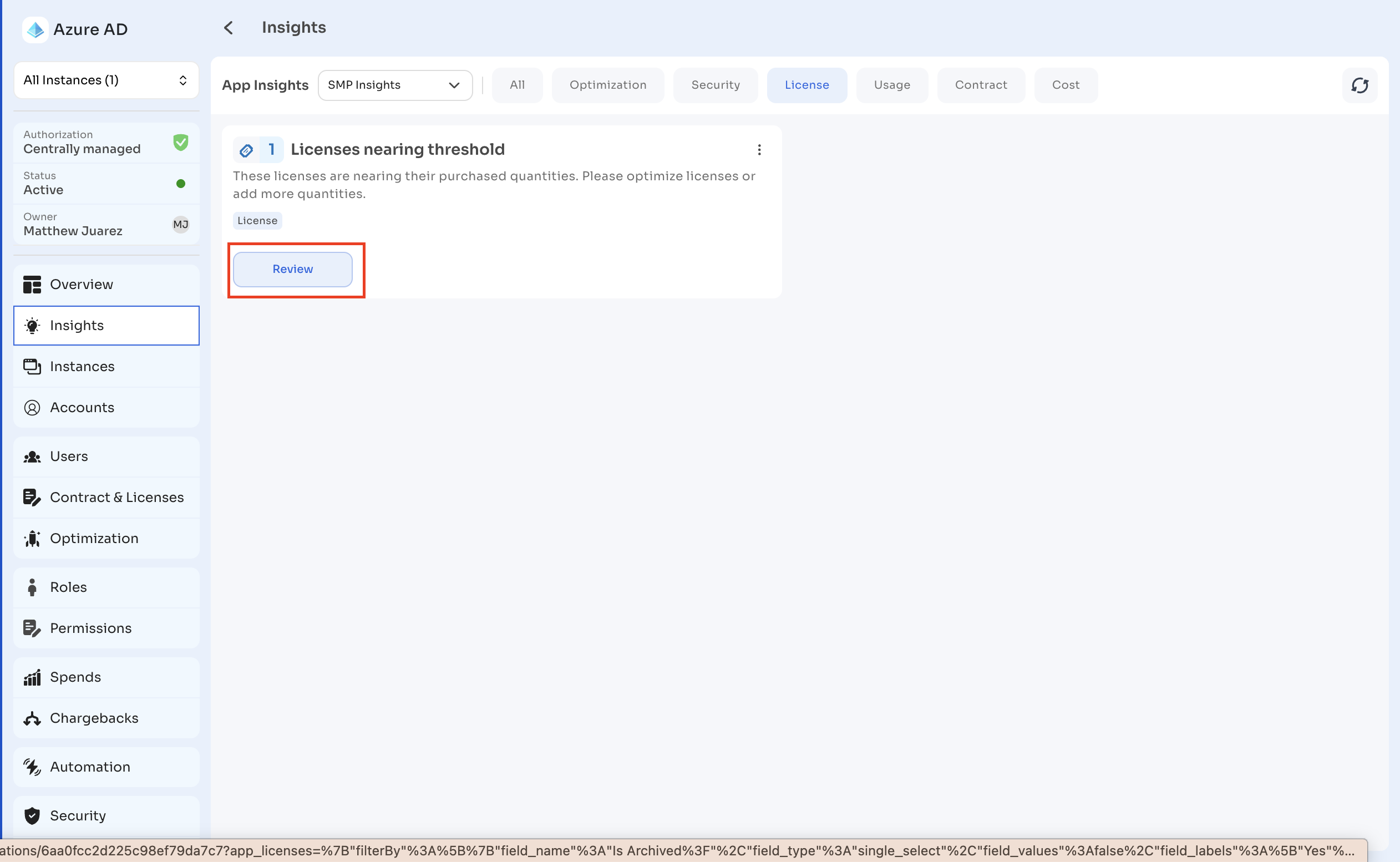
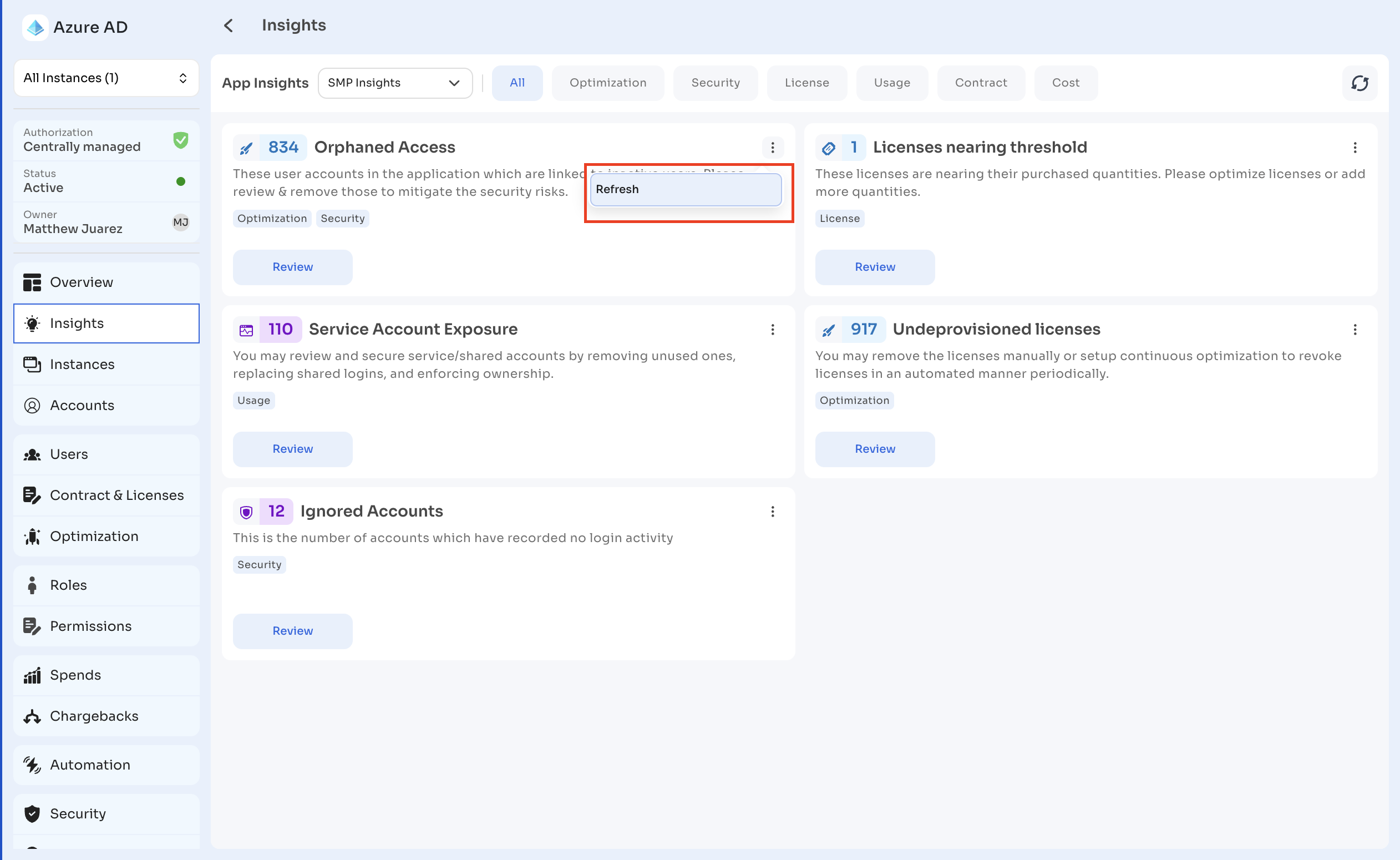
Select the three-dot menu on a card for further options.
Select the refresh icon at the top right to update all card values with the latest data.
Filtering by category
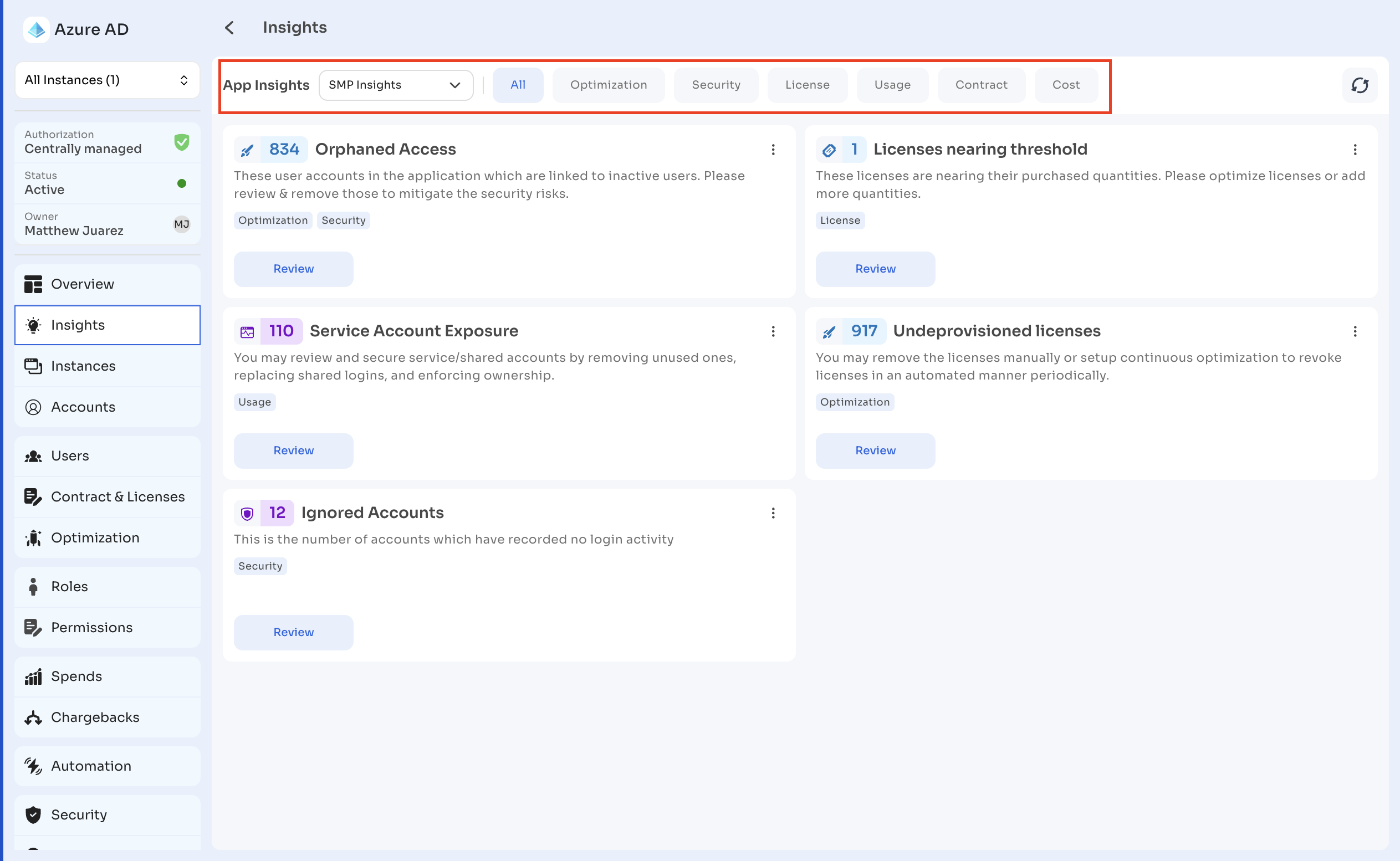
Use the tabs at the top of the page — All, Optimization, Security, License, Usage, Contract, Cost — to filter insights by category.
Insight categories
Security insights
Security insights highlight risks and governance gaps related to access, privileges, and compliance within the application.
| Insight | Description |
|---|---|
| Orphaned Access | Detects active application accounts linked to inactive users. Review and remove these accounts to prevent unauthorized access. |
| Dormant Accounts | Flags user accounts inactive for 30 days or more, based on login history and application discovery data. |
| Ignored Accounts | Flags accounts with no recorded activity data. Audit and remove unnecessary or inactive accounts. |
| Service Account Exposure | Detects service or shared accounts with application access. Assign owners or disable unused accounts. |
| Shadow IT Users | Identifies users accessing the application outside approved sources. Bring usage under management or revoke access. |
Optimization insights
Optimization insights identify unused or underutilized resources that can be reclaimed to optimize license costs and maintain application hygiene.
| Insight | Description |
|---|---|
| Unused Licenses | Detects licensed users inactive for 30 days or more. Reclaim or reassign licenses to optimize spend. |
| Undeprovisioned Licenses | Identifies users who have left the organization but still hold active licenses. Remove licenses or automate deprovisioning. |
| Suspended Users with License | Flags suspended accounts still consuming active licenses. Revoke or reassign licenses to free up resources. |
| Users with Multiple Accounts | Identifies duplicate or alias accounts for the same user. Merge or clean up redundant accounts to prevent license waste. |
License insights
License insights help track usage thresholds and identify overconsumption to support compliance and renewal planning.
| Insight | Description |
|---|---|
| Overused Licenses | Detects license usage exceeding purchased quantity. Add seats or deallocate licenses to maintain compliance. |
| Licenses Nearing Threshold | Highlights licenses with more than 80% utilization. Plan renewals or reallocate licenses before reaching capacity. |
Usage insights
Usage insights provide visibility into user activity, engagement, and anomalies across the application.
| Insight | Description |
|---|---|
| New Users Detected | Detects new active users added within the last 30 days. Validate onboarding and access approval. |
| Ignored Accounts | Identifies users with no recorded activity. Review and deactivate unused or stale accounts. |
| Users with Multiple Accounts | Detects users with multiple identities or aliases within the application. Merge or clean up duplicates. |
| Service Account Exposure | Highlights service or shared accounts with application access. Assign ownership or disable unused accounts. |
Contract insights
Contract insights track renewal timelines and expiration dates to support vendor and compliance management. To manage contracts and renewals, see Contracts and Renewals.
| Insight | Description |
|---|---|
| Days Since Contract Expired | Tracks how long a contract has been expired to highlight potential compliance risks. Upload or link the latest agreement to stay up to date. |
Cost insights
Cost insights identify spend irregularities or unused subscriptions to improve financial visibility. To review spend, see Transactions.
| Insight | Description |
|---|---|
| Days Since Last Transaction | Highlights applications with no spend recorded for over a year. Verify billing sources or review app usage. |
Updated 13 days ago