
Filters
Use filters to narrow the Transactions table to the data you need. Click Filter on any Transactions tab to access the following options.
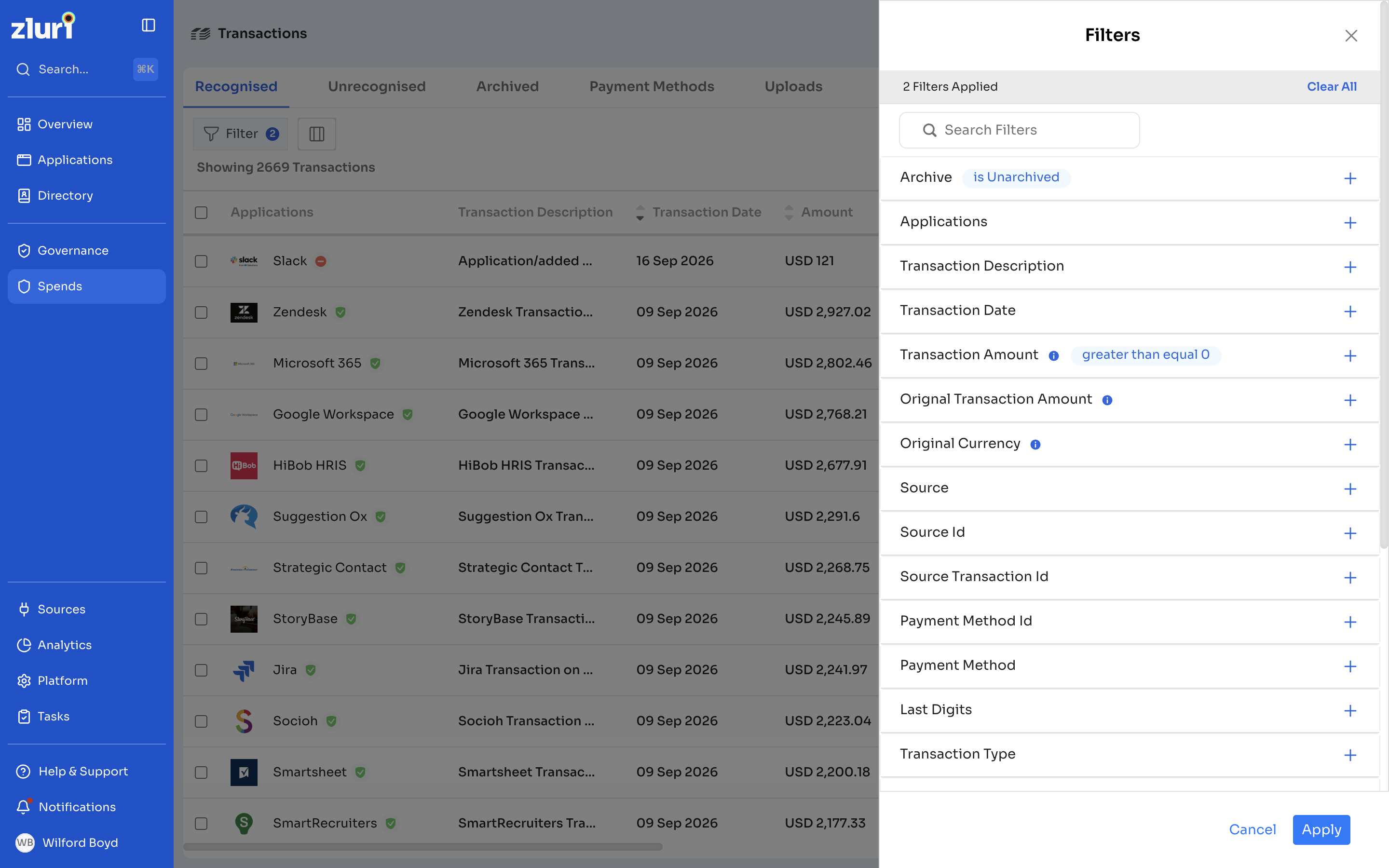
| Filter | Description |
|---|---|
| Transaction ID | An internal ID used by the Zluri team for validation or troubleshooting. Not visible to users. |
| Applications | Filter by application name using the Text Contains option. |
| Transaction Description | Filter by the text in the Transaction Description column. |
| Transaction Date | Filter by a specific date, before a date, after a date, or a date range. |
| Transaction Amount | Filter by amount greater than, less than, within a range, or equal to a specific value. |
| Currency | The transaction amount in your organization's default currency. |
| Original Transaction Amount | The transaction amount before conversion to your default currency. |
| Original Currency | The currency the transaction was actually recorded in. |
| Source | Where the transaction came from, such as an expense management system, an uploaded CSV, or a manual entry. |
| Source Id | An internal ID used by the Zluri team for validation or troubleshooting. Not visible to users. |
| Source Transaction Id | The transaction's ID from its source system. |
| Payment Method Id | An internal ID stored in the backend. |
| Payment Method | The payment method assigned to the transaction. |
| Last Digits | The last four digits of the payment method. |
| Transaction Type | Filter using Text contains or Text does not contain. |
| Vendor Name | The name of the vendor. |
| Vendor ID | An internal ID used by the Zluri team for validation or troubleshooting. Not visible to users. |
| Amortization Start Date | The date amortization begins. |
| Amortization End Date | The date amortization ends. |
| Cost Center | The cost center of the relevant business unit or department. |
| PO Number | The purchase order number for the transaction. |
Got questions? Feel free to submit a ticket or contact us directly at [email protected].
Updated 12 days ago
Did this page help you?