
Connect
Prerequisites
- Owner access to the Sage HR account. The API key inherits the permissions of the user who generates it, so a key created by a user without Owner access returns only the records that user can see.
- A Sage HR plan with API access available.
- The account subdomain (the
{subdomain}part of{subdomain}.sage.hr).
Step 1: Generate an API Key in Sage HR
-
Log in to the Sage HR account as an Owner.
-
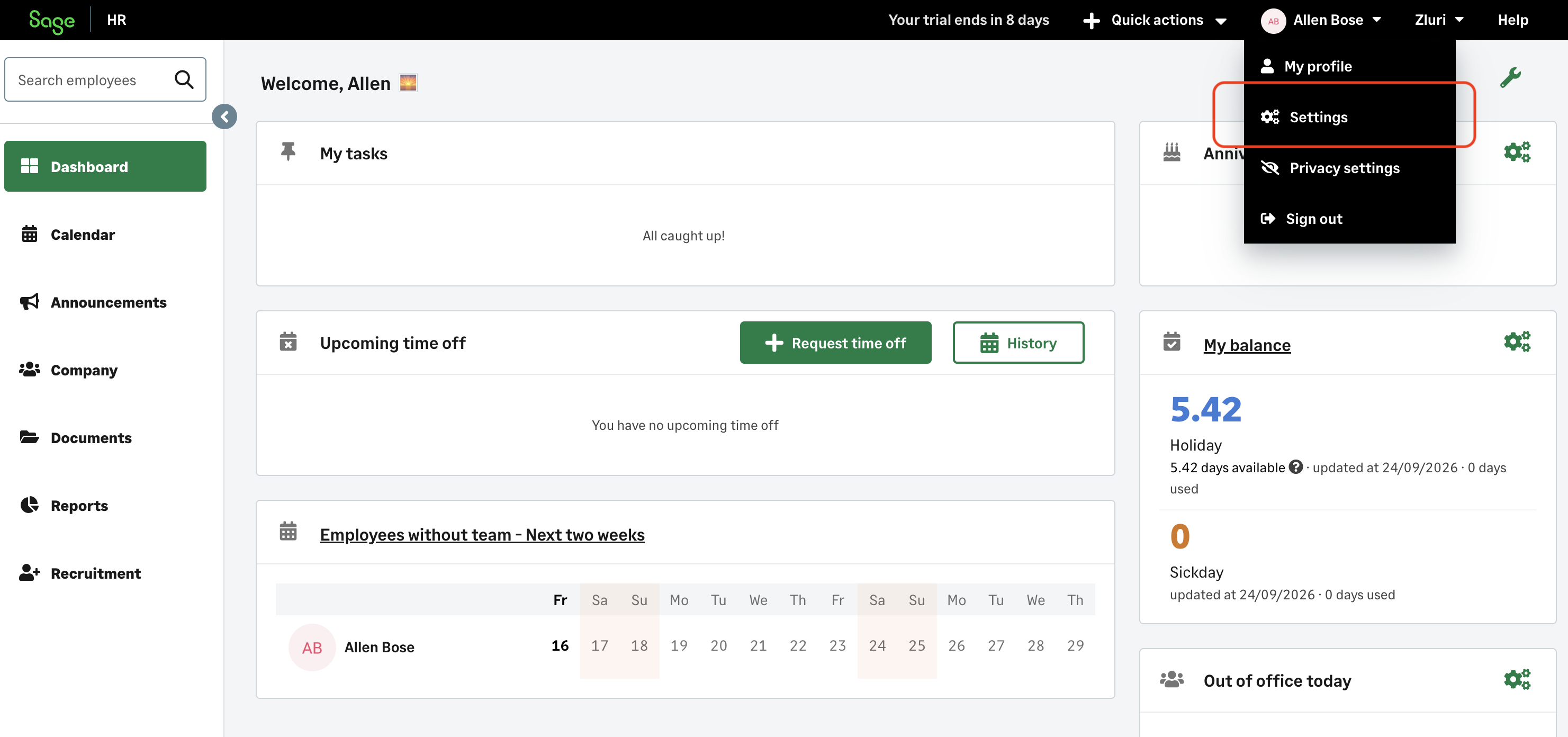
Select your username in the top-right corner, then select Settings.
-
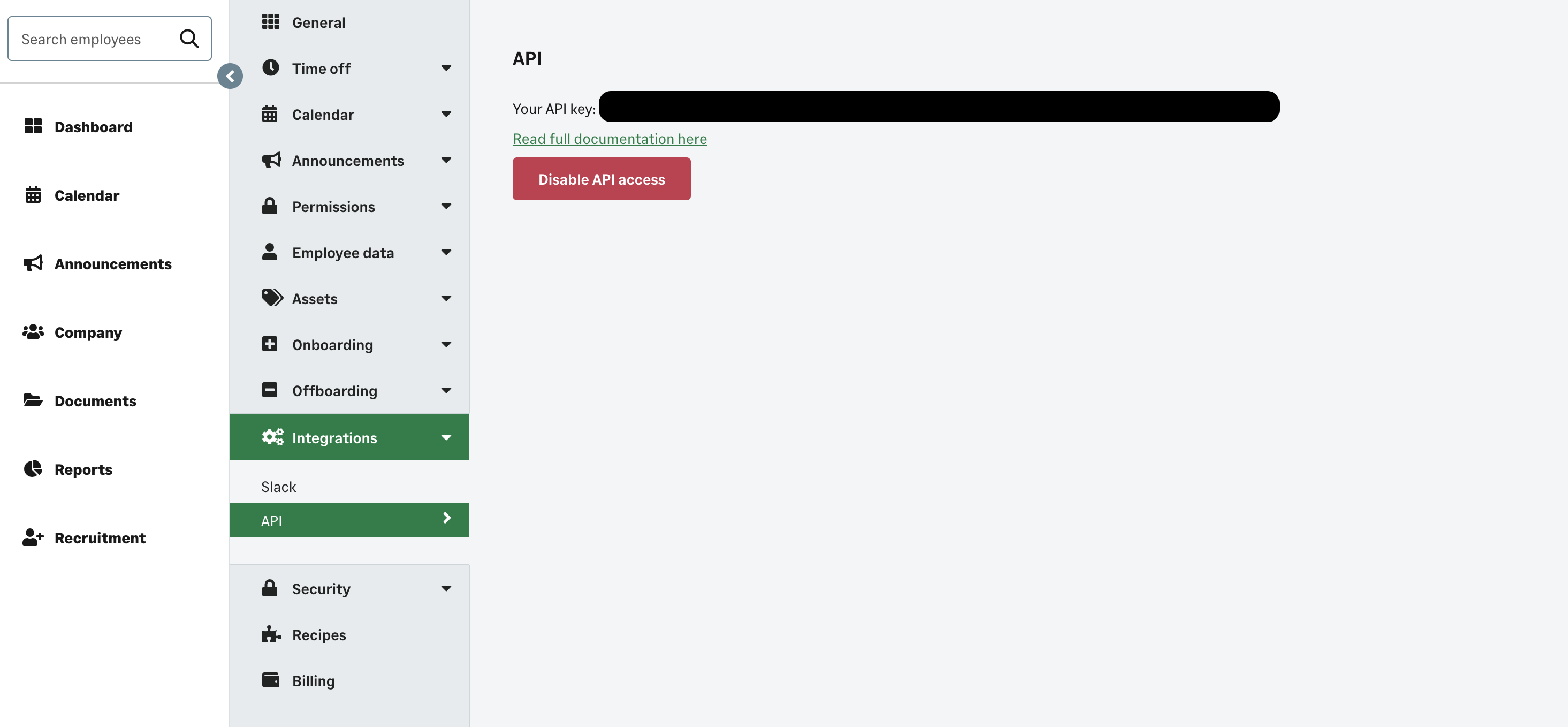
Navigate to Settings > Integrations > API.
-
Select Enable API access. Sage HR generates a unique API key for your user. If API access is already enabled, the existing key is shown along with a Disable API access button.
-
Copy and securely store the generated API key.
-
Note the account subdomain from the browser address bar (for example,
acmeinacme.sage.hr).
Step 2: Begin the Integration in Zluri
-
Log in to the Zluri dashboard.
-
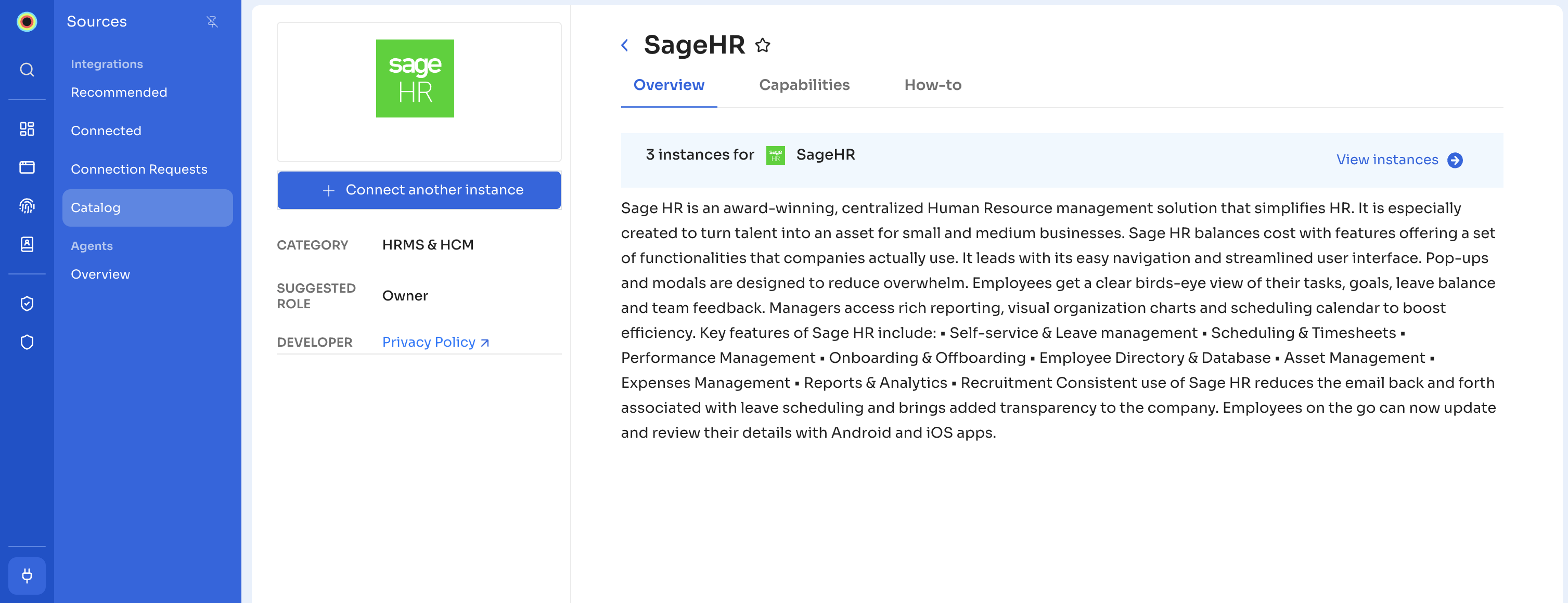
Navigate to Sources > Integrations and search for Sage HR to open the Sage HR Integration page.
-
Select Connect Integration or Connect another instance if an existing connection is already configured.
Step 3: Review and Add Scopes
- Review the required scopes displayed for the integration.
- Add additional scopes as needed for custom use cases or advanced access.
Authorization Options
Self-Authorization
- Proceed directly to Step 4 to complete authorization.
Co-worker Authorization
- Enter a co-worker's details to share the access request.
- Zluri sends an invite email or link containing a unique Connect Code.
- The co-worker can use the code to approve and complete the connection setup.
Step 4: Authorize the Connection
-
Depending on the authorization method (self or co-worker), enter the necessary credentials.
-
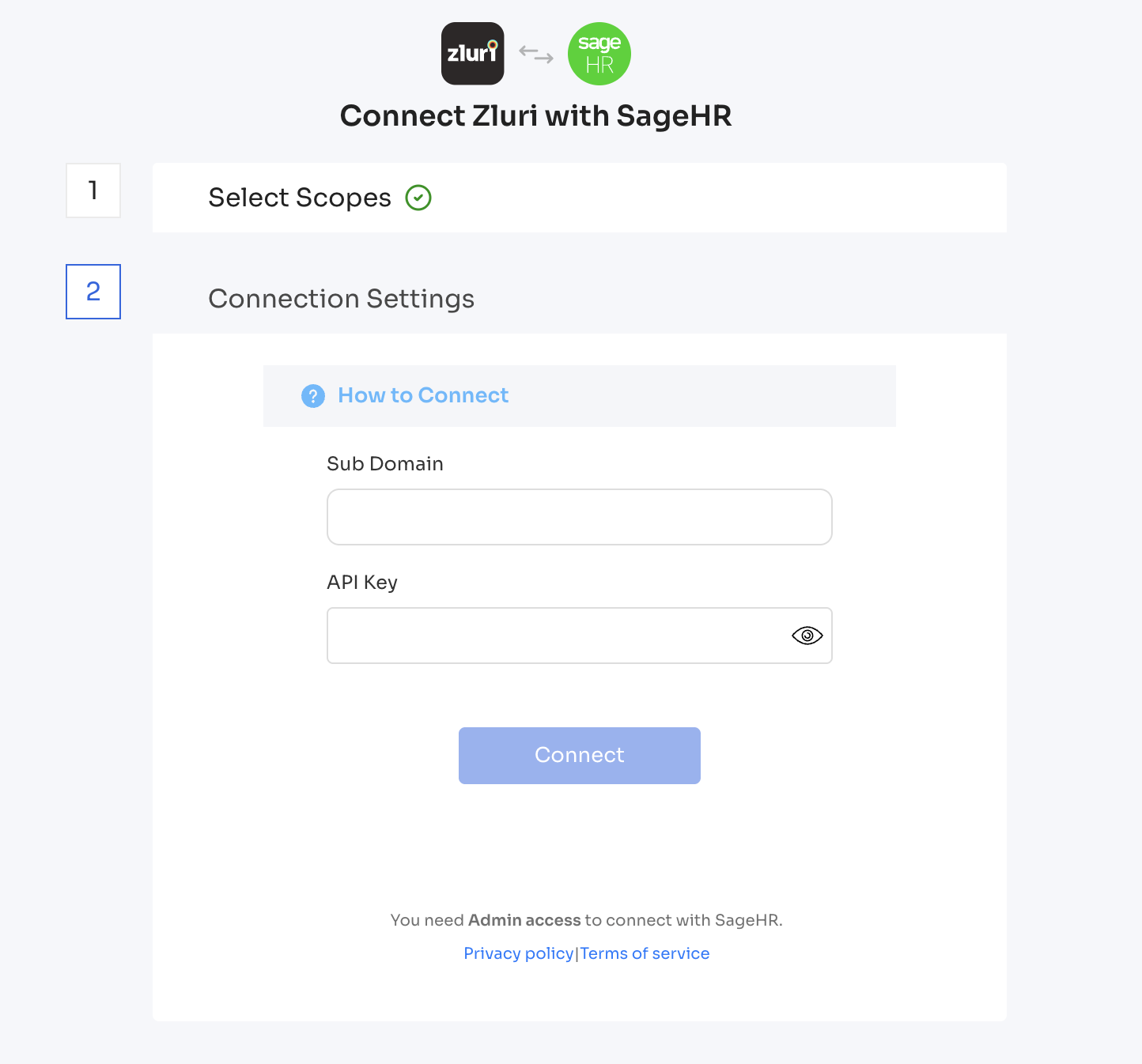
Enter the account subdomain into the Sub Domain field in Zluri.
-
Paste the API key into the API Key field in Zluri.
-
Select Connect to complete the integration.
Integration Complete
Zluri is now successfully connected to Sage HR and will begin syncing data automatically.
Got questions? Feel free to submit a ticket or contact us directly at [email protected].
Updated about 1 hour ago