
Organization Data
Available reports
Organization Data reports list the core records in your Zluri account: applications, users, departments, transactions, compliance, suite activity, and access requests. Only two of these reports have filters, List of Transactions and Applications Suite Activity Report. For the others, you choose only the file type, CSV or CSV for Excel.
To open them, go to Analytics → Reports and click Organization Data in the Categories panel.
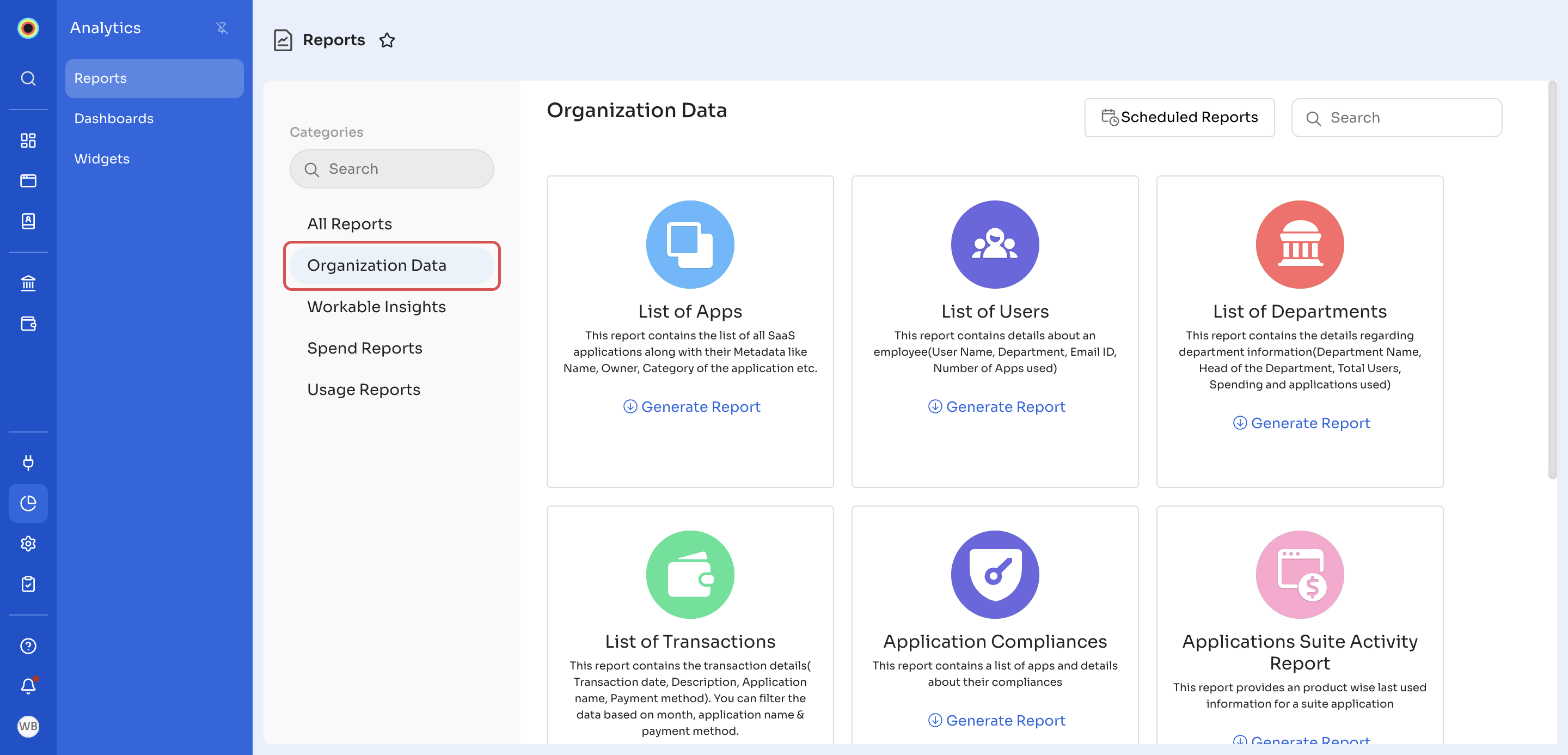
The Organization Data category has seven reports:
- List of Apps: all SaaS applications, with their metadata, such as name, owner, and category.
- List of Users: details of each user, with their user name, department, email ID, and number of apps used.
- List of Departments: details of each department, with the department name, department head, total users, spend, and applications used.
- List of Transactions: details of each transaction, with the transaction date, description, application name, and payment method. You can filter it by Application Name, Payment Method, and Date Range.
- Application Compliances: applications, with their compliance details.
- Applications Suite Activity Report: for each suite application, when each of its products was last used. You can filter it by Target App and, under Select Users, choose All users or Licensed Users.
- Access Requests Details: all access requests raised, with their approval and provisioning details.
To generate one of these reports, see Generate a report. To have one emailed to you on a schedule, see Schedule a report.
Updated 12 minutes ago
Did this page help you?